How to Create a Technical Flat from a Sketch in Illustrator
TL;DR
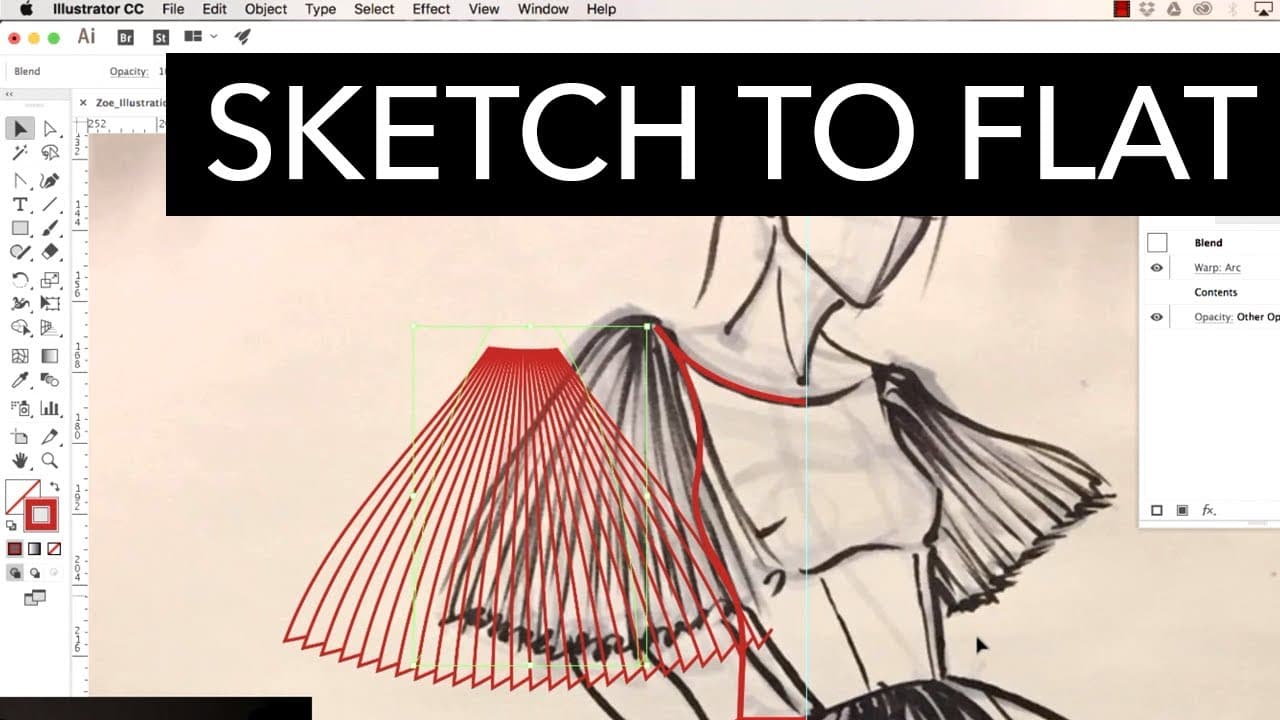
To create a technical flat from a sketch in Adobe Illustrator, start by importing the sketch as a reference image. Use the pen tool to trace the design, employing guides for symmetry. Experiment with features like blending and warping to refine the garment details, allowing for adjustments until the illustration meets the desired look.
Transcript
hey party people today I am at YouTube space la that's not at all I just met Heidi for the first time in person today we met four hours ago we're already talking about poop and sex candles awesome songs are the only really important things in life I think food I like food okay so let's talk about stuff we teach so once upon a time Heidi emailed me ... Read More
Key Insights
- 🥺 Collaboration between designers can lead to unique and creative design projects.
- 👻 Adobe Illustrator offers dynamic tools that allow for experimentation and editing throughout the design process.
- 🎨 Sketching with different shapes and sizes can help designers explore different design possibilities.
Install to Summarize YouTube Videos and Get Transcripts
Explore YouTube Video Summarizer or Get YouTube Transcript Extractor
Questions & Answers
Q: How did Zoe and Heidi start collaborating on this design project?
Heidi received an email from Zoe, expressing interest in collaborating due to their overlapping interests. They decided to collaborate on this video.
Q: What is the process of turning a sketch into a technical flat in Adobe Illustrator?
Heidi demonstrates the process of starting with a sketch and then using Illustrator's tools, such as the pen tool and pencil tool, to recreate the sketch as a technical flat.
Q: Why did Zoe decide to sketch a dramatic design for this project?
Zoe wanted to create something with big shapes and flare, as she believes that designers who start with dramatic shapes before fine-tuning and adding intricate details often create more impactful designs.
Q: What tips does Heidi give for using the pen and pencil tools in Illustrator?
Heidi suggests being mindful of your zoom level when using these tools. When zoomed in, you can create fine details, but when zoomed out, you can achieve long, sweeping lines. She also recommends experimenting with different stroke profiles to achieve desired effects.
Summary & Key Takeaways
-
Zoe and Heidi collaborate on a design project at YouTube Space LA.
-
Zoe sketches a dramatic design while Heidi demonstrates turning it into a technical flat in Adobe Illustrator.
-
The video highlights the importance of experimenting and playing around with Illustrator's dynamic features.
Read in Other Languages (beta)
Share This Summary 📚
Summarize YouTube Videos and Get Video Transcripts with 1-Click
Try YouTube Summary with ChatGPT & Claude or YouTube Transcript Generator
Explore More Summaries from Zoe Hong 📚


Summarize YouTube Videos and Get Video Transcripts with 1-Click
Try YouTube Summary with ChatGPT & Claude or YouTube Transcript Generator