Which Facebook Ads Conversion Window Should You Use - 7 Days Click, 1 Day View, Etc.
TL;DR
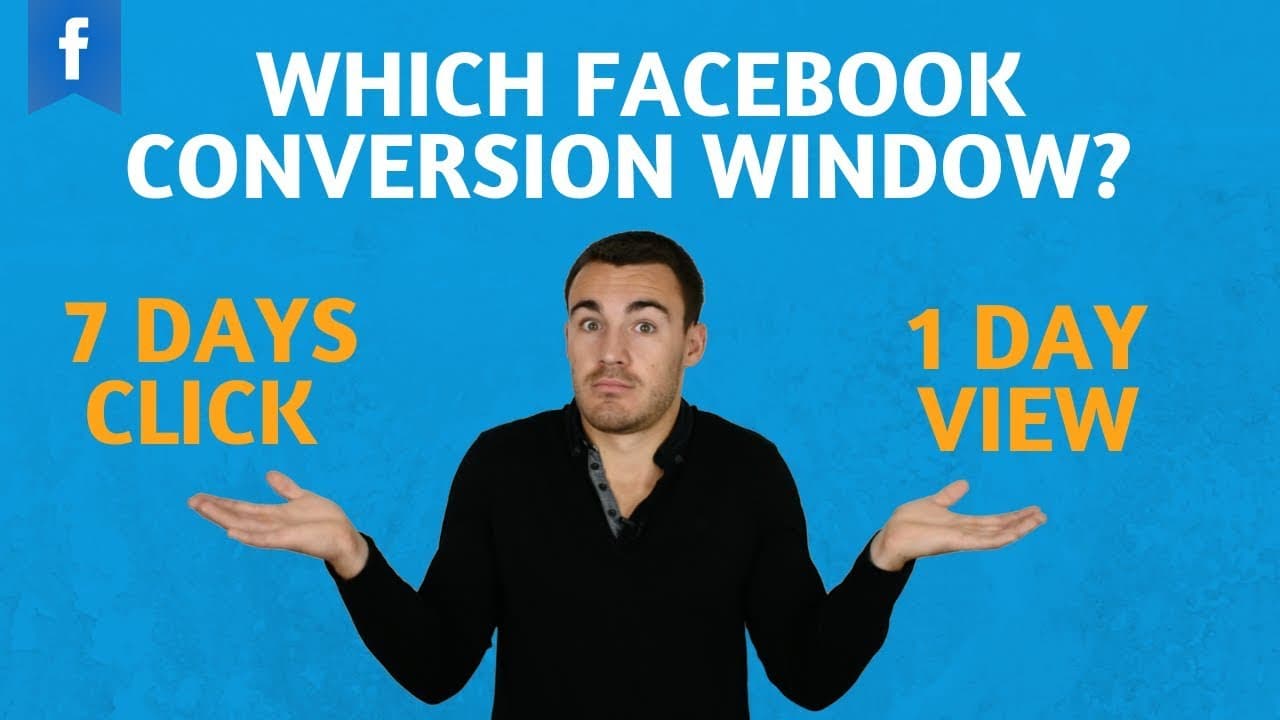
Understand and select the right Facebook Ads conversion window.
Transcript
hi guys has been heath from lead guru and in this video I'm gonna quickly show you what you should be doing with the Facebook Ads conversion window there's something I get asked about every now and then and it's a setting within Facebook that causes a lot of confusion so I thought I'd quickly create a video that shows you all about that just in cas... Read More
Key Insights
- The Facebook Ads conversion window is a setting at the ad set level for campaigns using the conversions objective.
- Facebook's default conversion window is seven days click or one day view, which is recommended for most advertisers.
- The conversion window helps Facebook optimize campaigns by analyzing who converts within a specified time after clicking or viewing an ad.
- For advertisers generating more than 50 conversions a day, a one-day click window is recommended for more precise optimization.
- If you're concerned about Facebook taking credit for conversions not directly influenced by ads, consider using the seven days click option.
- The conversion window setting impacts how Facebook attributes conversions, affecting campaign optimization and performance.
- Facebook's optimization process uses conversion data to adjust targeting automatically, such as focusing on age groups that convert more.
- Advertisers should not overly stress about attribution; multiple platforms often contribute to a sale, and it's challenging to pinpoint a single source.
Install to Summarize YouTube Videos and Get Transcripts
Explore YouTube Video Summarizer or Get YouTube Transcript Extractor
Questions & Answers
Q: What is the Facebook Ads conversion window?
The Facebook Ads conversion window is a setting at the ad set level for campaigns using the conversions objective. It refers to the time after someone clicks or views an ad during which their conversion is included in Facebook's optimization process. This setting helps Facebook determine which audiences are most likely to convert.
Q: What is the default conversion window setting on Facebook Ads?
The default conversion window setting on Facebook Ads is seven days click or one day view. This means Facebook will include conversions that happen within seven days of a click or within one day of a view in their optimization process. This setting is recommended for most advertisers as it provides a balanced approach.
Q: When should advertisers use a one-day click conversion window?
Advertisers should use a one-day click conversion window if they are generating more than 50 conversions a day. This setting is particularly useful for campaigns with a large budget or low-cost conversions, like lead magnet opt-ins or app installs, as it provides more precise optimization by focusing on immediate conversions.
Q: Why might advertisers choose to use the seven days click option?
Advertisers might choose the seven days click option if they are concerned about Facebook taking credit for conversions not directly influenced by ads. This setting excludes conversions that happen after viewing an ad, providing a clearer picture of conversions directly resulting from ad clicks, reducing attribution confusion.
Q: How does the conversion window affect campaign optimization?
The conversion window affects campaign optimization by determining which conversion data Facebook uses to adjust targeting and bidding strategies. It influences how Facebook identifies which audiences are more likely to convert, allowing for automatic optimization based on the timeframe selected, thereby impacting overall campaign performance.
Q: What is the role of attribution in the conversion window setting?
Attribution in the conversion window setting determines how conversions are credited to Facebook Ads. It affects how Facebook calculates and optimizes campaigns. While attribution can be complex, as multiple platforms often contribute to a sale, the conversion window helps streamline this process by focusing on specific timeframes for conversion tracking.
Q: Why should advertisers not overly stress about attribution?
Advertisers should not overly stress about attribution because sales are often the result of multiple touchpoints across different platforms. It's challenging to pinpoint a single source for a sale, as consumers may interact with various channels like Google, Facebook, and email before converting. A holistic view of marketing efforts is more beneficial.
Q: How can advertisers benefit from Facebook's automatic optimization?
Advertisers can benefit from Facebook's automatic optimization by allowing the platform to use conversion data within the selected window to adjust targeting and bidding. This process helps identify which audiences are more likely to convert, improving campaign efficiency and effectiveness without the need for constant manual adjustments.
Summary & Key Takeaways
-
The video explains the Facebook Ads conversion window, a setting within the ad set level for campaigns using the conversions objective. It discusses the default option of seven days click or one day view and provides guidance on when to use alternative settings.
-
For campaigns generating over 50 conversions daily, a one-day click window is recommended for better optimization. The video also addresses concerns about attribution and how multiple platforms can contribute to a sale, making it difficult to determine a single source.
-
The conversion window helps Facebook optimize campaigns by analyzing conversion data within a specified timeframe. This setting impacts how Facebook attributes conversions, affecting campaign performance and targeting adjustments.
Read in Other Languages (beta)
Share This Summary 📚
Summarize YouTube Videos and Get Video Transcripts with 1-Click
Try YouTube Summary with ChatGPT & Claude or YouTube Transcript Generator
Explore More Summaries from Ben Heath 📚
Summarize YouTube Videos and Get Video Transcripts with 1-Click
Try YouTube Summary with ChatGPT & Claude or YouTube Transcript Generator