How to Draw With Tone
TL;DR
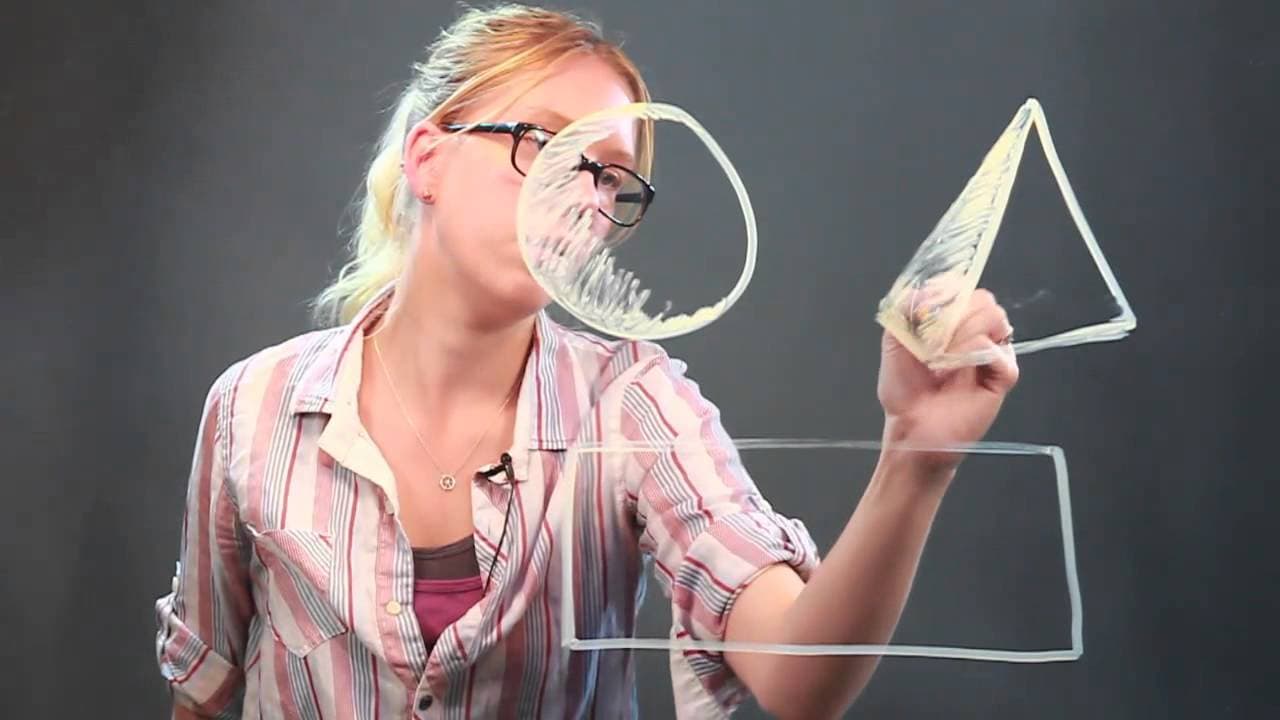
Learn how to create a 3D effect while drawing basic shapes like circles, triangles, and rectangles by shading them with tone.
Transcript
hi my name is daisy i'm an artist and i'm going to show you how to draw with tone so i'm going to use very basic shapes like the circle triangle and rectangle and show you how to draw them with a 3d tone so with the circle it's really simple you don't really have to add anything onto it just have to shade around one edge so it looks like the sun or... Read More
Key Insights
- 🙂 Shading around one edge of a circle can create the illusion of light and add a 3D effect.
- 🫥 Adding an extra line and shading one side of a triangle makes it look more three-dimensional.
- ⬜ Shading a rectangle involves shading the whole square, leaving the top open to let the light hit it.
- 🥌 Shading with tone is crucial for adding depth and realism to drawings.
- 🙂 Gradually thinning the shading creates the illusion of light fading away.
- 🍱 Shadows can be added to drawings by drawing a box extending from the object and shading it in.
- 🙂 The direction of light determines how and where to shade each shape.
Install to Summarize YouTube Videos and Get Transcripts
Explore YouTube Video Summarizer or Get YouTube Transcript Extractor
Questions & Answers
Q: How can I create a 3D effect while drawing a circle?
To create a 3D effect, shade around one edge of the circle to indicate light coming from a specific direction. Gradually make the shading thinner until it fades away.
Q: How do I make a triangle look three-dimensional in a drawing?
Start by adding an extra line to the triangle to create depth. Then, shade one side of the triangle to indicate shadow and make it appear more three-dimensional.
Q: What is the key difference in shading a rectangle compared to a circle or triangle?
While shading a rectangle, you need to add another part to show the top surface. Shade the entire square, but leave the top open to allow the light to hit it. You can also add a shadow by drawing a box extending from the rectangle.
Q: What is the purpose of shading with tone in drawing?
Shading with tone adds depth and creates a three-dimensional effect in a drawing. It helps in capturing light and shadow, making the objects appear more realistic and life-like.
Summary & Key Takeaways
-
The artist, Daisy, demonstrates how to create a 3D effect by shading basic shapes like circles, triangles, and rectangles using tone.
-
With a circle, shading around one edge creates the illusion of light coming from a specific direction.
-
Adding an extra line to a triangle and shading one side makes it appear more three-dimensional, while rectangles require shading and leaving the top open for a realistic look.
Read in Other Languages (beta)
Share This Summary 📚
Summarize YouTube Videos and Get Video Transcripts with 1-Click
Try YouTube Summary with ChatGPT & Claude or YouTube Transcript Generator
Explore More Summaries from ehow 📚

Summarize YouTube Videos and Get Video Transcripts with 1-Click
Try YouTube Summary with ChatGPT & Claude or YouTube Transcript Generator