How to record a podcast online and interview guests remotely
TL;DR
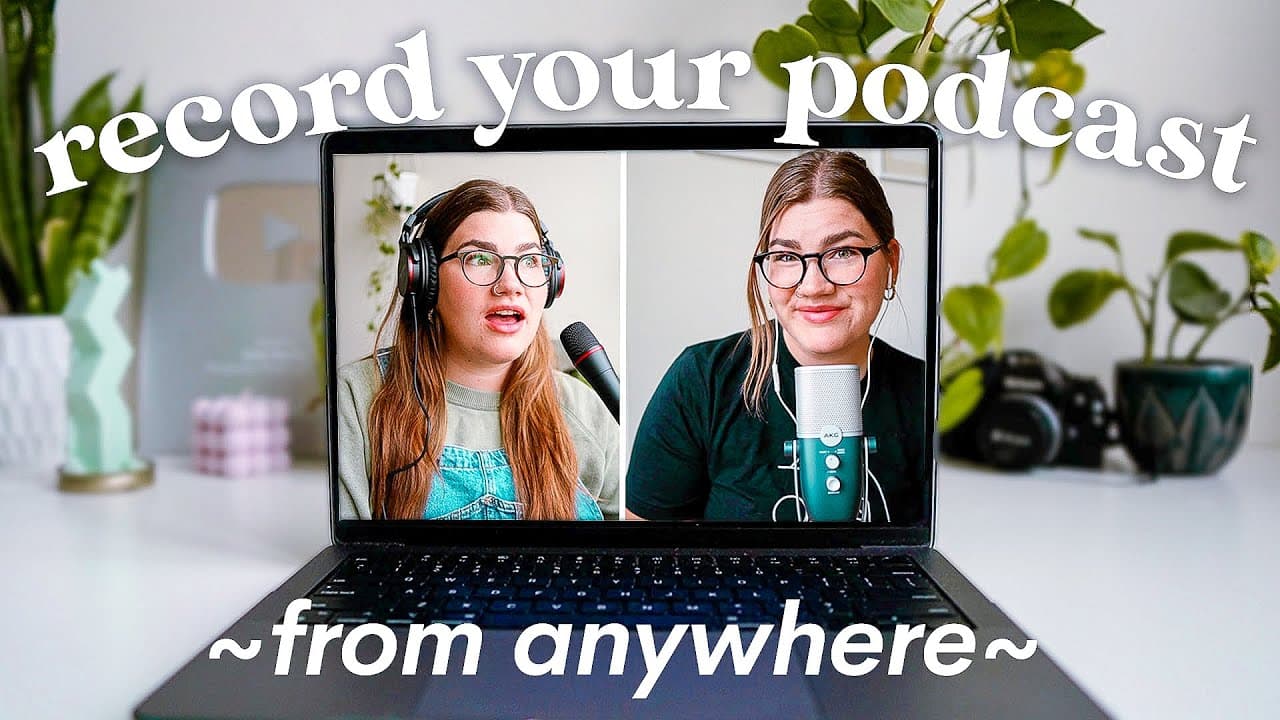
Learn how to easily record your podcast remotely with high quality audio and video using Riverside, a platform that allows you to record, edit, and download your content all in one place.
Transcript
thanks to Riverside for sponsoring today's video so you want to record a podcast but the people that you want to record with don't live close to you whether you want the flexibility to interview guests across the world or your co-host lives in another city or maybe like me you travel a lot and you still want to be able to create an awesome podcast ... Read More
Key Insights
- 😄 Podcasts have become increasingly popular among both creators and listeners, making it a great platform for content creation and audience engagement.
- 💻 Riverside is a powerful online tool that allows users to easily record high-quality audio and video for their podcasts remotely, eliminating the need for co-hosts or guests to be physically present.
- 🎙️ When using Riverside, users can create their own studio, customize settings, invite guests via email or link, and start recording.
- 🎶 Riverside also offers built-in editing features, enabling users to make adjustments, create clips, and choose layouts for their podcast episodes.
- 📱 Improving the quality of video recordings can be achieved by using an iPhone as a webcam, which provides better video quality compared to laptop cameras.
- 🎧 When it comes to audio, options for microphones vary depending on budget. These range from wired Apple headphones to mid-range USB microphones, and finally, professional-level XLR microphones paired with devices like the Vocaster for advanced audio quality.
- 🎙️ Hosting successful podcast interviews requires research, asking relevant questions that provide value to both the audience and the host, and defining a theme or purpose for the interview to ensure a meaningful conversation.
- 🚀 Armed with the right tools, improved audio and video quality, and effective interview techniques, anyone can confidently start and launch their own podcast, reaching and engaging with a wide audience.
Install to Summarize YouTube Videos and Get Transcripts
Explore YouTube Video Summarizer or Get YouTube Transcript Extractor
Questions & Answers
Q: How does Riverside ensure high quality audio and video recording for remote podcasting?
Riverside ensures high quality by recording locally before uploading to the platform, eliminating issues caused by internet speed. The platform also offers options for selecting microphones and cameras to use during recording.
Q: Can you invite guests to join your podcast recording on Riverside?
Yes, Riverside allows you to easily invite guests by sharing a link or sending email invitations directly from the platform. Guests can join as audience members, guests, or producers.
Q: What editing features does Riverside offer for podcast recordings?
Riverside provides built-in editing features such as the ability to create clips and choose different layouts for your clips, saving you time compared to using regular editing software. The platform also offers exporting and downloading options for your edited content.
Q: Can you use your iPhone as a webcam for recording podcasts on Riverside?
Yes, you can use your iPhone as a webcam for recording podcasts by connecting it to your computer using a lightning cable. This method can significantly improve the video quality compared to using a laptop's built-in webcam.
Q: What microphone options are available for recording podcasts on Riverside?
Depending on your budget, you can choose from different microphone options. This includes using wired Apple headphones, mid-range USB microphones, or upgrading to a high-end setup using the Vocaster device and XLR microphone.
Q: How can you ensure engaging interviews for your podcast recordings?
To ensure engaging interviews, it is important to research your guest, ask questions that both you and your audience are curious about, and choose a theme or purpose for the interview. By planning ahead and focusing on delivering valuable content, you can keep your listeners interested and captivated.
Q: Is there additional guidance available for launching a podcast?
Yes, the content creator has a playlist that provides a step-by-step guide on how to launch a podcast, covering all the necessary steps. The playlist is a helpful resource for those looking to start their podcasting journey.
Summary & Key Takeaways
-
Podcasting is becoming increasingly popular, and recording remotely has become a necessity for many podcasters.
-
Riverside is a platform that offers high quality audio and video recording for remote podcasting.
-
The platform provides an easy setup process, intuitive editing features, and the ability to invite guests without requiring them to download any specific apps.
Read in Other Languages (beta)
Share This Summary 📚
Summarize YouTube Videos and Get Video Transcripts with 1-Click
Try YouTube Summary with ChatGPT & Claude or YouTube Transcript Generator
Explore More Summaries from Katie Steckly 📚

Summarize YouTube Videos and Get Video Transcripts with 1-Click
Try YouTube Summary with ChatGPT & Claude or YouTube Transcript Generator