How to Cut Instruments for Vocals to Sit Correctly
TL;DR
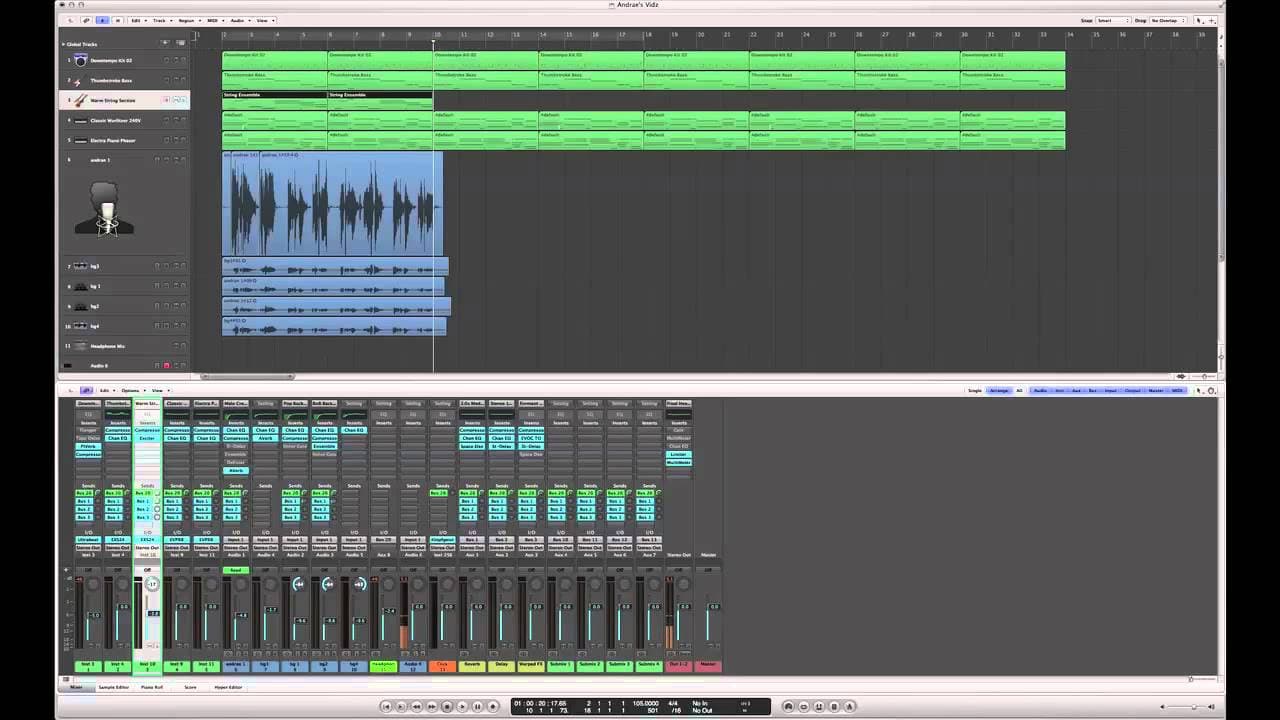
Learn how to adjust instrument levels and positions to create a balanced mix with clear vocals.
Transcript
hi i'm andre alexander i'm a pianist composer singer and songwriter in the los angeles area today i'll be showing you how to cut instruments for vocals to sit correctly to begin with you're going to need a digital audio workstation which could be pro tools logic studio one by presonus cubase nuendo whatever it is you use and then you're gonna need ... Read More
Key Insights
- 💇 Using a digital audio workstation is necessary to cut instruments for vocals to sit correctly.
- 🤩 Balance is key in achieving a clear mix, ensuring each instrument and the vocals have their individual space.
- 🛢️ Addressing specific instrument volumes, such as drums, strings, and pianos, can greatly impact the overall mix clarity.
- ↔️ Moving instruments to the left or right can help create separation and avoid overpowering the vocals.
- 🧘 Adjusting volumes and positions incrementally can result in a more balanced and even mix.
- 🥺 Maintaining the bass, drums, and lead vocals in the center is a common practice.
- 🗯️ Finding the right balance between instrument volumes is crucial to avoid any element dominating the mix.
Install to Summarize YouTube Videos and Get Transcripts
Explore YouTube Video Summarizer or Get YouTube Transcript Extractor
Questions & Answers
Q: What is the main concept behind cutting instruments for vocals to sit correctly?
The main concept is to achieve a balanced mix where each instrument has its own designated space, volume, and doesn't overpower the vocals.
Q: How does Andre suggest dealing with boomy drums?
Andre suggests lowering the volume of the drums to reduce the "mud" in the track and create a clearer mix.
Q: How does Andre address the issue of loud strings?
Instead of solely reducing their volume, Andre suggests moving the strings slightly to the left to create separation from the lead vocals and give them their own space.
Q: How does Andre handle the pianos in the mix?
Andre adjusts the two pianos by moving them both to the left and right, as well as reducing their volumes, to create a balanced placement in the mix.
Summary & Key Takeaways
-
In this video, Andre Alexander provides a tutorial on adjusting instrument levels and positions to create a balanced mix.
-
He emphasizes the concept of mixing, where each instrument has its own space, volume, and doesn't overpower the vocals.
-
Andre demonstrates how to adjust the drums, strings, and pianos by lowering their volumes and moving them to the left or right to create clarity.
Read in Other Languages (beta)
Share This Summary 📚
Summarize YouTube Videos and Get Video Transcripts with 1-Click
Try YouTube Summary with ChatGPT & Claude or YouTube Transcript Generator
Explore More Summaries from ehow 📚

Summarize YouTube Videos and Get Video Transcripts with 1-Click
Try YouTube Summary with ChatGPT & Claude or YouTube Transcript Generator