2-Years with the Logitech MX Master 3 (for Mac)
TL;DR
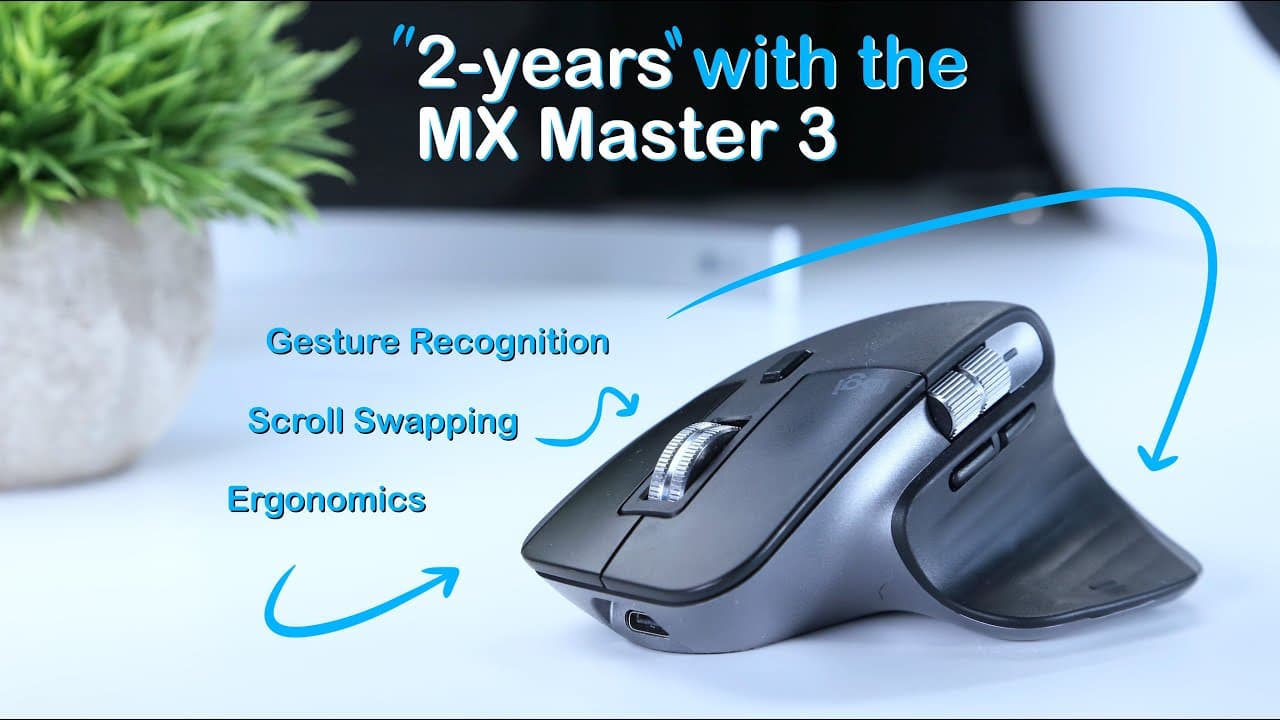
The MX Master 3 is an ergonomic and customizable mouse with excellent button customization options and gesture controls.
Transcript
it's been almost two years since i picked up the mx master iii and i think i'm finally ready to share my thoughts for context i spend about six to eight hours per day at least six days a week working at a computer mostly jumping between email and web browsers as well as working with cad design and video editing software so for me like many of you a... Read More
Key Insights
- 💻 The MX Master 3 mouse is designed for extended computer use and offers a comfortable ergonomic design that supports a relaxed hand position.
- 🔋 The mouse has a long battery life of up to 70 days and can be charged via USB-C. It also has a quick charge feature, providing three hours of use after just one minute of charging.
- 🖱️ The MX Master 3 features customizable buttons, allowing users to assign specific functions for different applications. The gesture button beneath the thumb is particularly useful for replicating trackpad gestures on a Mac.
- 📱 The mouse supports Logitech Flow, which enables seamless switching between multiple devices, but iPadOS is not currently supported.
- 👥 The MX Master 3's button customization and gesture controls make it a versatile tool for productivity and convenience. Its ergonomic design also contributes to overall comfort during use.
- 🚀 Scrolling on the MX Master 3 is smooth and precise, thanks to its electromagnetic scrolling system. The two scrolling modes (incremental and smooth) can be quickly toggled using a dedicated button.
- ✨ The MX Master 3's construction is durable and has withstood daily use without any significant wear or performance issues. It is suitable for both desktop and occasional on-the-go use.
- 💰 The MX Master 3 is priced at around $100, but discounts may be available. Previous models in the MX Master series can also be found at lower prices on third-party platforms like Amazon.
Install to Summarize YouTube Videos and Get Transcripts
Explore YouTube Video Summarizer or Get YouTube Transcript Extractor
Questions & Answers
Q: How does the MX Master 3's ergonomic design contribute to its comfort?
The MX Master 3's ergonomic design, with a swooping thumb rest and angled shape, encourages a relaxed pinching posture and provides a comfortable grip. The minimalistic texture and natural hand placement make it comfortable to use for long periods without strain.
Q: What are the customization options available on the MX Master 3?
The MX Master 3 offers extensive customization options, allowing users to assign different functions to each of the six programmable buttons. This customization can be application-specific or consistent across all applications, providing users with a personalized experience.
Q: How does the MX Master 3's gesture control feature enhance its usability?
The MX Master 3 includes a gesture button beneath the thumb that can be fully customized. Users can assign specific actions, such as launching mission control or switching between desktops, to gestures performed while holding the button. This feature mimics the functionality of a trackpad, making navigation more intuitive.
Q: Does the MX Master 3 support multi-device connectivity?
Yes, the MX Master 3 can remember up to 3 devices at a time. Users can easily switch between devices using the small circular button on the underside of the mouse or by entering pairing mode. This feature is particularly useful for individuals who work across multiple devices.
Q: What are the benefits of the MX Master 3's customizable button functionality?
The MX Master 3's customizable button functionality allows users to tailor the mouse's actions to their specific needs. For example, buttons can be programmed to navigate through web pages, control media playback, or perform app-specific actions. This level of customization enhances productivity and boosts efficiency while using the mouse.
Summary & Key Takeaways
-
The MX Master 3 has an ergonomic design and is extremely comfortable to use for long hours at the computer.
-
The mouse features customizable buttons and gesture controls, allowing users to personalize their experience based on their needs.
-
The MX Master 3 has a long-lasting battery life and can be used while charging, making it a convenient option for users.
Read in Other Languages (beta)
Share This Summary 📚
Summarize YouTube Videos and Get Video Transcripts with 1-Click
Try YouTube Summary with ChatGPT & Claude or YouTube Transcript Generator
Explore More Summaries from Jake Reeves 📚
Summarize YouTube Videos and Get Video Transcripts with 1-Click
Try YouTube Summary with ChatGPT & Claude or YouTube Transcript Generator