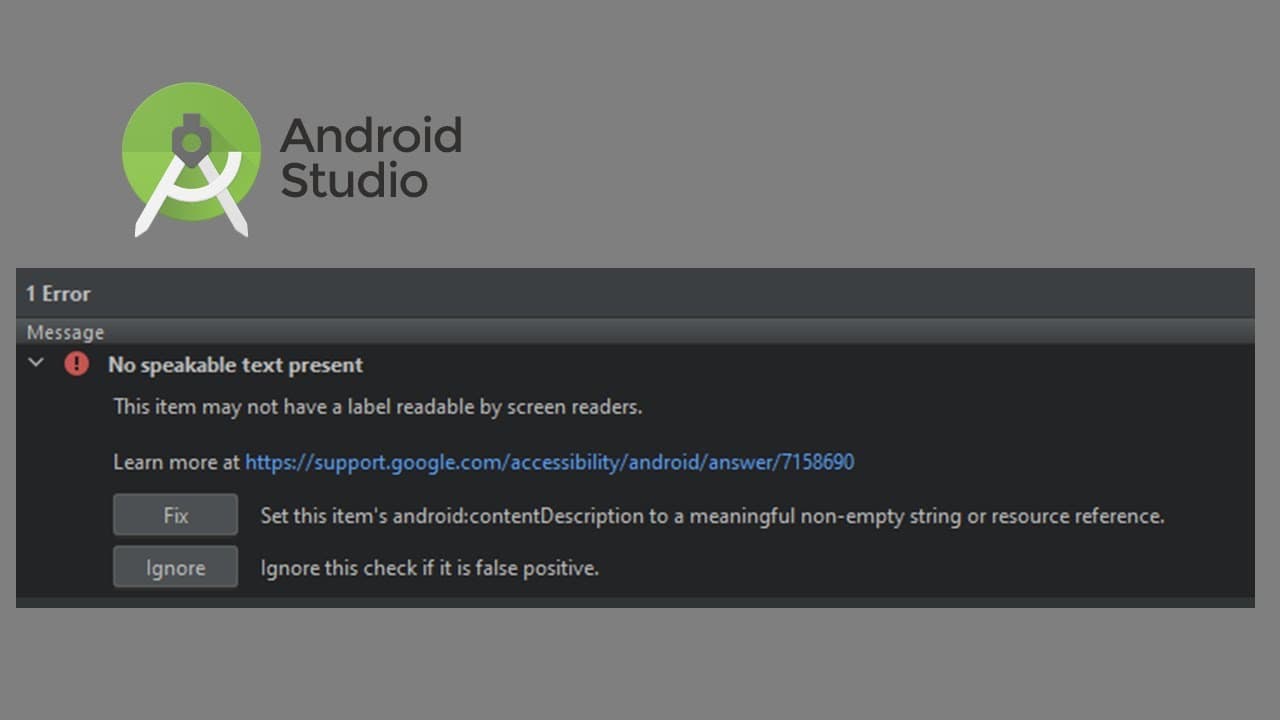
How to Fix No Speakable Text Present in Android Studio
TL;DR
To fix the 'no speakable text present' issue in Android Studio, add a content description to your user interface elements. This involves updating the strings.xml file with appropriate resource names and values, ensuring your app is accessible. Following this process not only resolves warnings but also improves user experience by accommodating screen reader users.
Transcript
okay let's start build our first application let's go to new project we select the first one basic activity click next and give it name 0 5 and make sure the language is java click finish now you can see that we begin to build the project okay after two minutes it finished build and let's go to the resource layout and with click double click the ac... Read More
Key Insights
- 📽️ Starting an Android project involves selecting a template and configuring basic settings, foundational for beginners.
- 👥 Addressing accessibility issues like 'no speakable text present' can significantly enhance usability for diverse user groups.
- 👤 The content description attribute is crucial for providing context to elements within an application for screen reader users.
- 👋 Modifying the strings.xml file ensures text-related warnings are resolved and promotes the best practices in internationalization.
- 👨💻 Adding proper resource names and values is essential for maintaining organized code, making future updates easier.
- 👤 The content highlights how proper handling of user interface warnings can improve app quality and increase user satisfaction.
- 👋 Developer tools facilitate error detection and prompt recommendations for best practices, aiding less experienced developers.
Install to Summarize YouTube Videos and Get Transcripts
Explore YouTube Video Summarizer or Get YouTube Transcript Extractor
Questions & Answers
Q: What is the first step in building an Android application?
The first step involves creating a new project. You start by selecting the basic activity template in your IDE, giving the project a name, choosing Java as the language, and then finalizing the setup by clicking 'Finish' to build the project.
Q: Why is adding content descriptions important in an Android app?
Content descriptions are vital for accessibility, as they provide context to users with visual impairments. By using content descriptions, users employing screen readers can understand the purpose of interactive elements. Neglecting this can lead to a poor user experience and compliance issues.
Q: How do you resolve the 'no speakable text present' warning in Android Studio?
To fix the 'no speakable text present' warning, locate the content description attribute in the views that trigger this message. Add a meaningful description to this attribute, such as "email" for an email-related view, ensuring it enhances accessibility.
Q: What changes are made in the strings.xml file during this process?
In the process, a new line is added to the strings.xml file to define resource names and values. For instance, after fixing the content warnings, you'll define a resource name like "email_to_me" with a value reflecting its purpose, enhancing the organization of strings used in the app.
Summary & Key Takeaways
-
The content outlines the process to create a new Android project using basic activity templates in Java, including naming and finalizing the setup.
-
Key focus is placed on adding content descriptions to ensure accessibility, highlighting the importance of addressing empty string values in XML.
-
The final steps involve updating the strings.xml file to resolve text-related warnings and improve the app's usability, enhancing user experience.
Read in Other Languages (beta)
Share This Summary 📚
Summarize YouTube Videos and Get Video Transcripts with 1-Click
Try YouTube Summary with ChatGPT & Claude or YouTube Transcript Generator
Explore More Summaries from E Micro Tech 📚

Summarize YouTube Videos and Get Video Transcripts with 1-Click
Try YouTube Summary with ChatGPT & Claude or YouTube Transcript Generator