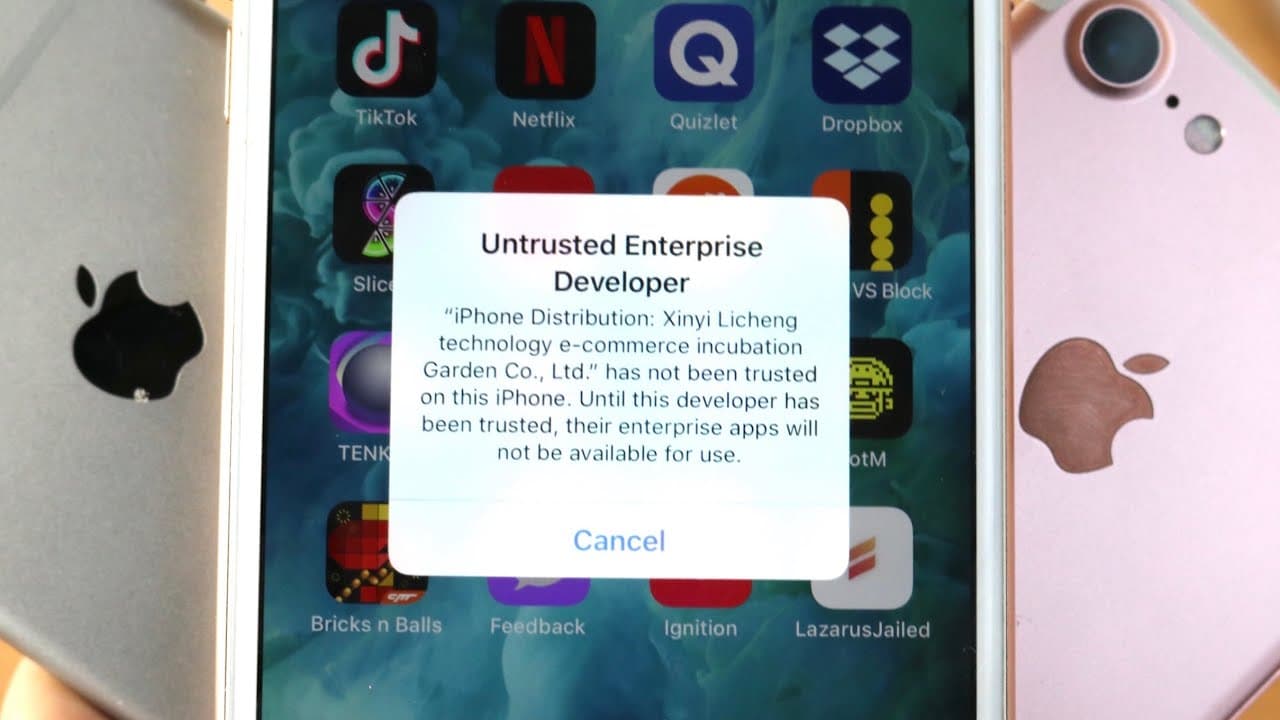
How To STOP Getting Apps Revoked! (Untrusted Developer Fix) iOS 12!
TL;DR
New methods allow iOS users to bypass app trust errors.
Transcript
man what's going on area one dude so it's been a minute since I even brought out the iPhone 8 plus recently I've been doing a lot of tutorial as well as a couple months ago on installing like Game Boy Advance PlayStation emulators to everything and a common problem that I see with so many people is it even happens to me all the time is the apps bei... Read More
Key Insights
- 😀 The 'untrusted enterprise developer' prompt is common among iOS users installing unofficial apps.
- 😀 Recent methods using Ignition and TweakBox simplify the process of maintaining app trust status without needing a jailbreak.
- ⛔ Compatibility is limited, as these methods only operate smoothly on specific iOS versions (12 to 12.1.2).
- 👤 Users may need to go to device settings to trust developers, implying some required user interaction.
- 🈸 The Lazarus app serves a critical role in bypassing trust issues and maintaining access to third-party applications.
- 💝 As of late 2023, ongoing developments suggest that a more universal solution may be forthcoming, particularly with potential jailbreak tools on the horizon.
- 🏛️ The tutorial encourages engagement through likes and subscriptions, reflecting the content creator's focus on building community and support.
Install to Summarize YouTube Videos and Get Transcripts
Explore YouTube Video Summarizer or Get YouTube Transcript Extractor
Questions & Answers
Q: What does the 'untrusted enterprise developer' error mean?
This error occurs when you attempt to open an app installed from a third-party source on iOS, which hasn't been authenticated by Apple. It is a security measure to protect users from potentially unsafe applications. To resolve this, users usually need to go into settings and trust the developer profile associated with the app.
Q: How does the Lazarus app function to prevent trust issues?
The Lazarus app is designed to patch the trust status of apps to prevent the untrusted enterprise developer dialog from appearing. By applying this patch, users can safely run third-party apps without the constant need to trust developers again after system reboots, ensuring a seamless experience.
Q: Can I use these methods on versions later than iOS 12.1.2?
Unfortunately, these trust-fixing methods specifically work for iOS versions 12 to 12.1.2. If you are running iOS versions later than 12.1.2 (like 12.1.4), you may encounter issues and will need to look for updated solutions as they become available.
Q: Do I need to jailbreak my device to use the methods described?
No, the methods outlined in the tutorial do not require jailbreaking your device. They are designed to work directly within the iOS framework, making them accessible to any user operating on the compatible iOS versions without needing advanced modifications to the device.
Summary & Key Takeaways
-
Many iOS users encounter 'untrusted enterprise developer' errors when installing apps from third-party sources, especially emulators.
-
A new tutorial has emerged, demonstrating effective methods to prevent these trust issues without needing jailbreak, particularly for iOS versions 12 to 12.1.2.
-
The tutorial covers using Ignition and TweakBox to install the Lazarus app, which helps block revokes and maintains app trust status, ensuring smoother app usage.
Read in Other Languages (beta)
Share This Summary 📚
Summarize YouTube Videos and Get Video Transcripts with 1-Click
Try YouTube Summary with ChatGPT & Claude or YouTube Transcript Generator
Explore More Summaries from Simple Alpaca 📚






Summarize YouTube Videos and Get Video Transcripts with 1-Click
Try YouTube Summary with ChatGPT & Claude or YouTube Transcript Generator