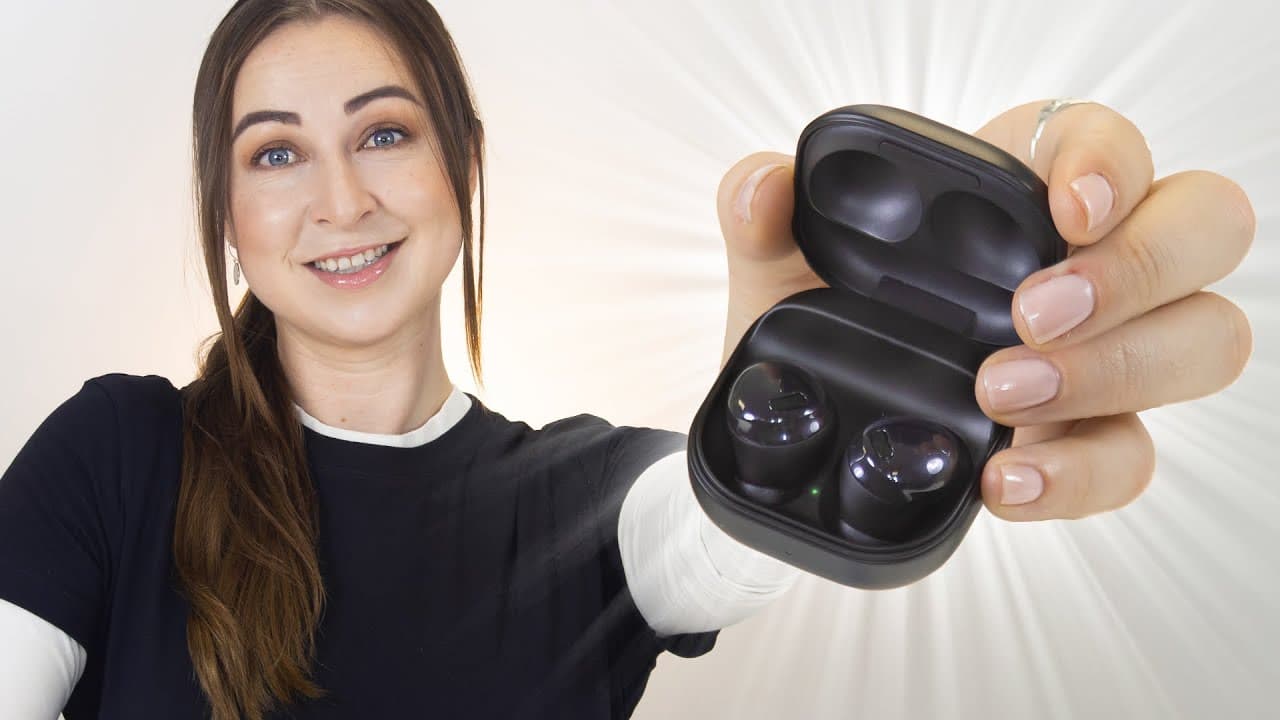
Galaxy Buds Pro | Top 5 Features!!!
TL;DR
The Galaxy Buds Pro offer intelligent ANC, adjustable ambient sound, microphone options for videos, 360 audio, audio sharing, Spotify quick access, find my earbuds feature, easy ear tip replacement.
Transcript
hey guys welcome back to hail's world and i've got five really great features to show you on the galaxy buds pro starting off with intelligent anc so unlike the other galaxy buds these ones are definitely much better because of this intelligent feature and how it works is once your buds are in your ear and you're listening to music or maybe watchin... Read More
Key Insights
- 👂 The Galaxy Buds Pro intelligently switch between ANC and ambient sound modes, enhancing the user's audio experience.
- 👂 The adjustable ambient sound volume allows users to customize how much of the external environment they want to hear while wearing the earbuds.
- 🎮 The microphone options make the Galaxy Buds Pro versatile for recording videos, offering improved audio quality.
- 👂 The 360 audio feature creates an immersive audio experience, improving the realism of sound.
- 👤 Audio sharing facilitates a shared listening experience between users who have Galaxy Buds.
- 👤 Quick access to Spotify makes it convenient for users to enjoy their favorite music.
- 😚 The find my earbuds feature helps users locate misplaced or lost earbuds easily.
Install to Summarize YouTube Videos and Get Transcripts
Explore YouTube Video Summarizer or Get YouTube Transcript Extractor
Questions & Answers
Q: How do the Galaxy Buds Pro switch between ANC and ambient sound modes based on the user's voice?
The Galaxy Buds Pro have an intelligent ANC feature that recognizes the user's voice when they start speaking, automatically switching to ambient sound mode. This feature can be toggled on and adjusted in the Galaxy Wearables app.
Q: Can the ambient sound volume be adjusted on the Galaxy Buds Pro?
Yes, the ambient sound volume can be adjusted in the Galaxy Wearables app. By using a toggle, users can increase the volume of the ambient sound to hear their surroundings more clearly.
Q: How can the Galaxy Buds Pro be used for recording videos?
The Galaxy Buds Pro have multiple microphones built-in, making them suitable for recording videos. By choosing the "bt mix" option in the camera app, both the audio from the earbuds and the phone's microphones are used, resulting in improved audio quality for YouTube-style or interview-style videos.
Q: What is 360 audio on the Galaxy Buds Pro?
360 audio on the Galaxy Buds Pro simulates being in the room where the audio was recorded. While it doesn't perfectly track the user's head movements, it creates an immersive audio experience by making the audio sound like it's coming from various directions. It can be enabled in the Galaxy Wearables app.
Q: How can audio be shared with friends using the Galaxy Buds Pro?
Users can easily share audio with friends who also have Galaxy Buds by connecting both pairs to the same phone. By toggling on the friend's pair of buds in the media settings, both pairs can listen to the same audio simultaneously.
Q: Is there a quick way to access Spotify on the Galaxy Buds Pro?
Yes, users can assign Spotify to the touch-and-hold function on the Galaxy Buds Pro. By simply clicking and holding on any of the earbuds, Spotify will automatically launch and start playing the user's favorite music.
Q: How can lost or misplaced earbuds be located?
The Galaxy Wearables app has a "find my earbuds" feature that helps locate lost or misplaced earbuds. Users can see the location of their earbuds on a map and play a chirping sound to make them easier to find. It's important to note that the earbuds must be out of the case for this feature to work.
Q: How can the ear tips on the Galaxy Buds Pro be changed?
Switching the ear tips on the Galaxy Buds Pro is a simple process. The earbuds come with additional tip sizes, and users can easily remove the existing silicone tip and replace it with a different size that suits their comfort and preference.
Summary & Key Takeaways
-
Intelligent ANC allows the Galaxy Buds Pro to switch between active noise cancellation and ambient sound mode based on the user's voice.
-
Adjustable ambient sound volume allows users to hear the world around them while wearing the earbuds.
-
The microphone options make the earbuds suitable for recording videos, acting as lavalier mics.
-
360 audio creates an immersive audio experience, simulating being in the room where the audio was recorded.
-
Audio sharing enables users to share audio with friends who also have Galaxy Buds.
-
Quick access to Spotify by clicking and holding on the earbuds.
-
Find my earbuds feature helps locate misplaced or lost earbuds.
-
Easy ear tip replacement for user comfort and customization.
Read in Other Languages (beta)
Share This Summary 📚
Summarize YouTube Videos and Get Video Transcripts with 1-Click
Try YouTube Summary with ChatGPT & Claude or YouTube Transcript Generator
Explore More Summaries from Hayls World 📚






Summarize YouTube Videos and Get Video Transcripts with 1-Click
Try YouTube Summary with ChatGPT & Claude or YouTube Transcript Generator