Qatalog Review: The Structured Notion?
TL;DR
Catalog is a team productivity tool that acts as a hub for organizing projects, goals, and workflows, making everything searchable.
Transcript
hello everyone and welcome back to another video it is francesco here and today's video i'm diving into an app called catalog which is a team productivity tool that is interesting and the main reason behind it is because what it does is it's moving back into a world of sort of dashboard based productivity for teams versus build your own s... Read More
Key Insights
- 💼 The app called Catalogue is a team productivity tool that aims to bring back dashboard-based productivity for teams, offering a hub-like platform to organize projects, goals, and workflows. This different approach sets it apart from the traditional build-your-own setup.
- 💳 Catalogue offers three pricing options: a free starter plan for up to 10 people, a pro plan for $9 per user per month for unlimited people, and an enterprise plan with custom features and branding.
- 🔧 The app currently supports integrations with applications like Slack, Teams, Google Calendar, Google Drive, Dropbox, Asana, Jira, Trello, and Clubhouse, with more integrations likely to be added in the future.
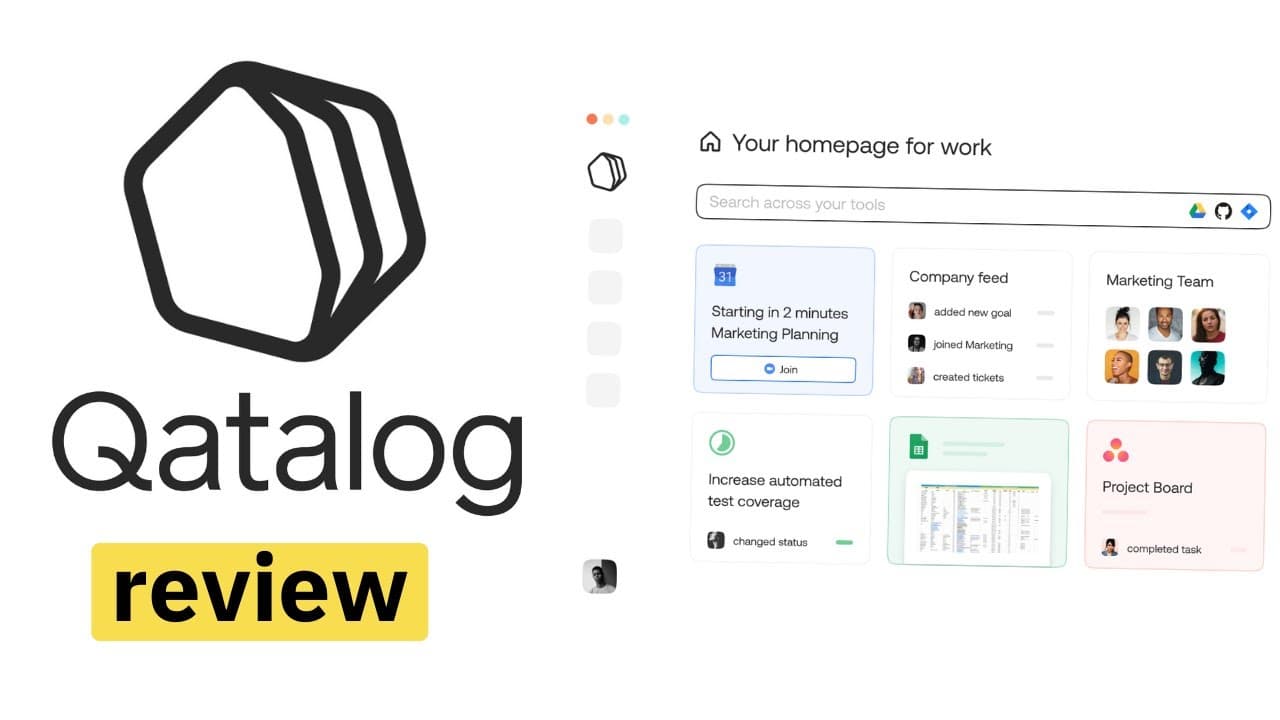
- 🏠 Catalogue allows users to create a customizable home page, similar to an Apple homepage, where they can add icons, shortcuts, and tools to easily access their projects and resources.
- 🎯 In Catalogue, projects are focused on creating and managing goals, rather than micromanaging tasks. Users can create projects, add milestones, set progress status, and create goals for personal, organizational, or company-wide objectives.
- 📈 The app includes a workflow feature that enables users to create step-by-step processes for various tasks, automating updates and actions between different apps and tools.
- 🔎 Catalogue's search function allows for easy access to information across multiple integrated applications, making it a useful tool for finding specific files, interviews, or resources.
- 💡 Catalogue's design is minimalistic and user-friendly, providing a clean and simple interface for users to navigate and stay organized. The app shows potential for further development and improvement, particularly in becoming a comprehensive dashboard for team productivity.
Install to Summarize YouTube Videos and Get Transcripts
Explore YouTube Video Summarizer or Get YouTube Transcript Extractor
Questions & Answers
Q: How does Catalog differ from other team productivity tools?
Catalog stands out by providing a dashboard-based approach to team productivity, offering a centralized hub for organizing projects, goals, and workflows, as well as making everything searchable.
Q: What are the different pricing plans for Catalog?
Catalog offers three pricing plans: a free starter plan for up to 10 people, a pro plan at $9 per user per month for unlimited users, and an enterprise plan with custom features. The starter plan includes integrations and features but limits the number of integrations to five.
Q: Can you connect external applications to Catalog?
Yes, Catalog allows users to connect with various integrations, including Google Calendar, Google Drive, Dropbox, Asana, Jira, Trello, and Clubhouse.
Q: What are the main features of Catalog?
Catalog enables users to create a homepage with icons and shortcuts, organize projects with members, integrations, milestones, and resources, set goals for organizations, teams, and individuals, and automate workflows with step-by-step processes.
Q: How does Catalog's homepage functionality work?
Catalog allows users to create a personalized homepage with icons and shortcuts to easily access projects and resources. It provides a clean and simple interface where users can link their projects, calendars, and storage platforms like Google Drive.
Q: Can users track project progress and goals in Catalog?
Yes, users can track project progress and set milestones in Catalog. They can change the project's progress status, add milestones, and post updates to keep everyone informed. Users can also set goals with specific metrics and due dates.
Q: How does Catalog automate workflows?
Catalog offers the ability to create automated workflows by connecting various actions like text, to-do lists, forms, approvals, emails, posts, and more. Users can create step-by-step workflows for different tasks and track their execution.
Q: What is the overall potential of Catalog as a productivity tool?
Catalog shows potential as a team productivity tool with its focus on a dashboard-based approach and its ability to streamline project organization, goal tracking, and workflow automation. As an early-stage application, it has room for further development and improvement.
Summary & Key Takeaways
-
Catalog is an app that brings back dashboard-based productivity for teams, offering a centralized hub for organizing projects, goals, and workflows.
-
It offers three pricing plans, including a free starter plan for up to 10 people and a pro plan for unlimited people at $9 per user per month.
-
The app allows users to create a homepage with icons and shortcuts, connect with various integrations, track project progress, set milestones and goals, and automate workflows.
Read in Other Languages (beta)
Share This Summary 📚
Summarize YouTube Videos and Get Video Transcripts with 1-Click
Try YouTube Summary with ChatGPT & Claude or YouTube Transcript Generator
Explore More Summaries from Keep Productive 📚






Summarize YouTube Videos and Get Video Transcripts with 1-Click
Try YouTube Summary with ChatGPT & Claude or YouTube Transcript Generator