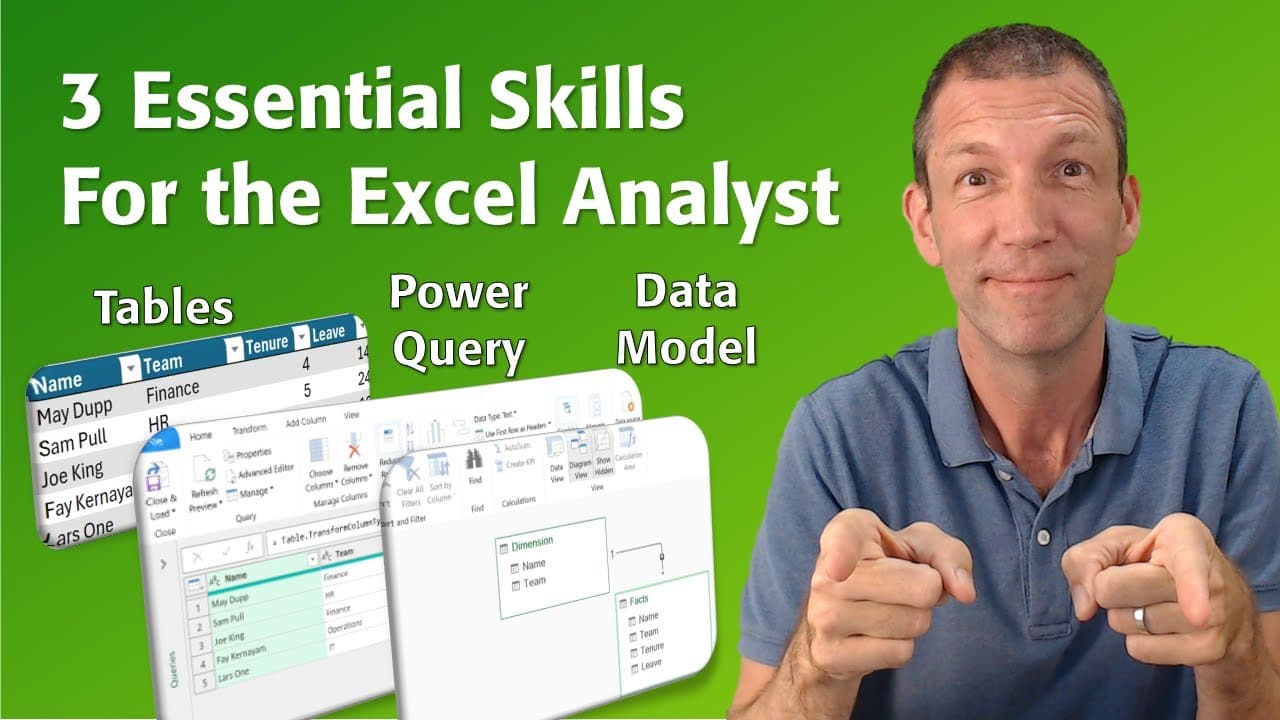
3 Essential Excel skills for the data analyst
TL;DR
This video covers key Excel concepts, including tables, Power Query, and pivot tables, that every data analyst should know.
Transcript
i've trained a lot of people in excel and power bi and i'm still coming across a large number of those people who don't use or aren't aware of some of the key excel concepts that are really essential to being a good data analyst there's tables power query and pivot tables and even power pivot so i'm going to go through those pretty quickly but just... Read More
Key Insights
- Tables in Excel were introduced in Excel 2007 and are essential for good data analysis.
- Tables can be created by using the shortcut Ctrl+T or by selecting Format as Table under the Home menu.
- Tables have various features such as structured data, alternating rows, and automatic formula spilling.
- One of the key benefits of using tables is that formulas in tables automatically fill down, ensuring consistency and efficiency in data analysis.
- Power Query is a powerful tool for data cleansing and transformation in Excel.
- Power Query can connect to various data sources and automate data cleansing steps.
- The Power Query window allows for easy data transformations, including changing case, merging columns, and unpivoting data.
- Using Power Query saves time and ensures repeatable data cleansing processes.
- Pivot tables are a useful tool for data summarization and analysis.
- Pivot tables are most effective when working with structured data and should be created using a data model.
- Data models, also known as Power Pivot, can hold large amounts of data and facilitate complex analysis.
- Pivot tables connected to data models allow for dynamic data analysis and easy refreshing of data.
- Tables provide structured data and automatic formula spilling, streamlining data analysis.
- Power Query automates data cleansing processes, saving time and ensuring consistency.
- Pivot tables connected to data models facilitate dynamic data analysis and easy data refreshing.
Install to Summarize YouTube Videos and Get Transcripts
Explore YouTube Video Summarizer or Get YouTube Transcript Extractor
Questions & Answers
Q: How can tables in Excel improve data analysis?
Tables in Excel offer several advantages for data analysis. They provide structured data, make it easy to alternate rows, and automatically spill down formulas, ensuring consistency across a column.
Q: What is Power Query in Excel and why is it beneficial for data analysts?
Power Query is a tool in Excel that helps data analysts clean and transform data. It allows for quick and repeatable steps to clean data, saving time and reducing manual efforts.
Q: How can pivot tables enhance data analysis in Excel?
Pivot tables are a powerful tool for summarizing and analyzing data in Excel. They allow data analysts to slice and dice data in different ways, providing flexibility and insights from the data.
Q: What is the advantage of loading data into the data model in Excel?
Loading data into the data model in Excel, also known as Power Pivot, allows for larger data sets to be analyzed and provides the ability to create relationships between different tables. It also enables faster and more efficient data refresh when using pivot tables.
Summary & Key Takeaways
-
Tables in Excel, introduced in Excel 2007, are a powerful way to organize and analyze data, with features like structured data, alternating rows, and automatic formula spilling.
-
Power Query is a tool in Excel that allows data analysts to clean and transform data, saving time and reducing manual efforts.
-
Pivot tables are a great tool for summarizing and analyzing data, providing flexibility in slicing and dicing data.
Read in Other Languages (beta)
Share This Summary 📚
Summarize YouTube Videos and Get Video Transcripts with 1-Click
Try YouTube Summary with ChatGPT & Claude or YouTube Transcript Generator
Explore More Summaries from Access Analytic 📚
Summarize YouTube Videos and Get Video Transcripts with 1-Click
Try YouTube Summary with ChatGPT & Claude or YouTube Transcript Generator