Products
Features
YouTube Video Summarizer
Summarize YouTube videos
Web & PDF Highlighter
Highlight web pages & PDFs
Chat with PDF
Ask any PDF questions with AI
Ask AI Clone
Chat with your highlights & memories
Audio Transcriber
Transcribe audio files to text
Glasp Reader
Read and highlight articles
Kindle Highlight Export
Export your Kindle highlights
Idea Hatch
Hatch ideas from your highlights
Integrations
Obsidian Plugin
Notion Integration
Pocket Integration
Instapaper Integration
Medium Integration
Readwise Integration
Snipd Integration
Hypothesis Integration
Apps & Extensions
Chrome Extension
Safari Extension
Edge Add-ons
Firefox Add-ons
iOS App
Android App
Discover
Discover
Ideas
Discover new ideas and insights
Articles
Curated articles and insights
Books
Book recommendations by great minds
Posts
Essays and notes from readers
Quotes
Inspiring quotes collection
Videos
Curated videos and summaries
Explore Glasp
Glasp Newsletter
Weekly insights and updates
Glasp Talk
Interview series with great minds
Glasp Blog
Latest news and articles
Glasp Use Cases
Learn how others use Glasp
Build & Support
Glasp API
Access Glasp's API for developers
MCP Connector
Connect Glasp to Claude & ChatGPT
Community
Glasp Reddit Community
Students
Student discount and benefits
FAQs
Frequently Asked Questions
AboutPricing
DashboardLog inSign up

How To Free Up Space On The iPhone
10.0K views
•
February 14, 2019
by
Howfinity
YouTube video player
How To Free Up Space On The iPhone

TL;DR

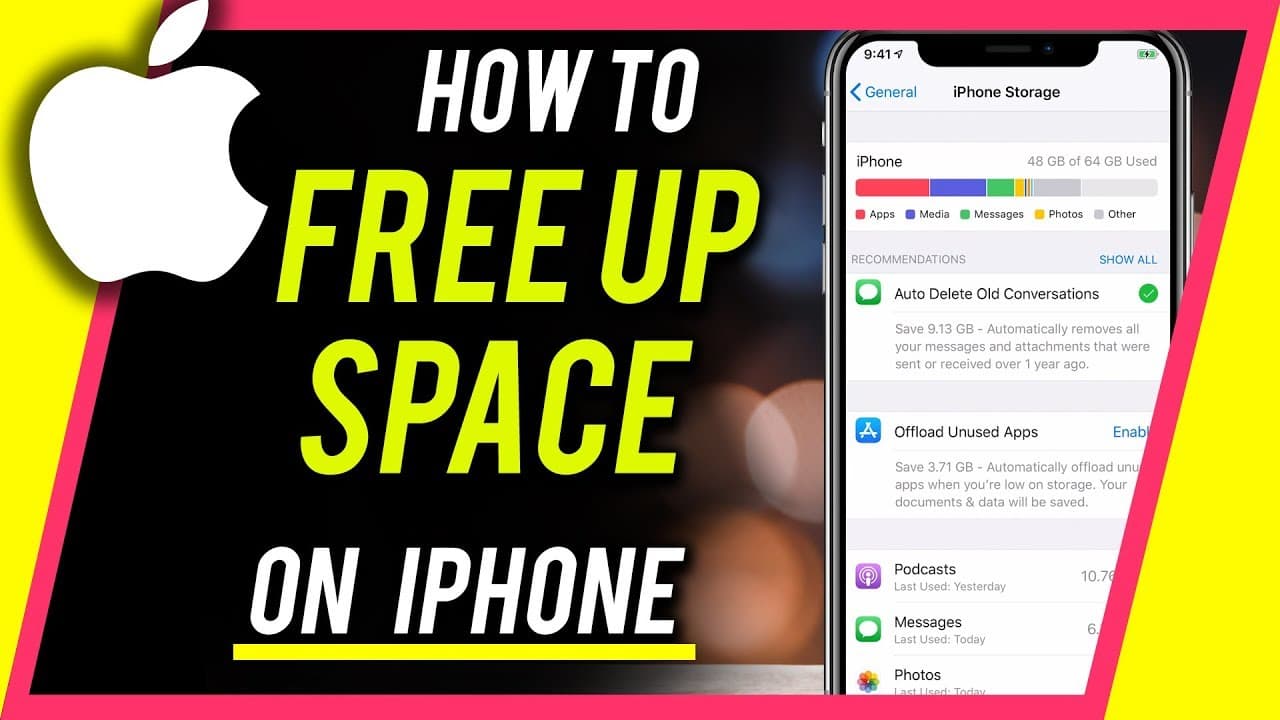
Learn how to clear iPhone storage by deleting old messages, offloading unused apps, and optimizing iCloud storage.

Transcript

everyone in today's video I wanted to show you how to clear up some storage on your iPhone so follow these few steps first we're gonna open settings and under settings we want to find out where the storage is being used so we're gonna go to general and you'll see iPhone storage now these are what's physically on this iPhone storage this is a 64 gig... Read More

Key Insights

  • 😀 iPhone storage can be managed by deleting old messages and offloading unused apps.
  • 🥶 iCloud storage optimization is crucial for freeing up space on your iPhone.
  • 🎙️ Managing podcasts and attachments can also help in clearing up iPhone storage.
  • 🦻 Changing message history settings and using iCloud photos can aid in storage management.
  • 🚗 Enabling auto-delete for messages and podcasts can prevent storage overflow.
  • 😀 Utilizing Google Photos or other storage apps can assist in managing iPhone storage efficiently.
  • 😀 Regularly review and delete unnecessary apps and content to maintain adequate iPhone storage.

Install to Summarize YouTube Videos and Get Transcripts

Explore YouTube Video Summarizer or Get YouTube Transcript Extractor

Questions & Answers

Q: How can I free up storage on my iPhone?

You can delete old messages, offload unused apps, and optimize your iCloud storage to free up space on your iPhone. Managing podcasts and attachments can also help in clearing storage.

Q: What is the difference between iPhone storage and iCloud storage?

iPhone storage refers to the physical storage on your device, while iCloud storage is cloud-based storage. You can move photos and videos to iCloud to free up space on your iPhone.

Q: How can I delete old messages on my iPhone?

You can go to settings, navigate to messages, and change the message history to keep messages for only one year. This will help in deleting old messages and attachments.

Q: How does optimizing iCloud photos help in managing iPhone storage?

By enabling iCloud photos and optimizing iPhone storage, you can automatically move photos to iCloud and keep space on your device, reducing the storage burden.

Summary & Key Takeaways

  • Find out how to manage iPhone storage through settings and identifying space-consuming apps.

  • Learn to optimize iCloud storage by moving photos and videos.

  • Clear up iPhone space by deleting old messages, offloading apps, and managing podcasts.


Read in Other Languages (beta)

English

Share This Summary 📚

Summarize YouTube Videos and Get Video Transcripts with 1-Click

Download browser extensions on:

Try YouTube Summary with ChatGPT & Claude or YouTube Transcript Generator

Explore More Summaries from Howfinity 📚

How To Become a Content Creator - Complete Beginner's Guide thumbnail
How To Become a Content Creator - Complete Beginner's Guide
Howfinity
How to Upload Custom Thumbnails on Instagram thumbnail
How to Upload Custom Thumbnails on Instagram
Howfinity
How to Activate Dark Mode on iOS 13 thumbnail
How to Activate Dark Mode on iOS 13
Howfinity
How to Batch Resize Images in Photoshop thumbnail
How to Batch Resize Images in Photoshop
Howfinity
Unlock Hidden Siri Pro Mode on iPhone - Combine Siri with Chat GPT thumbnail
Unlock Hidden Siri Pro Mode on iPhone - Combine Siri with Chat GPT
Howfinity
How to Create an Engaging YouTube Intro Quickly thumbnail
How to Create an Engaging YouTube Intro Quickly
Howfinity

Summarize YouTube Videos and Get Video Transcripts with 1-Click

Download browser extensions on:

Try YouTube Summary with ChatGPT & Claude or YouTube Transcript Generator

Apps & Extensions

  • Chrome Extension
  • Safari Extension
  • Edge Add-ons
  • Firefox Add-ons
  • iOS App
  • Android App

Key Features

  • YouTube Video Summarizer
  • Web & PDF Summarizer
  • Web & PDF Highlighter
  • Chat with PDF
  • Ask AI Clone
  • Audio Transcriber
  • Glasp Reader
  • Kindle Highlight Export
  • Idea Hatch

Integrations

  • Obsidian Plugin
  • Notion Integration
  • Pocket Integration
  • Instapaper Integration
  • Medium Integration
  • Readwise Integration
  • Snipd Integration
  • Hypothesis Integration

More Features

  • APIs
  • MCP Connector
  • Blog & Post
  • Embed Links
  • Image Highlight
  • Personality Test
  • Quote Shots

Company

  • About us
  • Blog
  • Community
  • FAQs
  • Job Board
  • Newsletter
  • Pricing
Terms

•

Privacy

•

Guidelines

© 2026 Glasp Inc. All rights reserved.




