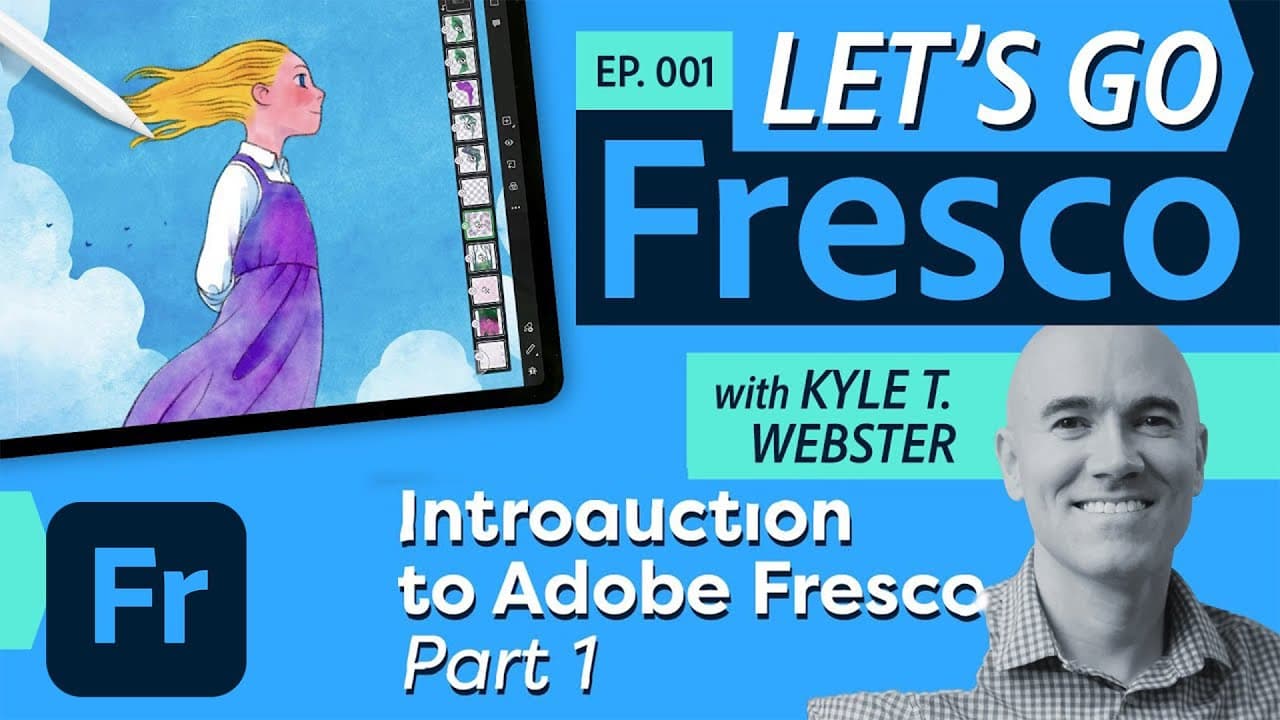
Let's Go Fresco with Kyle T. Webster: Introduction to Adobe Fresco (Pt. 1) | Adobe Creative Cloud
TL;DR
Join host Kyle Webster as he introduces Adobe Fresco and demonstrates the basic tools and features of the app.
Transcript
hey everybody welcome to a brand new show uh this is let's go fresco so what is let's go fresco well it's all things fresco folks and my name is kyle webster i'm the host and uh i was working on fresco from day one with a wonderful team over there at adobe design and i am responsible for creating the pixel brushes uh that we all are using in fresco... Read More
Key Insights
- 📌 Adobe Fresco has been in development for four years and has seen continuous feature updates to improve the app.
- 🎨 Kyle Webster, the host of the show, is responsible for creating the pixel brushes in Fresco.
- ✨ The show is dedicated exclusively to exploring the features and capabilities of Adobe Fresco.
- 🖌️ The first two episodes serve as an introduction to the app, covering the basics and providing a solid foundation.
- 🌐 The show is available on Behance, where viewers can also participate in a live chat with Kyle Webster.
- 📲 The home screen in Adobe Fresco allows users to easily start a new document and access recent documents.
- ☁️ Adobe Fresco is integrated with Creative Cloud, allowing access to all previously saved Photoshop files.
- 📚 Adobe Fresco provides various resources for learning, including a built-in quick tour and tutorials for brushes, layers, and more.
Install to Summarize YouTube Videos and Get Transcripts
Explore YouTube Video Summarizer or Get YouTube Transcript Extractor
Questions & Answers
Q: What is the purpose of the Let's Go Fresco show?
The Let's Go Fresco show is dedicated to exploring all the features and possibilities of Adobe Fresco, providing users with in-depth knowledge and demonstrations of the app.
Q: How long has Adobe Fresco been in development?
Adobe Fresco has been in development for four years, and it has gone through continuous updates and additions to its features and tools.
Q: Can you import custom brushes into Adobe Fresco?
Yes, you can import custom brushes into Adobe Fresco. You can import brushes saved as .abr files or explore the extensive collection of Photoshop brushes available within the app.
Q: Are the brushes in Adobe Fresco only available with a subscription?
While some brushes in Adobe Fresco require a subscription to access, Adobe has recently announced a new pricing plan that offers a more affordable option, making it accessible to a wider range of users.
Q: Can Adobe Fresco files be opened in Photoshop?
Yes, Adobe Fresco files can be easily opened in Photoshop, allowing users to seamlessly transition and continue their work across both apps.
Q: What are the categories of brushes available in Adobe Fresco?
The three categories of brushes available in Adobe Fresco are Pixel Brushes, Wet Brushes, and Vector Brushes, each offering different functionalities and effects.
Q: Can you scale vector brushes infinitely in Adobe Fresco?
Yes, vector brushes in Adobe Fresco are infinitely scalable, allowing for clean and precise line art without any loss of quality, no matter how much you zoom in.
Summary & Key Takeaways
-
Kyle Webster introduces Let's Go Fresco, a show dedicated to exploring all the features and possibilities of Adobe Fresco.
-
He demonstrates the home screen, creating new documents, accessing brushes, and the different brush categories available in the app.
-
Kyle also showcases the smudge tool, the move tool, selections, and the paint bucket tool, highlighting their functionality and how they can enhance digital drawing and painting.
Read in Other Languages (beta)
Share This Summary 📚
Summarize YouTube Videos and Get Video Transcripts with 1-Click
Try YouTube Summary with ChatGPT & Claude or YouTube Transcript Generator
Explore More Summaries from Adobe Creative Cloud 📚


Summarize YouTube Videos and Get Video Transcripts with 1-Click
Try YouTube Summary with ChatGPT & Claude or YouTube Transcript Generator