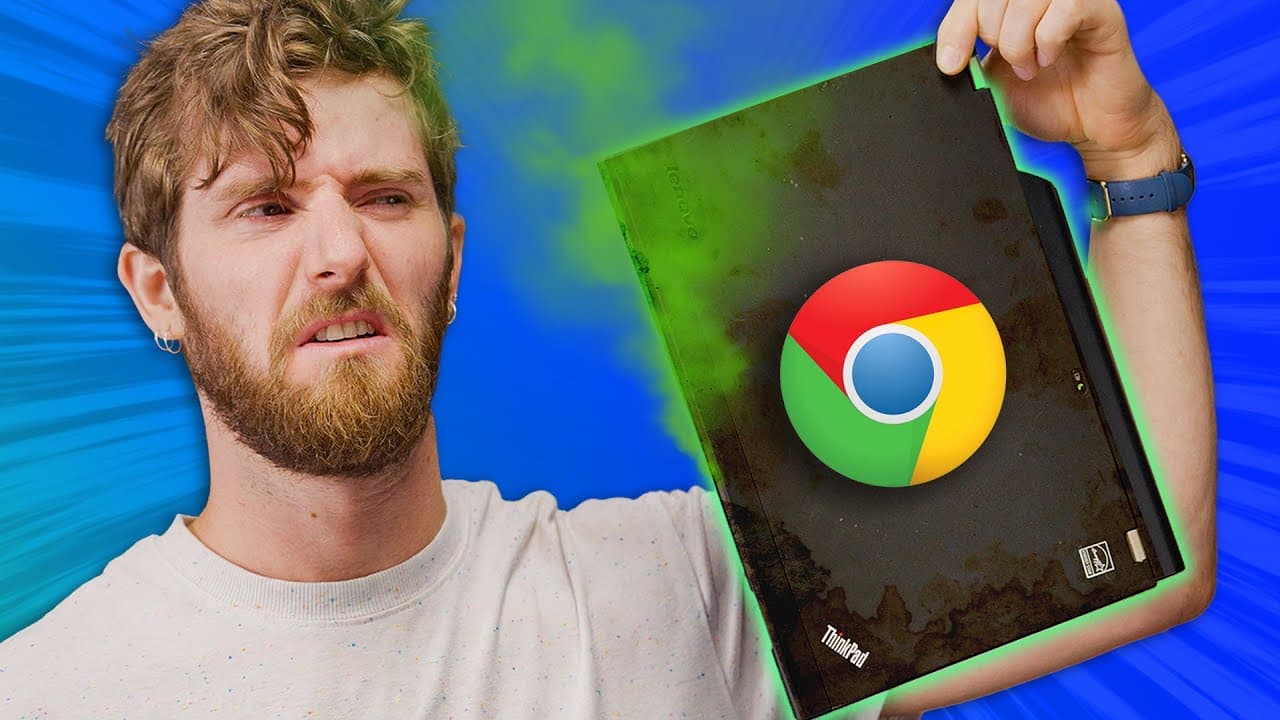
Buying a Chromebook was a BIG MISTAKE - Chrome OS Flex
TL;DR
Google's Chrome OS Flex can breathe new life into aging laptops, improving performance and usability.
Transcript
is your laptop old and crappy download Chrome and make it snappy are you trying to be brutal bye bye Windows okay why do I have to pick one what no I'm tired of it for years now consumers have been stuck asking do I go for a Windows laptop or a Chromebook knowing that neither of them can fully match the features of the other and that once they pick... Read More
Key Insights
- 💻 Consumers have long been frustrated with having to choose between a Windows laptop or a Chromebook, as neither fulfills all their needs.
- 💡 Google's release of Chrome OS to the general public for free offers a potential solution for aging computers, breathing new life into old hardware.
- ️ Baseline testing revealed that the old laptops had slow boot times, limited browsing capabilities, and poor battery performance.
- 📊 While the benchmarks for Chrome OS Flex were not impressive, the real-world tests showed significant improvements in boot times, browsing speed, and multitasking capabilities.
- 🎮 Google's Chrome OS Flex installer has limitations, including the lack of support for Android apps and potential issues on non-certified devices.
- 📱 The brunch framework, a community project, allows for Chrome OS installation on any x64 device and overcomes some limitations imposed by Chrome OS Flex.
- ♀️ Chrome OS Flex is recommended for those who need a simple, easy-to-use and secure device for light computing tasks or for children.
- 💼 Alternatively, users can consider lightweight Linux distros like Lubuntu or antiX, or upgrade their old devices with an SSD for a significant performance boost.
Install to Summarize YouTube Videos and Get Transcripts
Explore YouTube Video Summarizer or Get YouTube Transcript Extractor
Questions & Answers
Q: Can Chrome OS Flex revive old laptops and make them perform better?
Yes, installing Chrome OS Flex can significantly improve the performance of old laptops, making them faster and more usable.
Q: What were the results of the baseline testing on the old laptops before installing Chrome OS Flex?
The old laptops had slow boot times, struggled to stream 1080p videos, and had poor battery life.
Q: Did the laptops show improvements after installing Chrome OS Flex?
Yes, the laptops showed significant improvements in boot times, multitasking capabilities, and overall speed and responsiveness.
Q: Were there any limitations or drawbacks to installing Chrome OS Flex?
Some laptops experienced issues with certain functions, and not all features of regular Chrome OS are available in Chrome OS Flex, such as support for Android apps.
Q: Is Chrome OS Flex a suitable option for light computing tasks and giving old laptops to children?
Yes, Chrome OS Flex is a great option for light computing tasks and can be easily locked down for children's use.
Q: What are some alternative options for reviving old laptops?
Installing a lightweight Linux distro or upgrading to an SSD are other options for improving the performance of old laptops.
Q: Can Chrome OS Flex be installed on all old laptops?
Chrome OS Flex requires an x86 64-bit compatible device with 4GB of RAM and 16GB of internal storage. Certain components made before 2010 may result in a poor experience.
Summary & Key Takeaways
-
Google's Chrome OS Flex is a free operating system that can be installed on old laptops to improve performance.
-
Baseline testing was conducted on old laptops before installing Chrome OS Flex to measure boot times, streaming capabilities, and battery life.
-
While benchmark scores were not impressive, real-world tests showed significant improvements in boot times, multitasking, and overall usability.
Read in Other Languages (beta)
Share This Summary 📚
Summarize YouTube Videos and Get Video Transcripts with 1-Click
Try YouTube Summary with ChatGPT & Claude or YouTube Transcript Generator
Explore More Summaries from Linus Tech Tips 📚



Summarize YouTube Videos and Get Video Transcripts with 1-Click
Try YouTube Summary with ChatGPT & Claude or YouTube Transcript Generator