WordPress SEO: The Complete Guide
TL;DR
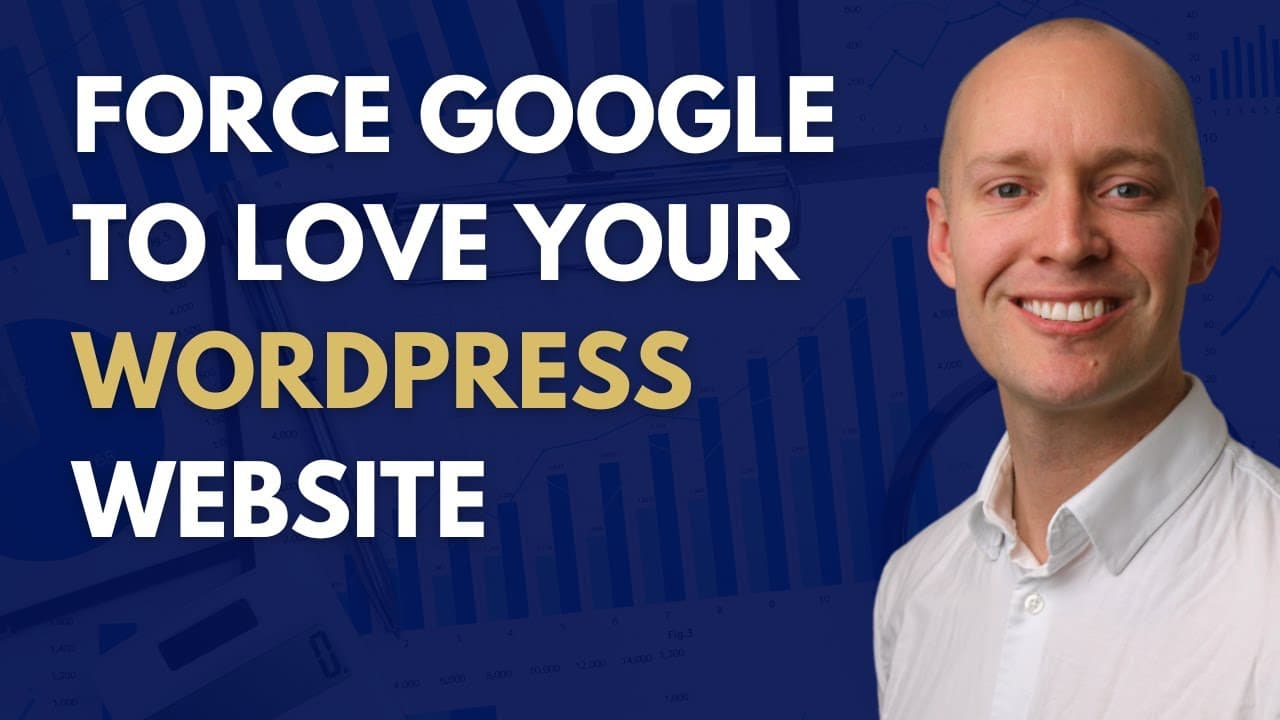
Learn effective WordPress SEO strategies for significant traffic growth.
Transcript
- Hey, in this video I'm going to show you my exact step-by-step process for WordPress SEO. And this is the exact process I've used to grow organic search traffic, by 784%, and then again by 478%. Now the good news is that anyone can get these results as long as you follow my proven WordPress SEO process, and that's what I'm going to show you in th... Read More
Key Insights
- WordPress is the leading CMS for SEO, with 45% of top-ranking sites using it, making it an optimal choice for SEO-focused websites.
- Enhancing site loading speed, mobile experience, and security are crucial steps in optimizing WordPress for technical SEO performance.
- Utilizing fast-loading themes, minimizing plugins, and employing caching plugins like WP Rocket can significantly improve website speed.
- A reliable web hosting provider is essential for performance; WP Engine and SiteGround are recommended for superior results.
- Implementing an SSL certificate is vital as it is a Google ranking factor and helps avoid security warnings in browsers.
- SEO plugins like Yoast, All in One SEO Pack, and RankMath are essential for creating site maps and managing duplicate content.
- On-page SEO requires strategic keyword placement in titles, URLs, and content, using tools like Answer The Public and Ahrefs for keyword research.
- Internal linking and creating resource pages can enhance site architecture, aiding Google's ability to crawl and index important pages.
Install to Summarize YouTube Videos and Get Transcripts
Explore YouTube Video Summarizer or Get YouTube Transcript Extractor
Questions & Answers
Q: Why is WordPress considered the best CMS for SEO?
WordPress is considered the best CMS for SEO because it powers 45% of the top-ranking search results, indicating its effectiveness in SEO performance. Its flexibility, extensive plugin ecosystem, and ease of use make it a preferred choice for optimizing websites. The platform's structure, themes, and plugins allow for comprehensive SEO customization, making it ideal for both beginners and experienced users.
Q: How can site loading speed be improved on WordPress?
Improving site loading speed on WordPress involves using fast-loading themes like GeneratePress, minimizing the number of plugins, and employing caching plugins such as WP Rocket. Additionally, choosing a reliable hosting provider like WP Engine or SiteGround can significantly enhance performance. It's also recommended to benchmark current loading speeds using tools like Google's PageSpeed Insights, GTmetrix, and Pingdom to identify areas for improvement.
Q: What role does an SSL certificate play in WordPress SEO?
An SSL certificate is crucial in WordPress SEO as it is a Google ranking factor, and websites without it are marked as 'not secure' by browsers like Google Chrome. This can deter users and negatively impact search rankings. Implementing SSL ensures secure data transmission between the server and users, enhancing trust and credibility. Tools like the Simple SSL plugin can help set up and manage SSL certificates efficiently.
Q: What are the key features of SEO plugins for WordPress?
SEO plugins for WordPress, such as Yoast, All in One SEO Pack, and RankMath, provide essential features like automatic site map generation, duplicate content management, and SEO analysis. They help in optimizing meta tags, titles, and descriptions, and offer recommendations for improving content SEO. These plugins also facilitate easy redirection management and provide insights into keyword optimization, making them indispensable for effective WordPress SEO.
Q: How can keyword research be effectively conducted for WordPress SEO?
Effective keyword research for WordPress SEO involves using tools like Answer The Public and Ahrefs to identify relevant keywords and variations. The process includes exploring keyword intent, search volume, and competition. It's crucial to prioritize keywords that align with the website's current authority and potential to rank. Tools like Surfer can also be used to analyze competitors and find keyword variations that enhance topical relevance.
Q: What strategies can enhance internal linking on a WordPress site?
Enhancing internal linking on a WordPress site involves creating resource pages that facilitate easy navigation and indexing by Google. Identifying posts relevant to targeted keywords and using exact match anchor texts can improve internal linking. Analyzing site architecture with tools like Screaming Frog and Ahrefs helps identify pages with high authority and prioritize them for internal links, driving link equity to important pages.
Q: Why might a WordPress site not achieve desired SEO results despite optimization?
A WordPress site may not achieve desired SEO results due to targeting the wrong keywords, broken content creation processes, or insufficient backlinks. It's crucial to qualify keywords based on the site's current ranking potential and ensure the content aligns with search intent. Building topical relevance and acquiring quality backlinks are also essential for improving SEO performance. Comprehensive keyword qualification and content audits can help address these issues.
Q: What is the importance of backlinks in WordPress SEO?
Backlinks are vital in WordPress SEO as they serve as endorsements from other websites, enhancing credibility and authority. They are a significant ranking factor in Google's algorithm. Effective link-building involves creating valuable content and promoting it to acquire links from reputable sources. Analyzing competitors' backlinks using tools like Ahrefs can provide insights into successful link-building strategies and help identify opportunities for acquiring quality backlinks.
Summary & Key Takeaways
-
This video provides a comprehensive guide on optimizing WordPress sites for SEO, focusing on technical performance, on-page strategies, and keyword research. It emphasizes the importance of using a fast theme, minimizing plugins, and choosing a reliable hosting provider.
-
The video outlines the necessity of using SEO plugins for site maps and managing duplicate content, and stresses the importance of SSL certificates for security and ranking. It also highlights the significance of strategic keyword placement and internal linking.
-
Key strategies include improving site speed, enhancing mobile experience, and building topical relevance with keyword variations. The video also discusses the role of backlinks in SEO success and offers tips for effective link-building strategies.
Read in Other Languages (beta)
Share This Summary 📚
Summarize YouTube Videos and Get Video Transcripts with 1-Click
Try YouTube Summary with ChatGPT & Claude or YouTube Transcript Generator
Explore More Summaries from Nathan Gotch 📚



Summarize YouTube Videos and Get Video Transcripts with 1-Click
Try YouTube Summary with ChatGPT & Claude or YouTube Transcript Generator