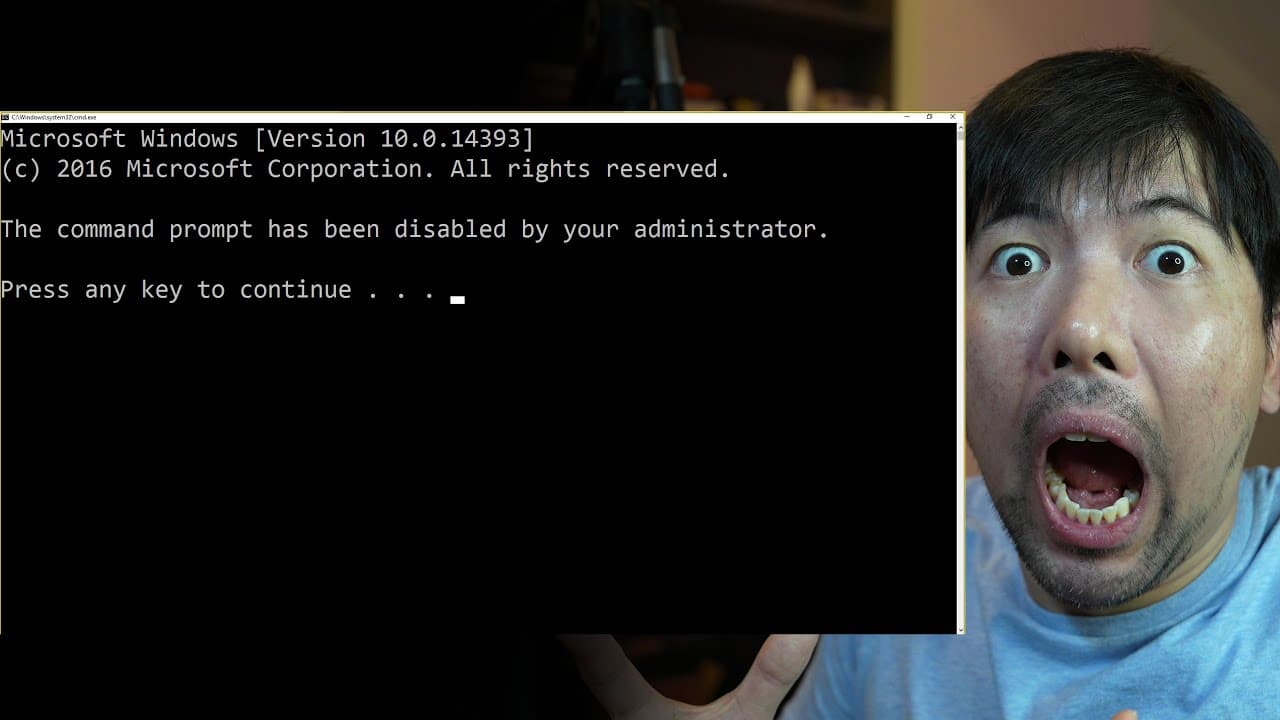
pro hacker teaches you how to bypass this!
TL;DR
This video tutorial shows how to bypass Command Prompt and Powershell restrictions on restricted computers using coding tricks and alternative methods.
Transcript
whenever you log into a computer the first thing you may do is to go ahead and enter into command prompt so you enter CMD you see command prompt app you hit enter on and boom that's a problem and just like me we are not a fan of this problem and we have to fix it and this generally happens when you are trying to log into a school laptop your work l... Read More
Key Insights
- 💡 By using a coding trick in Notepad, it is possible to bypass restrictions on accessing command prompt (CMD) and Powershell on school or work laptops.
Install to Summarize YouTube Videos and Get Transcripts
Explore YouTube Video Summarizer or Get YouTube Transcript Extractor
Questions & Answers
Q: How can you bypass Command Prompt and Powershell restrictions on restricted computers?
To bypass restrictions on Command Prompt and Powershell, one method is to create a batch file using coding tricks to execute desired commands. Another option is to utilize the FTP service to run commands. Additionally, changing the value or location of the executable file can also help bypass the restrictions.
Q: What coding tricks can be used to bypass Command Prompt and Powershell restrictions?
One coding trick shown in the video is creating a batch file with a loop and variable that allows the execution of desired commands. By saving and running this batch file, users can bypass the restrictions.
Q: How can the FTP service be used to bypass Command Prompt and Powershell restrictions?
The video demonstrates that by accessing the FTP service and running commands through it, users can bypass restrictions on Command Prompt and Powershell. This allows them to execute desired commands.
Q: Can changing the value or location of the executable file help bypass restrictions on Command Prompt and Powershell?
Yes, by changing the value or location of the executable file, users can potentially bypass restrictions on Command Prompt and Powershell. In the video, renaming the Powershell executable file allowed the user to access Powershell despite the restrictions. Changing the hash value of the file can also help bypass restrictions.
Summary & Key Takeaways
-
The video demonstrates how to bypass restrictions on Command Prompt and Powershell to access restricted functions on computers.
-
Using coding tricks, such as creating a batch file, users can trick the computer into executing desired commands.
-
Alternatively, utilizing the FTP service or changing the executable file can also help bypass restrictions.
Read in Other Languages (beta)
Share This Summary 📚
Summarize YouTube Videos and Get Video Transcripts with 1-Click
Try YouTube Summary with ChatGPT & Claude or YouTube Transcript Generator
Explore More Summaries from Loi Liang Yang 📚



Summarize YouTube Videos and Get Video Transcripts with 1-Click
Try YouTube Summary with ChatGPT & Claude or YouTube Transcript Generator