How to Integrate Twitter and YouTube on Your Facebook Page & Timeline
TL;DR
Learn how to easily integrate your YouTube channel and Twitter account onto your Facebook page using Involver.com in just a few minutes.
Transcript
Hey everybody what's up! This is Pat Flynn from SmartPassiveIncome.com, and in this video I'm going to show you how in under 3 minutes you can integrate your You Tube Channel and or your Twitter Account on your Facebook Page Timeline. This is a great way to keep all segments of your brand connected, and sort of just BE EVERYWHERE. So let's get righ... Read More
Key Insights
- 📟 Integrating your YouTube channel and Twitter account on your Facebook page helps to maintain brand consistency and reach a wider audience.
- 👻 Involver.com is a user-friendly platform that allows you to easily install and customize applications on your Facebook page.
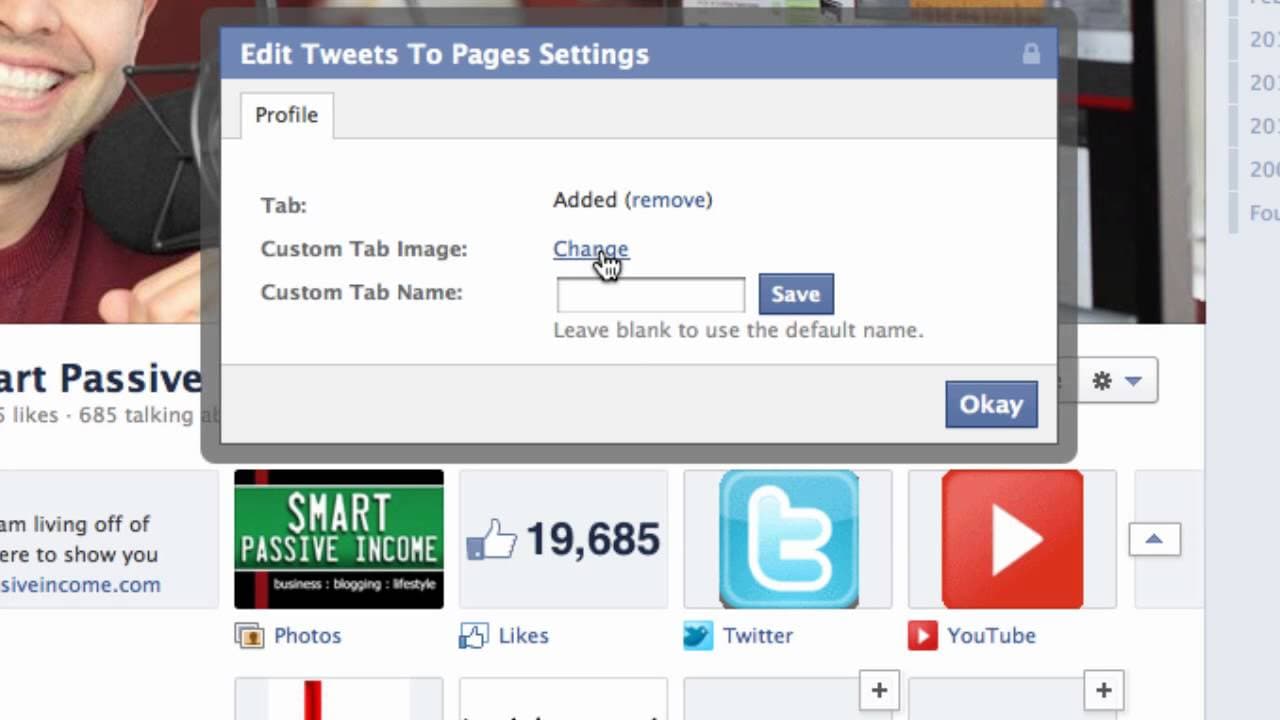
- 📟 Customizing the thumbnails of the applications can help enhance your branding and make your page visually appealing.
- ❓ The recommended size for the thumbnails is 111 pixels wide by 74 pixels tall.
- 🫥 It may take a few minutes for the changes to be visible on your Facebook page after installation.
- 🥶 Involver.com offers both free and paid plans, with additional features available for paid subscribers.
- ❓ Pat Flynn emphasizes the importance of being "everywhere" and using consistent branding to promote your brand.
Install to Summarize YouTube Videos and Get Transcripts
Explore YouTube Video Summarizer or Get YouTube Transcript Extractor
Questions & Answers
Q: Why is it beneficial to integrate your YouTube channel and Twitter account on your Facebook page?
Integrating your YouTube channel and Twitter account on your Facebook page allows you to keep all segments of your brand connected and reach a wider audience across platforms. It also makes it easier for your audience to access your content in one place.
Q: Are there any costs involved in using Involver.com to integrate YouTube and Twitter on your Facebook page?
Involver.com offers a free plan that allows you to install two applications for free per account. However, some of the apps may require a paid subscription.
Q: How can you customize the thumbnails of the YouTube and Twitter applications on your Facebook page?
To customize the thumbnails, click on the edit settings option for each application, select custom tab settings, choose a file for the thumbnail image (in JPEG, GIF, or PNG format), and save the changes. The recommended size for the thumbnails is 111 pixels wide by 74 pixels tall.
Q: How long does it take for the Twitter feed to show up on your Facebook page after installation?
If you are using the free plan on Involver.com, it may take up to four hours for the Twitter feed to appear on your Facebook page. If you are on a paid plan, the feed should show up instantly.
Summary & Key Takeaways
-
Pat Flynn explains how to integrate your YouTube channel and Twitter account on your Facebook page to keep your brand connected across platforms.
-
He demonstrates how to install the YouTube and Twitter applications from Involver.com onto your Facebook page.
-
Pat shows how to customize the thumbnails for each application and highlights the importance of consistent branding.
Read in Other Languages (beta)
Share This Summary 📚
Summarize YouTube Videos and Get Video Transcripts with 1-Click
Try YouTube Summary with ChatGPT & Claude or YouTube Transcript Generator
Explore More Summaries from Pat Flynn 📚



Summarize YouTube Videos and Get Video Transcripts with 1-Click
Try YouTube Summary with ChatGPT & Claude or YouTube Transcript Generator