Next Level GitHub Profile README (NEW 2022)(Markdown template) | Improve Your Github profiles
TL;DR
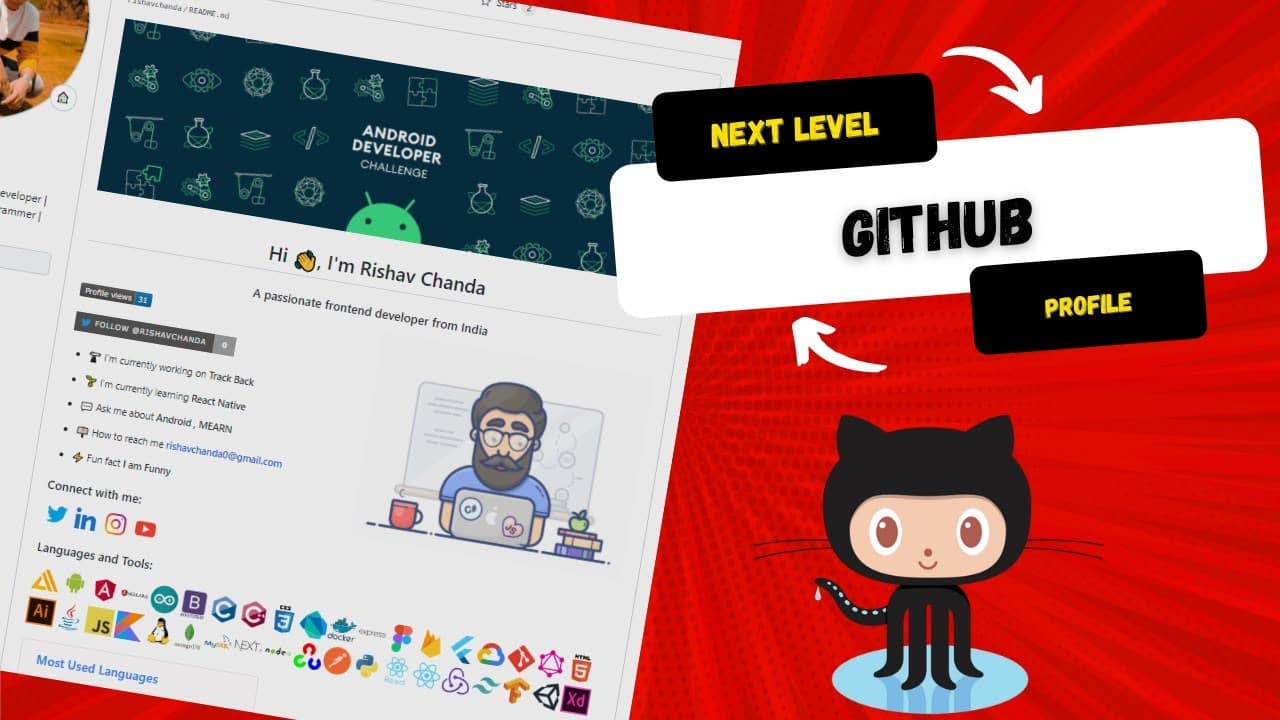
Learn how to decorate and customize your GitHub account with a new, personalized look using a secret GitHub feature.
Transcript
hi everyone so happy new year to all of you guys like those who are seeing this video in new year day uh uh so in this 2022 what we are going to do is decorate our github account so those who are having your github account you might be seeing your github account like this and we are going to change from this side to this awesome site so this github... Read More
Key Insights
- 🏫 Maintaining an outdated and unattractive GitHub account can deter potential visitors and collaborations. Upgrading and personalizing your GitHub can make it more engaging and appealing to others.
- 🔑 The secret GitHub feature of creating a README file in your repository can showcase your skills, projects, and contact information in a visually appealing way.
- 💻 The GitHub README file can be customized using a GitHub profile README generator, allowing you to add your name, professional information, programming languages, social profiles, and other relevant details.
- 🌐 Adding animated images, such as GIFs, to your GitHub README can visually enhance your profile and make it stand out.
- 📛 Including a banner GIF at the top of your GitHub README can further personalize your profile and make it look more professional.
- 🌟 GitHub provides options like a display of visited accounts, profile stars, top skills, GitHub streak, and Twitter badges as add-ons to enhance your profile.
- 🎨 By following the provided steps, you can easily modify and update your GitHub account, giving it a fresh and appealing look for the new year.
- ✨ Upgrading your GitHub account not only improves its visual appeal but also highlights your skills and projects, making it more attractive to potential collaborations and employers.
Install to Summarize YouTube Videos and Get Transcripts
Explore YouTube Video Summarizer or Get YouTube Transcript Extractor
Questions & Answers
Q: How can you transform a boring GitHub account into a personalized one?
To transform your GitHub account, you can follow these steps: create a new repository with a special readme file, make it public, use a GitHub profile readme generator to customize the readme file with personal information, skills, social profiles, and add-ons, and finally, commit the changes to see the new look.
Q: Why is creating a repository and readme file important for customizing a GitHub profile?
Creating a repository and readme file is important because it allows you to add personal information, skills, social profiles, and add-ons to your GitHub profile, giving it a personalized and informative look.
Q: How can you generate a personalized readme file for your GitHub profile?
To generate a personalized readme file, you can use a GitHub profile readme generator. This tool enables you to add your name, subtitle, current work, collaborations, learning interests, skills, social profiles, and add-ons. Once generated, you can copy the markdown code and paste it into your GitHub account's readme file.
Q: Can you add animated images or banners to your customized GitHub profile?
Yes, you can add animated images and banners to your customized GitHub profile. To do this, you need to find gif images or banners on the internet, copy their links, and include them in the markdown code of your readme file using the appropriate image tags.
Q: Does customizing your GitHub profile require any programming knowledge?
Customizing your GitHub profile does not require extensive programming knowledge. However, a basic understanding of HTML and CSS is beneficial for adding animated images or banners to your profile. The process primarily involves copy-pasting markdown code and modifying it with your personal information.
Summary & Key Takeaways
-
The video tutorial shares step-by-step instructions on how to modify a boring GitHub account and give it a new, personalized look for 2022.
-
The tutorial explains how to create a special readme file in a new repository and make it public.
-
It also demonstrates how to use a GitHub profile readme generator to customize the readme file with personal information, skills, social profiles, and add-ons.
Read in Other Languages (beta)
Share This Summary 📚
Summarize YouTube Videos and Get Video Transcripts with 1-Click
Try YouTube Summary with ChatGPT & Claude or YouTube Transcript Generator