Surface Laptop Studio 2 - Performance and Throttling Tests on AC & USB-C
TL;DR
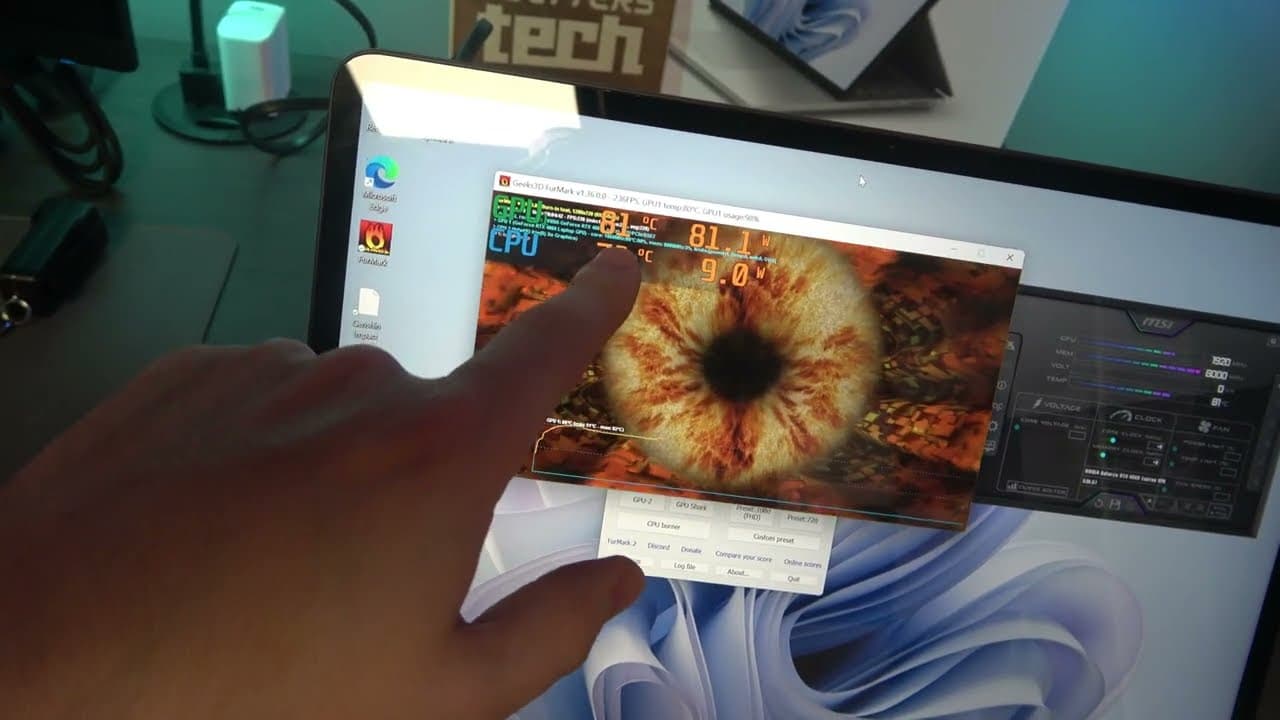
The Surface Laptop Studio 2 has impressive throttling characteristics, with sustained power of up to 110 Watts in tent mode and 50 Watts on the CPU, making it a powerful device for gaming.
Transcript
why do you exist what is it that you want what Market segmentation do you fit into tablet two in one gaming notebook you're too expensive you weigh more than you did before you should have had a 4070 inside you he left because of you you're releasing with a month's old processor probably just overheated throttle won't you Hey There YouTube people h... Read More
Key Insights
- 🎮 The Surface Laptop Studio 2 has improved thermal dissipation capabilities with its aluminum chassis compared to previous models.
- 🔌 When plugged in under USBC, the device pulls about 57 watts of power, but it can pull up to 100 watts.
- 💻 The device has a sustained power of around 73 watts when running a GPU stress test, with occasional dips to 70 watts at higher temperatures.
- 🔋 In tent mode, the device can reach a power draw of up to 80 watts on the GPU, providing excellent performance.
- 🌡️ When used in laptop mode, the device experiences some throttling, with power dropping to as low as 55 watts. ⏰ The device maintains a consistent power draw of around 110 watts when using the Surface Connect adapter in tent mode.
- ️ Typing on the device in laptop mode while gaming may lead to throttling, but using a Bluetooth keyboard in front of the device can provide a better gaming experience.
- 🖥️ The CPU on the Surface Laptop Studio 2 peaks at 80 watts and can sustain a power draw of 50 watts, providing good performance.
Install to Summarize YouTube Videos and Get Transcripts
Explore YouTube Video Summarizer or Get YouTube Transcript Extractor
Questions & Answers
Q: How does the aluminum chassis of the Surface Laptop Studio 2 affect its thermal capabilities?
The aluminum chassis of the Surface Laptop Studio 2 improves its thermal dissipation capabilities, allowing it to sustain higher power consumption without overheating. This results in better overall performance.
Q: What is the advantage of using the Surface Laptop Studio 2 in tent mode?
Using the Surface Laptop Studio 2 in tent mode allows it to maintain higher power levels, reaching up to 110 Watts. This translates to better performance, particularly when gaming.
Q: Does the Surface Laptop Studio 2 experience throttling under high temperatures?
Yes, when the device is used in regular laptop mode, it may experience some throttling as the temperature increases. This can cause the power consumption to decrease to around 30-55 Watts on both the CPU and GPU.
Q: How does the Surface Laptop Studio 2 compare to previous surface devices in terms of throttling behavior?
The Surface Laptop Studio 2 shows improved throttling behavior compared to previous surface devices. It can sustain higher power consumption and maintain better performance for longer periods of time.
Summary & Key Takeaways
-
The Surface Laptop Studio 2 has improved thermal dissipation capabilities due to its aluminum chassis, allowing it to sustain high power consumption.
-
When using the device in tent mode, it can maintain power levels of up to 110 Watts, including 80 Watts on the GPU and 30-50 Watts on the CPU.
-
However, when using the laptop in regular mode, the power consumption may decrease and throttle down to around 30-55 Watts on both the CPU and GPU.
Read in Other Languages (beta)
Share This Summary 📚
Summarize YouTube Videos and Get Video Transcripts with 1-Click
Try YouTube Summary with ChatGPT & Claude or YouTube Transcript Generator
Explore More Summaries from cbutters Tech 📚


Summarize YouTube Videos and Get Video Transcripts with 1-Click
Try YouTube Summary with ChatGPT & Claude or YouTube Transcript Generator