How to Build a Gantt Chart in 9 Simple Steps
TL;DR
Creating a Gantt chart involves nine essential steps: start by listing all tasks, set constraints, and establish dependencies. Allocate resources, estimate durations, prepare your chart template, and add activities and milestones, ensuring clarity with colour coding and legends for better readability.
Transcript
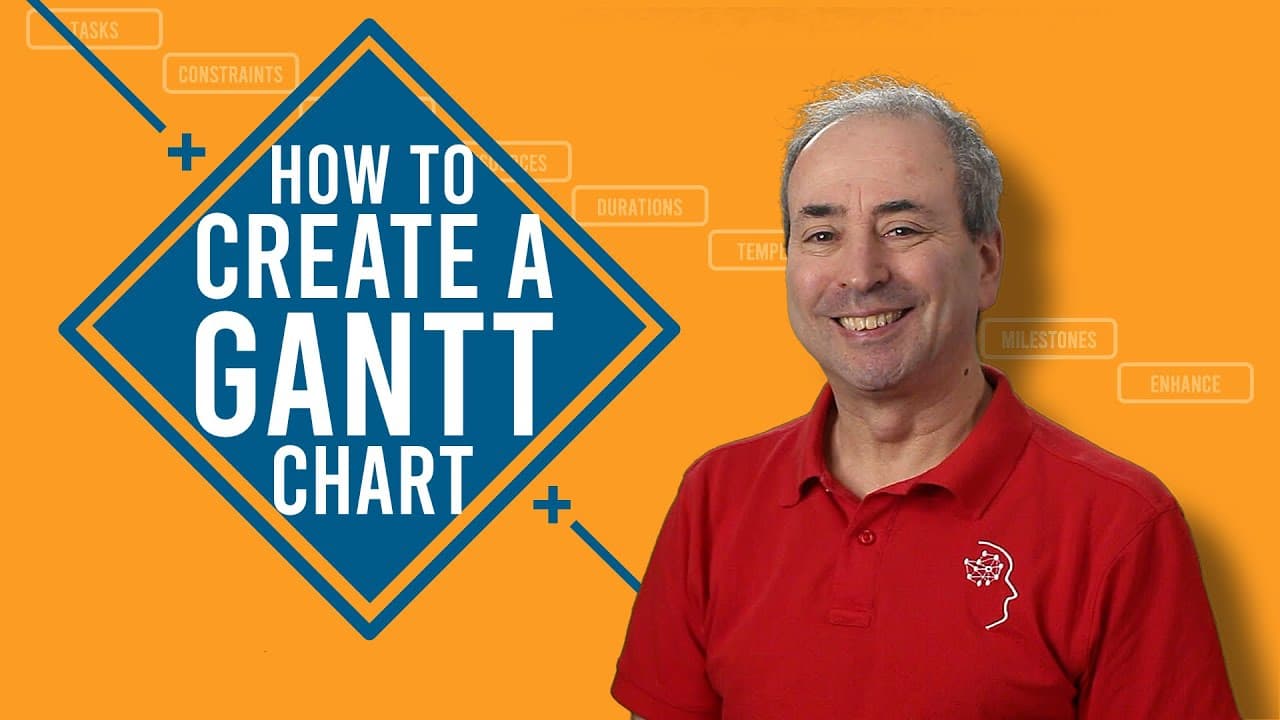
in an earlier and very popular video i described what a gantt chart is in under five minutes but i keep getting asked the question but mike how do you create a gantt chart so that's what i'm going to describe in this video a lot of people will think that creating a gantt chart starts with first open the app but it couldn't be further from the truth... Read More
Key Insights
- 😫 Creating a Gantt chart involves a 9-step process, including listing tasks, setting constraints, establishing dependencies, allocating resources, estimating durations, preparing the template, adding activities and milestones, and enhancing visual aspects.
- 💹 The tool used to create the Gantt chart doesn't matter; the process remains the same.
- ❓ Resource allocation is critical for understanding task sequencing and scheduling.
- 👻 Estimating task durations requires considering the balance between efficiency and allowing time for problem-solving.
- 🏷️ Adding color coding, shading, labels, and legends improves the readability and usefulness of a Gantt chart.
- 📽️ Milestones are vital in creating project constraints and providing a framework for planning activities.
- 🥺 Leads and lags in task dependencies help account for delays or early starts in subsequent tasks.
Install to Summarize YouTube Videos and Get Transcripts
Explore YouTube Video Summarizer or Get YouTube Transcript Extractor
Questions & Answers
Q: What is the first step in creating a Gantt chart?
The first step is to list all tasks or activities, which can be derived from a work breakdown structure or an existing task list, organized logically.
Q: How do you set up constraints for tasks?
Constraints can be set by identifying necessary start or completion dates for tasks, ensuring they are respected during the scheduling process.
Q: What are task dependencies?
Task dependencies determine the sequence of tasks by identifying which tasks are dependent upon the finish of others. The most common dependency type is a finish-to-start relationship.
Q: What are leads and lags in task dependencies?
Leads and lags refer to the time between the finish of one task and the start of another. Lags introduce a delay, while leads allow a task to start before the completion of its predecessor.
Q: How can resources be allocated to tasks?
The right people for each task need to be identified and allocated accordingly. It's important to consider resource availability and potential conflicts when assigning tasks.
Q: How should task durations be estimated?
Task durations should strike a balance between pushing for efficiency and allowing enough time for problem-solving. Accurate estimations help in creating a realistic project timeline.
Q: What is involved in preparing the Gantt chart template?
The Gantt chart template consists of rows representing tasks and columns representing time units. Non-productive time, such as weekends and holidays, should be blocked out from the start.
Q: Why are milestones important in a Gantt chart?
Milestones provide key markers in a project's timeline and help establish constraints for planning activities. They can be based on important activities or predetermined at the start.
Summary & Key Takeaways
-
Creating a Gantt chart begins with listing all tasks or activities, either from a work breakdown structure or an already organized task list.
-
Set up constraints by noting necessary start or completion dates for tasks.
-
Establish task dependencies, such as finish-to-start relationships, and consider leads or lags. Sequence tasks within groups for logical structure.
Read in Other Languages (beta)
Share This Summary 📚
Summarize YouTube Videos and Get Video Transcripts with 1-Click
Try YouTube Summary with ChatGPT & Claude or YouTube Transcript Generator
Explore More Summaries from Online PM Courses - Mike Clayton 📚
Summarize YouTube Videos and Get Video Transcripts with 1-Click
Try YouTube Summary with ChatGPT & Claude or YouTube Transcript Generator