LeadPlayer Wordpress Plugin Demo and Review
TL;DR
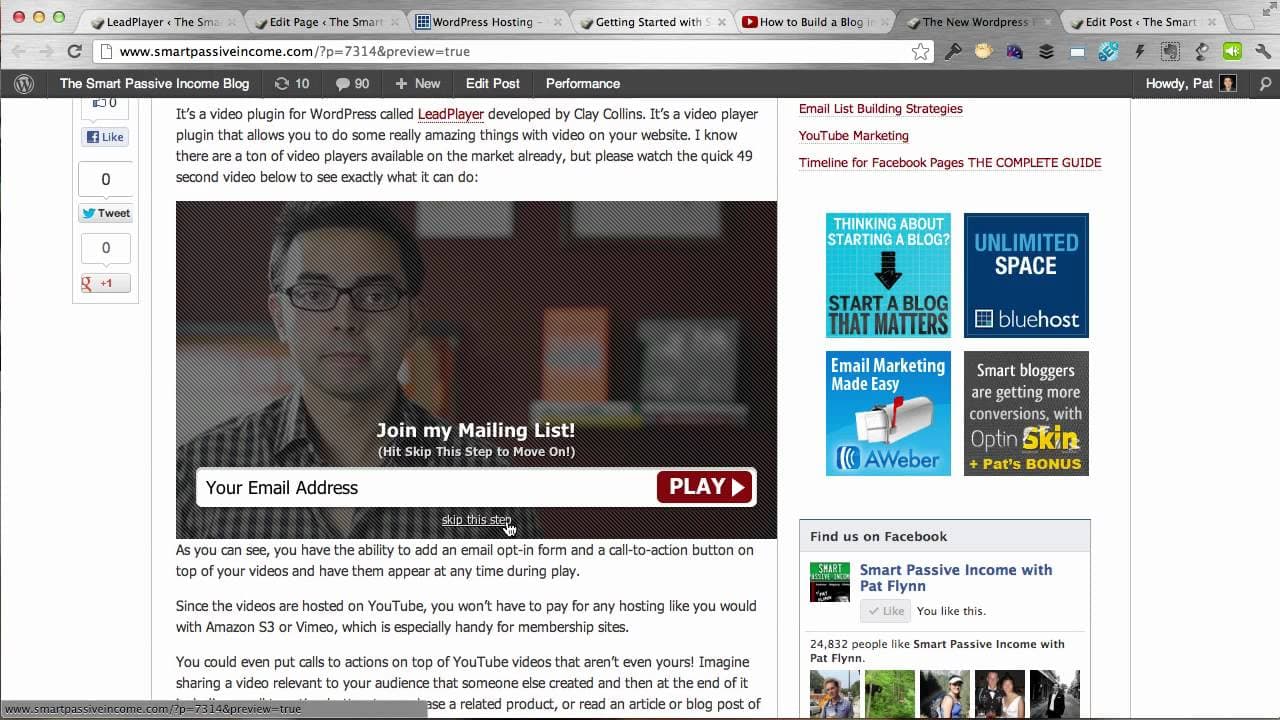
Learn how to use Lead Player, a powerful WordPress plugin that allows you to embed YouTube videos with opt-in forms and call-to-action buttons.
Transcript
hey whats up this is Pat from smart passive income and in this video I'm going to walk you through how to use lead player a really awesome video player wordpress plugin you can use on your website to embed YouTube videos but not only that you can actually include opt-in forms for your email list and call to action buttons on top of your video it's ... Read More
Key Insights
- 💁 Lead Player is a valuable tool for website owners who want to enhance their videos with opt-in forms and call-to-action buttons.
- 🎮 You can easily embed YouTube videos on your website and customize them with Lead Player.
- 👻 Lead Player allows you to create your own thumbnail images, even if you are not a YouTube partner.
- 🥺 With Lead Player, you can capture leads and drive sales by adding opt-in forms and call-to-action buttons to your videos.
- 🎮 The default video settings in Lead Player allow you to easily customize the call-to-action and opt-in forms across all videos on your site.
- 💁 Lead Player is user-friendly and offers various customization options for video settings, opt-in forms, and call-to-action buttons.
- 🎮 By using Lead Player, website owners can increase engagement and conversions by adding interactive elements to their videos.
Install to Summarize YouTube Videos and Get Transcripts
Explore YouTube Video Summarizer or Get YouTube Transcript Extractor
Questions & Answers
Q: What can Lead Player do for my website?
Lead Player is a powerful WordPress plugin that allows you to embed YouTube videos on your website and customize them with opt-in forms and call-to-action buttons. This can help you capture leads and drive sales.
Q: Can I customize the video settings with Lead Player?
Yes, Lead Player allows you to customize the video settings such as height, width, autoplay, pause, show timeline, and enable HD. You can also add your own thumbnail image for the video.
Q: Can I add opt-in forms to the videos with Lead Player?
Yes, Lead Player allows you to include opt-in forms at any moment in the video. You can customize the text and appearance of the opt-in form and even give viewers the option to skip it or require their email address to continue watching.
Q: How can I add call-to-action buttons to the videos with Lead Player?
Lead Player allows you to add call-to-action buttons with customized text and URLs. You can choose where the button appears in the video and direct viewers to a specific page or affiliate link.
Summary & Key Takeaways
-
Lead Player is a video player WordPress plugin that allows you to embed YouTube videos on your website and customize them with opt-in forms and call-to-action buttons.
-
You can easily add the YouTube video link, customize the video settings, and add opt-in forms or call-to-action buttons at any moment in the video.
-
Lead Player also allows you to create your own thumbnail images for the videos, even if you are not a YouTube partner.
Read in Other Languages (beta)
Share This Summary 📚
Summarize YouTube Videos and Get Video Transcripts with 1-Click
Try YouTube Summary with ChatGPT & Claude or YouTube Transcript Generator
Explore More Summaries from Pat Flynn 📚



Summarize YouTube Videos and Get Video Transcripts with 1-Click
Try YouTube Summary with ChatGPT & Claude or YouTube Transcript Generator