Everything I HATE About iOS 18!
TL;DR
iOS 18 introduces useful updates but has significant user complaints about the photos app and control center.
Transcript
so iOS 18 has been out for a few days now and I wanted to kind of complain a little bit and kind of give you my synopsis of everything that I hate within iOS 18 now I think it's a really good update but in order for iOS to get better people have to complain about it if you have any complaints I would recommend for you to go inside of the feedback a... Read More
Key Insights
- 😄 Users have expressed dissatisfaction with navigation changes in the photos app, yearning for the reinstatement of bottom tabs for ease of access.
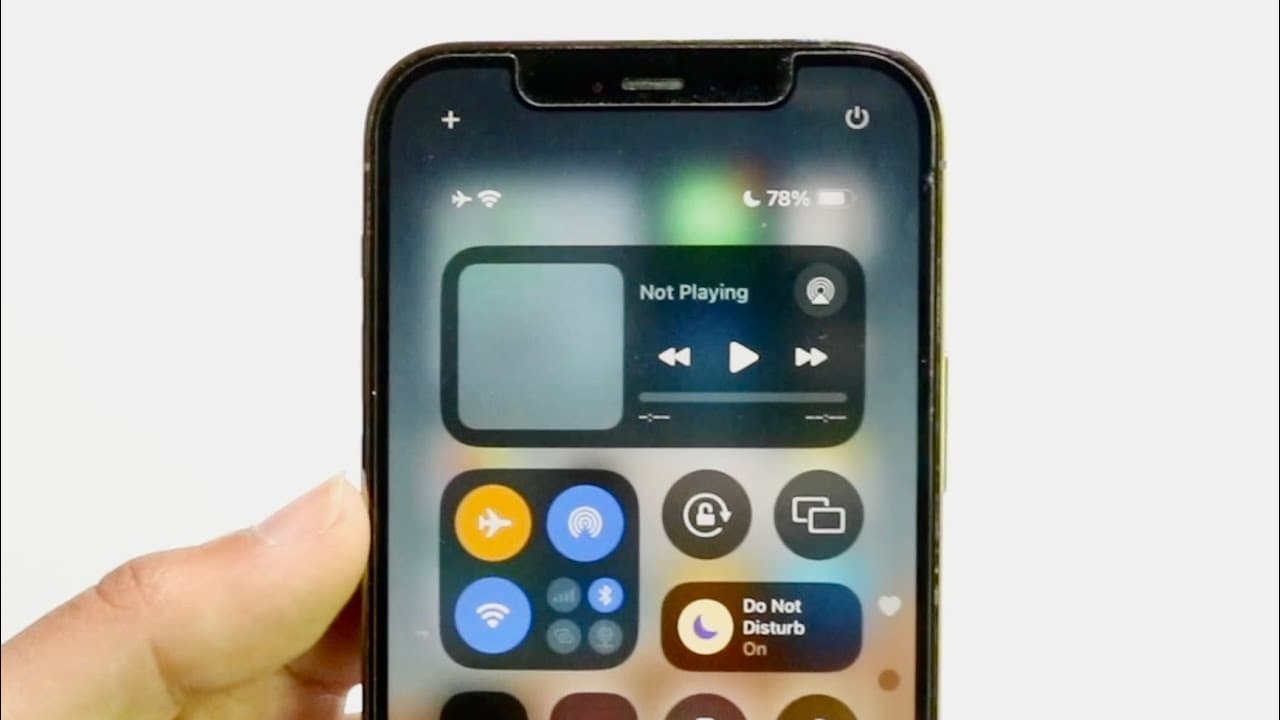
- 🥺 The updated control center's multi-page layout has led to frequent accidental swipes, indicating a need for better design choices to enhance user experience.
- 👤 Inclusion of user feedback in future updates is emphasized as crucial for improving features and addressing complaints.
- 👤 The modification of the mobile data toggle to AirDrop highlights concerns over usability and user-centric design in iOS updates.
- 😀 The dark mode's inefficacy in altering third-party app appearances suggests that Apple's implementation of this feature needs significant enhancement.
- 🤵 Overall, iOS 18 presents valuable features, but user complaints indicate room for improvement in interface consistency and intuitive design.
- 👤 Encouraging users to submit feedback via the feedback application showcases Apple's commitment to iterative development based on community input.
Install to Summarize YouTube Videos and Get Transcripts
Explore YouTube Video Summarizer or Get YouTube Transcript Extractor
Questions & Answers
Q: What are the main complaints about the new photos application in iOS 18?
The primary complaint regarding the photos application in iOS 18 is the removal of the bottom tabs for navigation. Users now have to swipe down to access their library and albums, making it feel less seamless compared to the previous layout. This change disrupts the previously efficient way of quickly jumping from one section to another, creating additional steps for users.
Q: How has the control center been updated in iOS 18, and what issues have users faced?
The control center has received substantial updates, particularly after several years. However, users are encountering issues with the introduction of multiple pages within the control center, leading to accidental navigation instead of closing it. Users are frustrated because swiping up inadvertently brings them to the next page, disrupting their intended actions and requiring suggestions for a side-swipe option to improve usability.
Q: What is the controversy regarding the mobile data toggle in iOS 18?
In iOS 18, the mobile data toggle has been replaced with an AirDrop shortcut, which has sparked complaints from users on social media platforms. Many believe that having direct access to mobile data is essential for quick adjustments, and they find the change inconvenient. This feedback highlights the need for Apple to consider user preferences when modifying commonly used features.
Q: How does the dark mode for apps in iOS 18 differ from expectations?
The dark mode feature in iOS 18 does not uniformly darken all applications, particularly third-party ones, leading to disappointment. It relies on a smart invert function instead of providing a cohesive dark appearance across apps. Users are seeking a solution that would allow dark mode customization to be consistent across all apps, pointing to a gap between expectations and the current functionality.
Summary & Key Takeaways
-
The reviewer appreciates iOS 18 while voicing concerns about the photos application, specifically the removal of bottom tabs that hinder navigation.
-
The new control center features multiple pages, which can lead to accidental swipes, causing frustration, with suggestions for side-swiping to improve usability.
-
The dark mode functionality does not work as intended on third-party apps, relying instead on smart invert, prompting calls for a more effective solution for a cohesive dark mode experience.
Read in Other Languages (beta)
Share This Summary 📚
Summarize YouTube Videos and Get Video Transcripts with 1-Click
Try YouTube Summary with ChatGPT & Claude or YouTube Transcript Generator
Explore More Summaries from Simple Alpaca 📚






Summarize YouTube Videos and Get Video Transcripts with 1-Click
Try YouTube Summary with ChatGPT & Claude or YouTube Transcript Generator