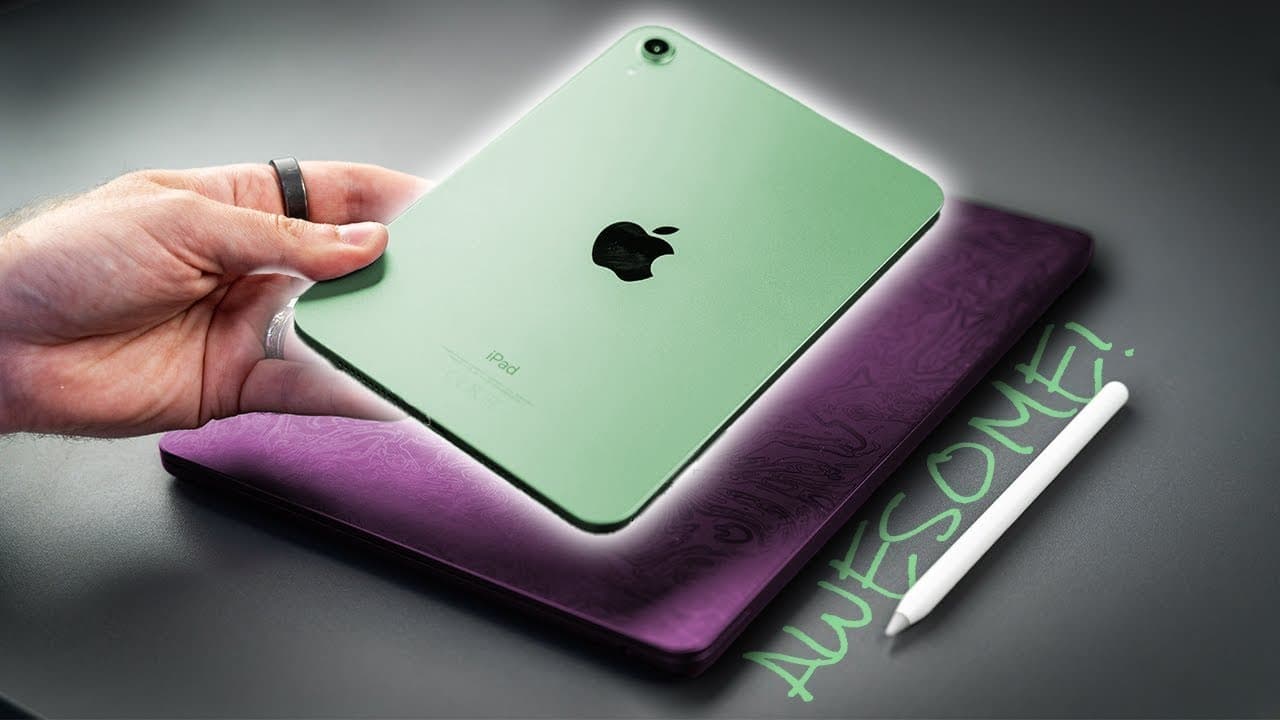
9 Real Life Ways I Use My iPad Mini
TL;DR
The author shares nine practical ways they use their iPad Mini daily, including productivity, entertainment, home automation, and more.
Transcript
lots of people seem to have an iPad lying around that doesn't get much use here are nine real life ways that I use my iPad every single day starting off with each morning when I fire up notion now notion is a scheduling and productivity app that I've used pretty much since I started my channel and my team and I use this on a daily basis to research... Read More
Key Insights
- ✨ Notion is a crucial scheduling and productivity app for content creation, helping with research, planning, scripting, and scheduling.
- 💻 iPad Mini can be used as a secondary monitor for a MacBook or other devices, providing extra screen space.
- 📷 iPad Mini is a handy tool for controlling camera functions, such as remote shooting and monitoring.
- 🏠 iPad Mini can serve as a central control hub for home automation, allowing for convenient access to smart devices.
- 📝 Apple Notes is a reliable and accessible tool for organizing and sharing notes across all Apple devices.
- 🎨 iPad Mini can be used creatively by children, such as drawing with Apple Pencil in the Notes app.
- 🔇 iPad Mini provides entertainment for kids, offering a breather for parents during outings or household tasks.
- 🎧 iPad Mini, paired with Apple headphones, offers a cinematic surround sound experience for watching movies or TV shows.
- 📚 The iPad Mini serves as a versatile e-book reader, consolidating entertainment and access to various reading materials. (Note: The content provided is lengthy; hence, the key insights might not be completely accurate.
Install to Summarize YouTube Videos and Get Transcripts
Explore YouTube Video Summarizer or Get YouTube Transcript Extractor
Questions & Answers
Q: How does the author use their iPad Mini for home automation?
The author mounts their iPad Mini to the wall using a magnetic charging mount and uses it as a central control hub for their home automation tasks. They control various systems and devices in their home, making it a convenient and versatile tool.
Q: What is the benefit of using Apple Notes on the iPad Mini?
Apple Notes allows the author to stay organized by instantly sharing notes across all their Apple devices. They utilize folders to categorize different types of notes and find the feature essential for their productivity and workflow.
Q: How does the iPad Mini serve as an entertainment station?
The iPad Mini provides an immersive entertainment experience, particularly for watching movies with surround sound using Apple headphones. It also replaces the need for a Kindle, allowing the author to read ebooks while having access to entertainment options on a single device.
Q: How does the iPad Mini enhance gaming experiences?
The larger screen of the iPad Mini offers a more enjoyable gaming experience compared to playing on a smaller iPhone screen. The author primarily uses it for playing Clash Royale and other games, but also explores music apps for playing piano and teaching their child.
Summary & Key Takeaways
-
The author uses Notion, a scheduling and productivity app, on their iPad Mini to organize and plan content for their YouTube channel.
-
They utilize the Sidecar feature to turn their iPad into a secondary monitor or display for their MacBook when browsing and replying to emails.
-
The iPad Mini serves as a remote control and monitor for their camera during video filming, as well as a central control hub for home automation tasks.
-
Apple Notes keeps them organized and allows them to easily access and sync notes across all their Apple devices.
-
The iPad Mini is used for entertainment purposes, such as watching movies with surround sound and replacing a Kindle for reading ebooks.
-
Gaming, playing musical apps, and teaching their child to play the piano are additional uses of the iPad Mini.
Read in Other Languages (beta)
Share This Summary 📚
Summarize YouTube Videos and Get Video Transcripts with 1-Click
Try YouTube Summary with ChatGPT & Claude or YouTube Transcript Generator
Explore More Summaries from Pete Matheson 📚

Summarize YouTube Videos and Get Video Transcripts with 1-Click
Try YouTube Summary with ChatGPT & Claude or YouTube Transcript Generator