How Apple Ruined The iPhone Power Button
TL;DR
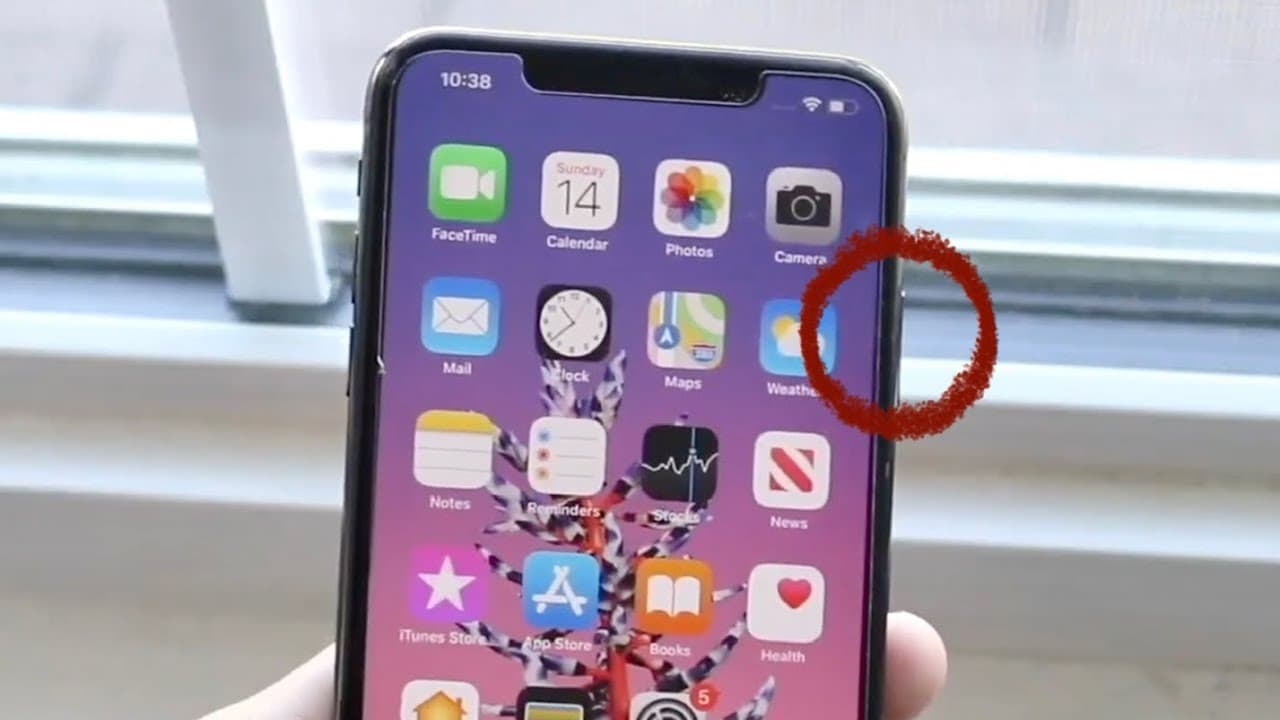
Apple's design change for iPhone power buttons complicates turning off devices, frustrating users.
Transcript
well everyone as some of you may know the iphone series of devices beautiful devices i love them so much but apple sometimes does some dumb things which i don't understand why they do it and in this specific case apple has pretty much ruined the power button in my opinion from 2017 so what do i mean by this well essentially with our iphones with th... Read More
Key Insights
- ✊ The power button on newer iPhone models no longer serves its traditional function of powering down the device directly.
- 👤 Apple now requires the simultaneous use of volume up and power buttons, complicating the shutdown process for users.
- 👶 Users accustomed to previous models may struggle with this new configuration, prompting them to seek tutorials.
- ✊ The reliance on Siri activation when holding the power button can hinder quick access to powering down the device.
- 👤 Workarounds, such as Assistive Touch, exist but may be cumbersome for average users who prefer traditional methods.
- 🤨 The design alteration raises questions about future changes to other buttons, like volume controls.
- 👤 User feedback suggests a desire for a return to simpler interfaces and functionality in device design.
Install to Summarize YouTube Videos and Get Transcripts
Explore YouTube Video Summarizer or Get YouTube Transcript Extractor
Questions & Answers
Q: Why is there confusion around the iPhone power button?
The confusion arises because Apple changed the functionality of the power button on models with notches. Users are now required to hold the side button and volume up button simultaneously to power off the device, unlike earlier models where the power button alone could perform this function.
Q: What happens when you hold the power button on newer iPhones?
When you hold the power button on newer iPhones, it activates Siri instead of powering down the phone. This necessitates a secondary action of holding the volume up button and the power button together, which is a departure from previous models and can frustrate users.
Q: How has this change affected the way users turn off their iPhones?
The change has necessitated a learning curve for users who are now accustomed to pressing solely the power button. This requires them to adapt to a new process, leading to many seeking out tutorials to understand how to effectively power down their iPhones.
Q: Are there alternative methods to turn off an iPhone?
Yes, users can utilize Assistive Touch to turn off their iPhone, or, although less common, jailbreak tweaks exist that can restore the previous functionality to the power button. However, these methods may not appeal to all users due to potential risks and complexity.
Q: Are users mostly satisfied with Apple's decision regarding the power button?
Generally, users express frustration with Apple's change to the power button functionality. The need to adapt to a new shutdown method is viewed by many as unnecessary and confusing, leading to a sentiment that Apple may have complicated a previously simple function.
Summary & Key Takeaways
-
Apple has altered the functionality of the power button on newer iPhone models, requiring users to hold the volume up and power buttons simultaneously to power down the device.
-
This change has led to confusion among users accustomed to powering off their phones with just the power button, diminishing its intended function.
-
The need for tutorials and alternative methods, like Assistive Touch or jailbreak tweaks, illustrates the frustration and adjustment users face with this design decision.
Read in Other Languages (beta)
Share This Summary 📚
Summarize YouTube Videos and Get Video Transcripts with 1-Click
Try YouTube Summary with ChatGPT & Claude or YouTube Transcript Generator
Explore More Summaries from Simple Alpaca 📚






Summarize YouTube Videos and Get Video Transcripts with 1-Click
Try YouTube Summary with ChatGPT & Claude or YouTube Transcript Generator