How to Upload YouTube Videos for More Views
TL;DR
Learn how to optimize YouTube uploads for maximum views.
Transcript
you're about to upload a YouTube video you worked so hard on you wanted to reach as many people as possible but just hitting upload isn't enough with just a few key settings and tweaks you can transform an ordinary upload into one that gets recommended to thousands more people in this video I'll guide you step by step on how... Read More
Key Insights
- Crafting effective video titles involves using relevant keywords and maintaining a concise length to avoid truncation, enhancing clickability.
- Custom thumbnails are crucial for attracting viewers, with 90% of top-performing videos featuring personalized thumbnails.
- Video descriptions should be keyword-rich to improve searchability and aid the YouTube algorithm in recommending content.
- Playlists help organize content around themes, making it easier for viewers to find related videos and increasing watch time.
- Specifying if content is made for kids affects features like ads and comments, impacting how videos are recommended.
- Adding manual chapters with descriptive titles can enhance search visibility, allowing viewers to navigate to specific content sections.
- Utilizing tags is vital for newer channels to help YouTube understand the content and reach the intended audience.
- End screens and cards can significantly boost engagement by promoting other videos and encouraging subscriptions.
Install to Summarize YouTube Videos and Get Transcripts
Explore YouTube Video Summarizer or Get YouTube Transcript Extractor
Questions & Answers
Q: How important are custom thumbnails for YouTube videos?
Custom thumbnails are extremely important for YouTube videos, as they are responsible for attracting viewers' attention and encouraging clicks. According to YouTube, 90% of top-performing videos have custom thumbnails. They serve as the first impression of your video and can significantly impact its success by making it stand out in search results and recommendations.
Q: What role do video descriptions play in YouTube video optimization?
Video descriptions play a crucial role in YouTube video optimization by providing context about the content and including relevant keywords. These keywords help improve the video's searchability and aid the YouTube algorithm in understanding and recommending the video to the right audience. A well-crafted description can increase visibility and attract more viewers.
Q: Why is it important to specify whether a video is made for kids?
Specifying whether a video is made for kids is important because it affects how the video is treated by YouTube in terms of features like personalized ads, comments, and notifications. Videos made for kids are more likely to be recommended alongside other children's content, which can impact their reach and engagement. Additionally, compliance with COPPA (Children's Online Privacy Protection Act) is necessary to avoid legal issues.
Q: How can playlists benefit a YouTube channel?
Playlists benefit a YouTube channel by organizing content around specific themes or series, making it easier for viewers to find related videos. This organization can increase watch time and viewer retention, as users are more likely to continue watching videos within the same playlist. Playlists also enhance the user experience by providing a structured way to explore content.
Q: What are the advantages of adding manual chapters to a YouTube video?
Adding manual chapters to a YouTube video provides several advantages, including improved navigation for viewers who can jump to specific sections of interest. Chapters also enhance search visibility, as they can appear in search results with descriptive titles. This feature helps in keeping viewers engaged by allowing them to access the most relevant parts of the video quickly.
Q: How do tags influence the discoverability of YouTube videos?
Tags influence the discoverability of YouTube videos by helping the platform understand the video's content and target audience. They are particularly important for newer channels, as they aid in categorizing the video within YouTube's vast content library. Proper use of both broad and specific tags can increase a video's chances of being discovered by the intended audience.
Q: Why is it recommended to use end screens and cards in YouTube videos?
End screens and cards are recommended in YouTube videos because they promote viewer engagement by suggesting additional content or encouraging subscriptions. They appear during the last moments of a video, providing a strategic opportunity to direct viewers to other videos, playlists, or external links. Utilizing these tools can lead to increased watch time and channel growth.
Q: What should be considered when setting a video's visibility on YouTube?
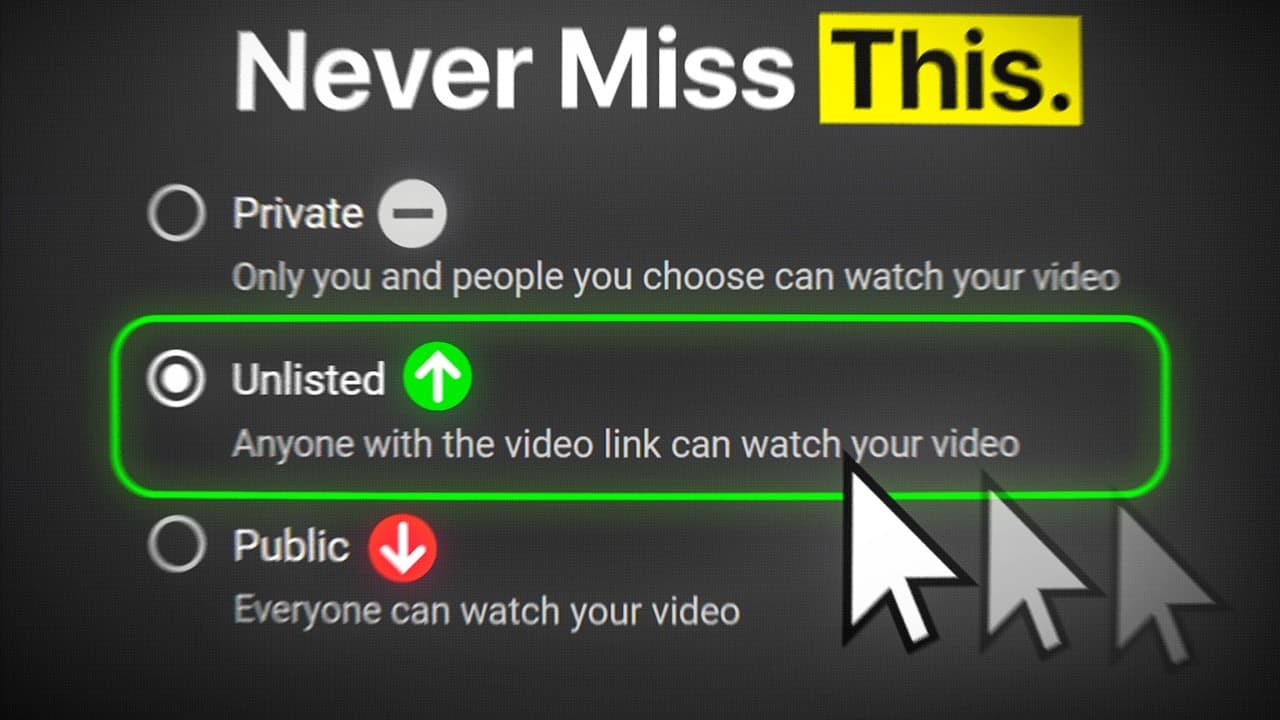
When setting a video's visibility on YouTube, it's important to consider the initial quality checks and processing time. It's advised to start with the video set to 'unlisted' to perform quality checks and ensure the highest quality version is processed. Once satisfied, the video can be made public or scheduled for release at a specific time to maximize initial exposure and engagement.
Summary & Key Takeaways
-
The video provides a detailed guide on optimizing YouTube uploads to maximize views, covering aspects like titles, thumbnails, and descriptions. It emphasizes the importance of these elements in enhancing video discoverability and engagement.
-
It discusses various YouTube settings, such as specifying content for kids, adding chapters, and using tags to improve video reach. These strategies are crucial for both new and established creators to effectively target their audience.
-
The guide also highlights the significance of custom thumbnails, playlists, and end screens in increasing viewer interaction and watch time, offering practical tips on how to implement these features effectively.
Read in Other Languages (beta)
Share This Summary 📚
Summarize YouTube Videos and Get Video Transcripts with 1-Click
Try YouTube Summary with ChatGPT & Claude or YouTube Transcript Generator
Explore More Summaries from TubeBuddy 📚

Summarize YouTube Videos and Get Video Transcripts with 1-Click
Try YouTube Summary with ChatGPT & Claude or YouTube Transcript Generator