Burning Techniques in Black & White Photography : Camera Settings & Photography
TL;DR
Learn how to use non-destructive burning techniques in black and white photography using photo editing software.
Transcript
hi I'm Dan reineke with unknown media and today I'm going to show you some burning techniques in black and white photography now for this we're going to need to go into our photo editing software so let's go ahead and head there now alright so here we are in our photo editing software I'm going to show you a couple different burning techniques the ... Read More
Key Insights
- 🔥 The burn tool in photo editing software can be effective for targeted burning but is a destructive process.
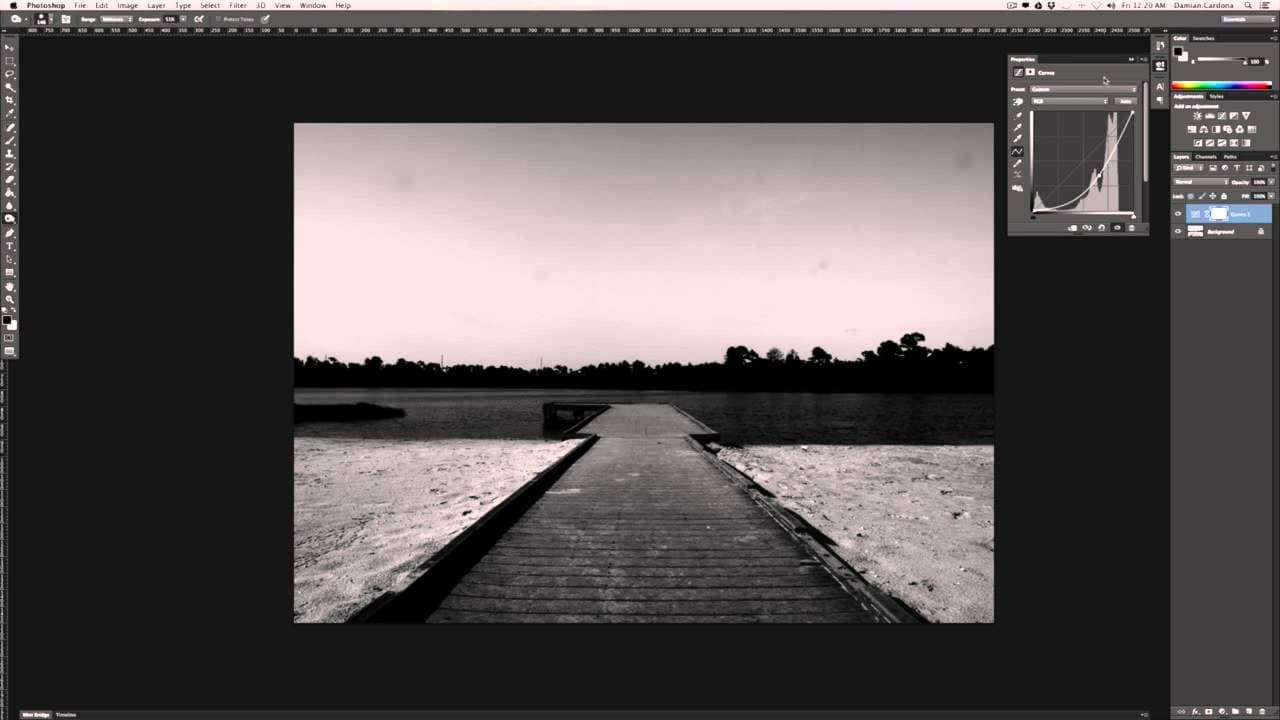
- 😷 Using a curves adjustment layer with a layer mask provides a non-destructive and flexible way to burn photos.
- 😷 The curves adjustment layer with a layer mask allows for easy adjustments and fine-tuning of the burning effect.
- 🖤 These burning techniques can be applied to both black and white and color photography.
- 📷 Non-destructive editing techniques are valuable for maintaining the integrity of the original photo.
- 😷 Layer masks are powerful tools for selectively revealing or hiding certain effects.
- 🎚️ Experimentation with different opacity levels and brush sizes can result in unique burning effects.
Install to Summarize YouTube Videos and Get Transcripts
Explore YouTube Video Summarizer or Get YouTube Transcript Extractor
Questions & Answers
Q: What is the difference between the burn tool and the curves adjustment layer for burning photos?
The burn tool allows for targeted burning in specific areas, but it is a destructive process and cannot be easily adjusted or removed. The curves adjustment layer with a layer mask, on the other hand, provides a non-destructive way to burn the entire photo and offers more control and flexibility in adjustments.
Q: How does the layer mask work in the burning process?
The layer mask hides or reveals certain parts of the layer it is applied to. In this case, the layer mask is used to selectively show or hide the darkening effect of the curves adjustment layer, creating a burning effect. Painting with white on the layer mask reveals the burn effect, while painting with black hides it.
Q: Can the burning effect be easily adjusted or undone with the curves adjustment layer?
Yes, the burning effect using the curves adjustment layer is non-destructive, meaning it can be easily adjusted or removed without permanently altering the image. By modifying the opacity or flipping the layer mask, the burning effect can be fine-tuned or completely hidden.
Q: Are these burning techniques specific to black and white photography only?
No, these burning techniques can be applied to both color and black and white photography. The focus of the video is black and white photography, but the techniques can be used to enhance and manipulate tones and contrast in color photos as well.
Summary & Key Takeaways
-
The video discusses two burning techniques in black and white photography: using the burn tool and using a curves adjustment layer with a layer mask.
-
The burn tool allows for precise burning in specific areas of the photo, but it is a destructive process and cannot be easily adjusted or removed.
-
The curves adjustment layer with a layer mask offers a non-destructive way to burn the entire photo and allows for easy control and adjustment without permanently altering the image.
Read in Other Languages (beta)
Share This Summary 📚
Summarize YouTube Videos and Get Video Transcripts with 1-Click
Try YouTube Summary with ChatGPT & Claude or YouTube Transcript Generator
Explore More Summaries from ehow 📚

Summarize YouTube Videos and Get Video Transcripts with 1-Click
Try YouTube Summary with ChatGPT & Claude or YouTube Transcript Generator