Sikuli Tutorial 3: Program visually in python!
TL;DR
A tutorial on using Sakuni to create a basic security script for automating website login.
Transcript
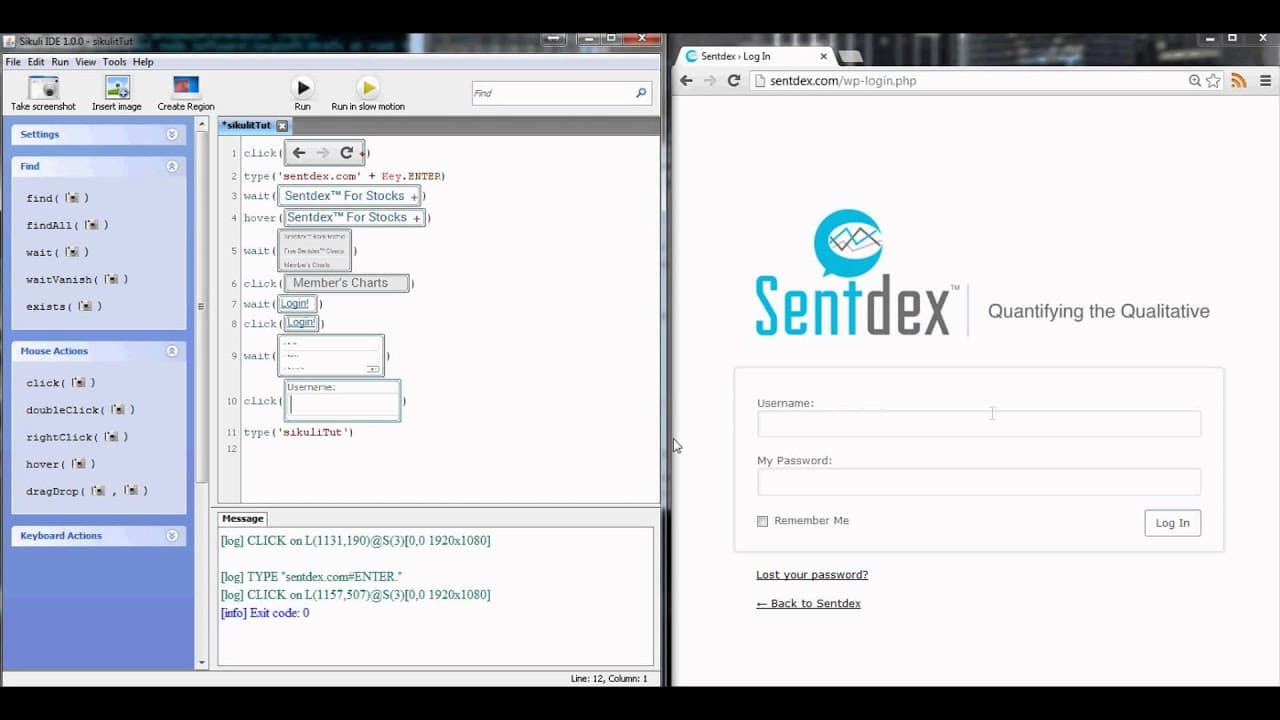
hello everybody and welcome back to just a quick basic security script where we're going to what we've got it doing now is clicking here typing sign tags hitting Enter and now we've arrived on the page but we still want to actually login so next thing we need to do is once we arrive on this page we want to come down here and click something but how... Read More
Key Insights
- 🧑💻 Sakuni is a tool for automating website actions, such as logging in, to save time during testing.
- 💳 Waiting functions are crucial in ensuring that the script accurately identifies and interacts with webpage elements.
- 🏑 The script demonstrates how to click on buttons, enter text into fields, and perform sequential actions within a webpage.
- 👻 Sakuni allows for rapid script development and simplifies the process of automating website tasks.
- 🎭 The script can be modified to perform more advanced actions and can be customized for specific testing needs.
- 💳 Python is a programming language commonly used for writing website automation scripts, but Sakuni provides a simpler alternative.
- 💳 The script showcased in the tutorial is a basic example, and more advanced tutorials using Sakuni may be released in the future.
Install to Summarize YouTube Videos and Get Transcripts
Explore YouTube Video Summarizer or Get YouTube Transcript Extractor
Questions & Answers
Q: What is the purpose of using Sakuni for website automation?
Sakuni allows for rapid development of testing scripts and saves time compared to writing hundreds of lines of code in Python.
Q: How does the script ensure that the correct button is clicked after the page loads?
The script uses a waiting function to ensure that it sees the desired button before hovering over it and subsequently waiting for dropdowns.
Q: How does the script handle the login process?
After clicking on the members chart button, the script waits for the login page to load. It then clicks on the login button and enters the username and password before logging in.
Q: What are the benefits of using Sakuni for website automation?
Sakuni simplifies the process of automating website actions and saves time by reducing the amount of code required for testing scripts.
Summary & Key Takeaways
-
The video tutorial demonstrates how to use Sakuni to create a script that automates website login.
-
The script waits for the page to load before clicking on buttons and entering login credentials.
-
Sakuni helps save time by simplifying the process of creating testing scripts.
Read in Other Languages (beta)
Share This Summary 📚
Summarize YouTube Videos and Get Video Transcripts with 1-Click
Try YouTube Summary with ChatGPT & Claude or YouTube Transcript Generator
Explore More Summaries from sentdex 📚






Summarize YouTube Videos and Get Video Transcripts with 1-Click
Try YouTube Summary with ChatGPT & Claude or YouTube Transcript Generator