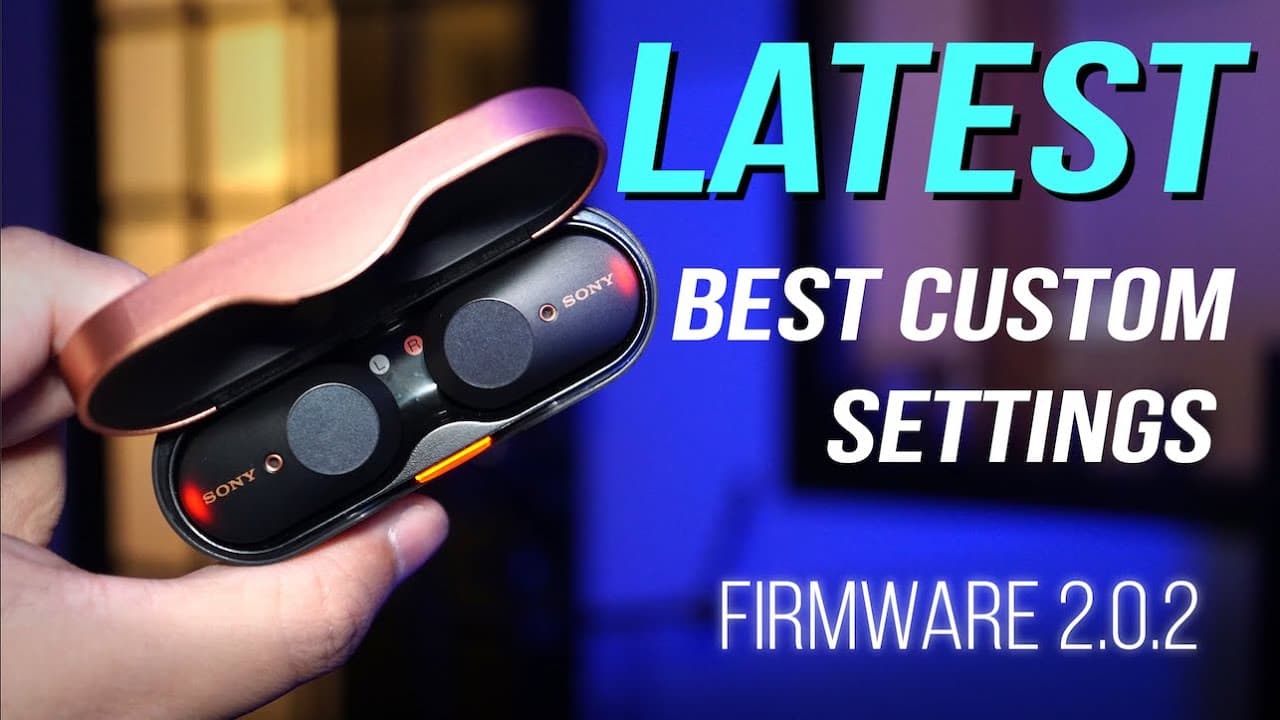
LATEST Best Settings for Sony WF-1000XM3 True Wireless (Firmware 2.0.2)
TL;DR
Updated custom settings for Sony XM3 earbuds improve user experience and functionality.
Transcript
since my very first custom settings video for the Sony XM three-year but Sony has added a few things to the sm-3s through repeated software updates the more recent update was of course updated number 2.0 point to they've also taken away a few things and so I thought it makes a lot of sense for me to come back to this topic and show you guys what my... Read More
Key Insights
- 👤 Sony's XM3 earbuds have adaptive sound control that dynamically adjusts noise canceling based on user activity, enhancing user experience.
- 😀 The latest app version allows users to monitor the charging case's battery level, reflecting Sony's commitment to convenience and usability.
- ✋ 360 Reality Audio requires premium subscriptions to specific platforms, showcasing the integration of high-quality audio formats with exclusive content.
- 👂 Users can tailor the sound quality mode to prioritize either audio fidelity or connection stability, which can significantly impact their listening experience.
- 🛟 DSEE HX serves as an audio enhancement tool, ideal for users with a library of lower-resolution tracks, balancing quality and battery life.
- 🔋 Customizing automatic power off settings is crucial for battery longevity in portable devices like earbuds.
- 👤 Touch control functions are flexible and can be adjusted to users’ preferences, enhancing usability for different scenarios.
Install to Summarize YouTube Videos and Get Transcripts
Explore YouTube Video Summarizer or Get YouTube Transcript Extractor
Questions & Answers
Q: What are the main updates in the Sony headphones connect app for XM3 earbuds?
The latest version of the Sony headphones connect app includes the ability to view the battery level of the charging case, which was previously only available for the individual earbuds. This update allows users to manage their device's battery life more effectively and ensures they are aware of how much power is left before needing a recharge.
Q: How does adaptive sound control function in the XM3 earbuds?
Adaptive sound control adjusts the noise-canceling level of the earbuds based on the user's activity and environment. By using the phone's GPS, it detects whether the user is stationary, walking, running, or on public transport, and automatically customizes the noise-canceling adjustments for a better listening experience.
Q: What is 360 Reality Audio, and how can users access its features?
360 Reality Audio is a unique audio format that offers an immersive listening experience but can only be effectively used with compatible Sony headphones. To enjoy it, users need a premium subscription to streaming services like Tidal or Deezer. The earbuds require a calibration process where users take a picture of their ears for optimal sound adjustments.
Q: Why is it important to customize the sound quality mode on the XM3 earbuds?
The sound quality mode can be set to prioritize either sound quality or stable connection. Users who primarily listen indoors should choose sound quality to utilize the AAC codec for optimal audio quality. Conversely, those who experience frequent signal drops outdoors should prioritize a stable connection, even if it means slightly lower audio quality.
Q: How does the DSEE HX feature enhance audio playback?
DSEE HX is designed to upscale lower-resolution audio files, resulting in them sounding closer to high-resolution quality. However, this feature can impact battery life, so it’s generally recommended for users who frequently listen to older or lower-quality audio tracks.
Q: What is the recommended setting for automatic power off for better battery life?
Users should consider enabling the option to turn off the earbuds when they are taken off. This setting helps conserve battery life effectively, as leaving them turned on can lead to unnecessary battery drain, especially if users frequently remove the earbuds.
Q: How can touch sensor controls be customized on the XM3 earbuds?
Touch sensor controls can be customized for different functions, such as volume control, playback control, or ambient sound control. The presenter prefers having the left earbud set to control volume as it enhances convenience while multitasking or engaging in conversations without needing to pull out their phone.
Q: What is the best practice regarding automatic software updates for the earbuds?
The presenter recommends keeping automatic software updates switched off to avoid potential issues with future updates. This precaution is based on the apprehension that some updates might disrupt the earbuds' current functionality or settings.
Summary & Key Takeaways
-
The video presents updated custom settings for the Sony XM3 earbuds following significant software updates, allowing users to enhance their audio experience based on individual needs.
-
Key features discussed include adaptive sound control, which adjusts noise cancellation based on the user's activity and environment, and 360 Reality Audio, which optimizes sound quality for compatible streaming services.
-
The presenter emphasizes personal preferences for noise cancellation, sound quality modes, and touch controls, providing recommendations for maximum performance and battery life management.
Read in Other Languages (beta)
Share This Summary 📚
Summarize YouTube Videos and Get Video Transcripts with 1-Click
Try YouTube Summary with ChatGPT & Claude or YouTube Transcript Generator
Explore More Summaries from Aaron X Loud and Wireless 📚





Summarize YouTube Videos and Get Video Transcripts with 1-Click
Try YouTube Summary with ChatGPT & Claude or YouTube Transcript Generator