What Are the 5 Rules for Creating Effective YouTube Thumbnails?
TL;DR
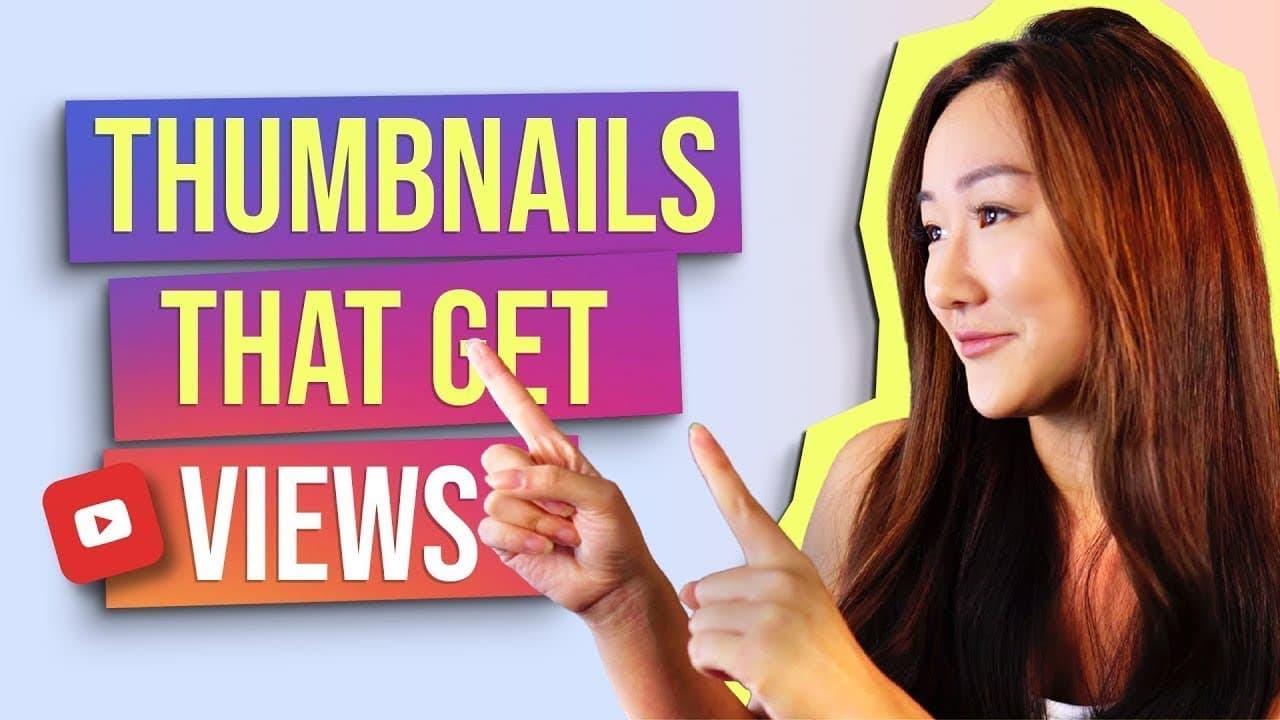
To create effective YouTube thumbnails, follow these five rules: always show your face to add a relatable human touch, use simple bold fonts for readability, keep text concise with no more than four words, position key elements on the right side, and make all visuals large enough to be seen easily on all devices. Implementing these strategies can significantly increase views and engagement.
Transcript
What is up everyone. Welcome back to my channel, the best place for new coaches, content creators and entrepreneurs. Now in today's video I want to talk about YouTube, but specifically I really want to zone in and focus in on thumbnails. Now here on my channel, I've talked about with thumbnails before, but I don't think I have a dedicated videos sp... Read More
Key Insights
- Showing your face in thumbnails can significantly increase views as it adds a human element, making the content feel more relatable and less commercialized.
- Utilizing universal human emotions like happiness, sadness, surprise, fear, disgust, and anger can add variety and appeal to your thumbnails.
- Avoid fancy fonts in thumbnails as they are hard to read, especially on mobile devices; instead, use simple, bold fonts like Oswald or Montserrat.
- Keep text simple and under four words to ensure clarity and readability on smaller screens, enhancing viewer engagement.
- Place important elements on the right-hand side of thumbnails to avoid being covered by YouTube icons, ensuring key information is visible.
- Make elements in thumbnails large enough to be visible even from a distance, ensuring they stand out on both mobile and desktop views.
- Test different text strategies: straightforward descriptions versus clickbait titles, to see what resonates better with your audience.
- Use tools like Canva to preview thumbnails at reduced sizes, ensuring elements remain clear and impactful even when shrunk.
Install to Summarize YouTube Videos and Get Transcripts
Explore YouTube Video Summarizer or Get YouTube Transcript Extractor
Questions & Answers
Q: Why is showing your face on thumbnails recommended?
Showing your face on thumbnails is recommended because it adds a personal and relatable touch to the content. It helps viewers connect with the creator on a human level, making the content feel more genuine and less commercialized. This approach can lead to increased viewer engagement and higher click-through rates.
Q: What are the six universal human emotions mentioned?
The six universal human emotions mentioned in the video are happiness, sadness, surprise, fear, disgust, and anger. Incorporating these emotions into thumbnails can add variety and appeal, helping to capture the viewer's attention and convey the video's emotional tone effectively.
Q: Why should fancy fonts be avoided in thumbnails?
Fancy fonts should be avoided in thumbnails because they are often difficult to read, especially on small screens like mobile devices. Simple, bold fonts ensure clarity and readability, making it easier for viewers to quickly understand the video's content and increasing the likelihood of clicks and engagement.
Q: What is the recommended text length for thumbnails?
The recommended text length for thumbnails is under four words. Keeping text concise ensures that it remains clear and readable, even on smaller screens. This approach helps to convey the video's message quickly and effectively, improving viewer engagement and click-through rates.
Q: Why should thumbnail elements be placed on the right-hand side?
Thumbnail elements should be placed on the right-hand side to avoid being covered by YouTube icons that appear on the left side of the screen. Placing important elements on the right ensures that key information remains visible, enhancing the thumbnail's effectiveness in capturing viewer attention.
Q: What is the importance of making thumbnail elements large?
Making thumbnail elements large is important because it ensures they are easily visible and recognizable, even from a distance or on smaller screens. Large elements help the thumbnail stand out in a crowded YouTube feed, increasing the chances of attracting viewer attention and clicks.
Q: How can Canva be used to optimize thumbnails?
Canva can be used to optimize thumbnails by allowing creators to preview their designs at reduced sizes. This helps ensure that all elements remain clear and impactful, even when the thumbnail is shrunk down in the YouTube feed. Using Canva's resizing feature can help creators make necessary adjustments for better visibility.
Q: What are the two text strategies suggested for thumbnails?
The two text strategies suggested for thumbnails are using straightforward descriptions and employing clickbait titles. Straightforward descriptions clearly convey the video's content, while clickbait titles evoke curiosity and emotional responses. Testing both strategies can help creators determine which approach resonates better with their audience and drives more engagement.
Summary & Key Takeaways
-
The video provides five golden rules for creating effective YouTube thumbnails. Key strategies include showing your face to add a human touch, using simple fonts, and keeping text concise. The speaker emphasizes placing important elements on the right side and ensuring the thumbnail's elements are large and clear.
-
The importance of human elements in thumbnails is highlighted, with a focus on using universal emotions to engage viewers. The video also advises against using fancy fonts, recommending bold and simple alternatives for better readability across devices.
-
The speaker shares practical tips such as testing different text strategies and using tools like Canva for thumbnail optimization. These insights aim to help content creators enhance their thumbnail designs for increased visibility and viewer engagement.
Read in Other Languages (beta)
Share This Summary 📚
Summarize YouTube Videos and Get Video Transcripts with 1-Click
Try YouTube Summary with ChatGPT & Claude or YouTube Transcript Generator
Explore More Summaries from Vanessa Lau 📚
Summarize YouTube Videos and Get Video Transcripts with 1-Click
Try YouTube Summary with ChatGPT & Claude or YouTube Transcript Generator