How to Set Up a Server Rack for Maximum Efficiency
TL;DR
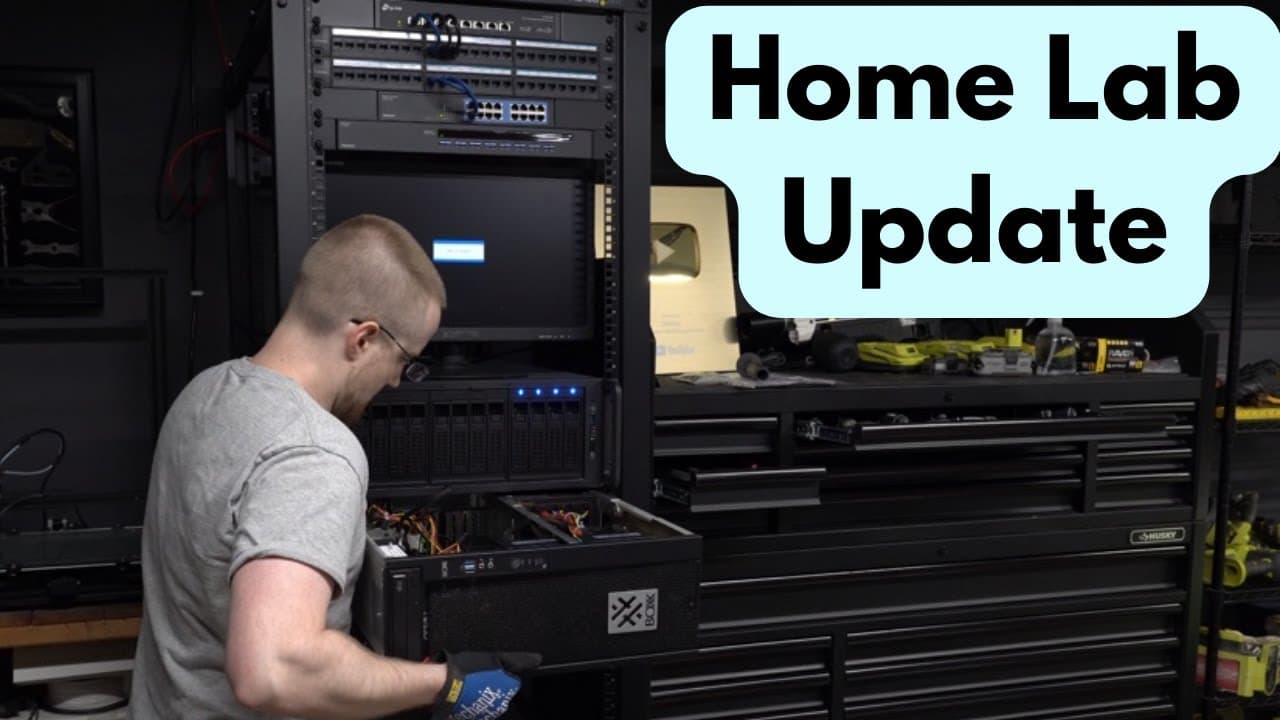
To set up a server rack for optimal performance, start by adding a 48-port patch panel for organized Ethernet management and a gigabit switch for basic tasks. Incorporate a KVM switch to control multiple machines with one keyboard and mouse, enhancing your workflow. Consider future improvements like UPS battery backup and efficient cable management for a streamlined setup.
Transcript
so i've done some stuff since we last spoke where we last left off i had just finished building the nas and had added a 10 gigabit switch the next addition to the rack is a 48 port patch panel the patch panel is used to cleanly redirect the ethernet cabling back to the machines in the actual rack essentially it's just there to keep things clean in ... Read More
Key Insights
- 👣 Patch panels are useful for organizing and managing Ethernet cabling in a server rack, enhancing both appearance and functionality.
- 🚱 Using different switches for different purposes, such as a gigabit switch for non-intensive tasks, can help optimize network connections.
- 😫 KVM switches provide the convenience of controlling multiple machines with a single set of keyboard and mouse, improving workflow efficiency.
- 🚵 Mounting hardware and proper spacing considerations are important when installing machines in a server rack to ensure a secure and functional setup.
- 🤣 Temporary solutions, such as using scrap wood for a temporary floor, can be helpful during the setup process before obtaining proper equipment.
- 👣 Considerations for future additions to the server rack, such as UPS/battery backup systems and converting more machines into rack mounts, should be evaluated for further optimization.
- 🚠 Cable management, including organizing and cleaning up cables, is crucial for maintaining a tidy and efficient server rack setup.
Install to Summarize YouTube Videos and Get Transcripts
Explore YouTube Video Summarizer or Get YouTube Transcript Extractor
Questions & Answers
Q: Why did the author add a patch panel to the server rack?
The patch panel helps redirect Ethernet cabling in a clean and organized manner, improving the overall appearance of the rack and making it easier to manage connections.
Q: What is the purpose of the 16-port gigabit switch in the server rack?
The gigabit switch is used for tasks that don't require high-speed connectivity. It also acts as a connection point for the internet, allowing the author to save a port on the 10-gigabit switch.
Q: What is a KVM switch and how does it work?
A KVM switch stands for keyboard, video, and mouse. It allows the author to control multiple machines using the same keyboard and mouse. They plug their main keyboard and mouse into the switch, which then connects to the machines using VGA and USB cables.
Q: Why did the author mount a monitor on top of the NAS unit?
Initially, the author didn't have a monitor mount, so they placed the monitor on top of the NAS. Although it worked, the author later plans to mount the monitor for a cleaner and more aesthetic setup.
Summary & Key Takeaways
-
The author adds a 48-port patch panel to redirect Ethernet cabling in the server rack for better organization and aesthetics.
-
A 16-port gigabit switch is added for non-intensive tasks, and the author explains how it helps save a port on the 10-gigabit switch.
-
The author sets up a KVM switch to control multiple machines with the same keyboard and mouse, and they share their experience with connecting and switching between machines.
Read in Other Languages (beta)
Share This Summary 📚
Summarize YouTube Videos and Get Video Transcripts with 1-Click
Try YouTube Summary with ChatGPT & Claude or YouTube Transcript Generator
Explore More Summaries from sentdex 📚






Summarize YouTube Videos and Get Video Transcripts with 1-Click
Try YouTube Summary with ChatGPT & Claude or YouTube Transcript Generator