How to Edit a YouTube Video (on easy mode)
TL;DR
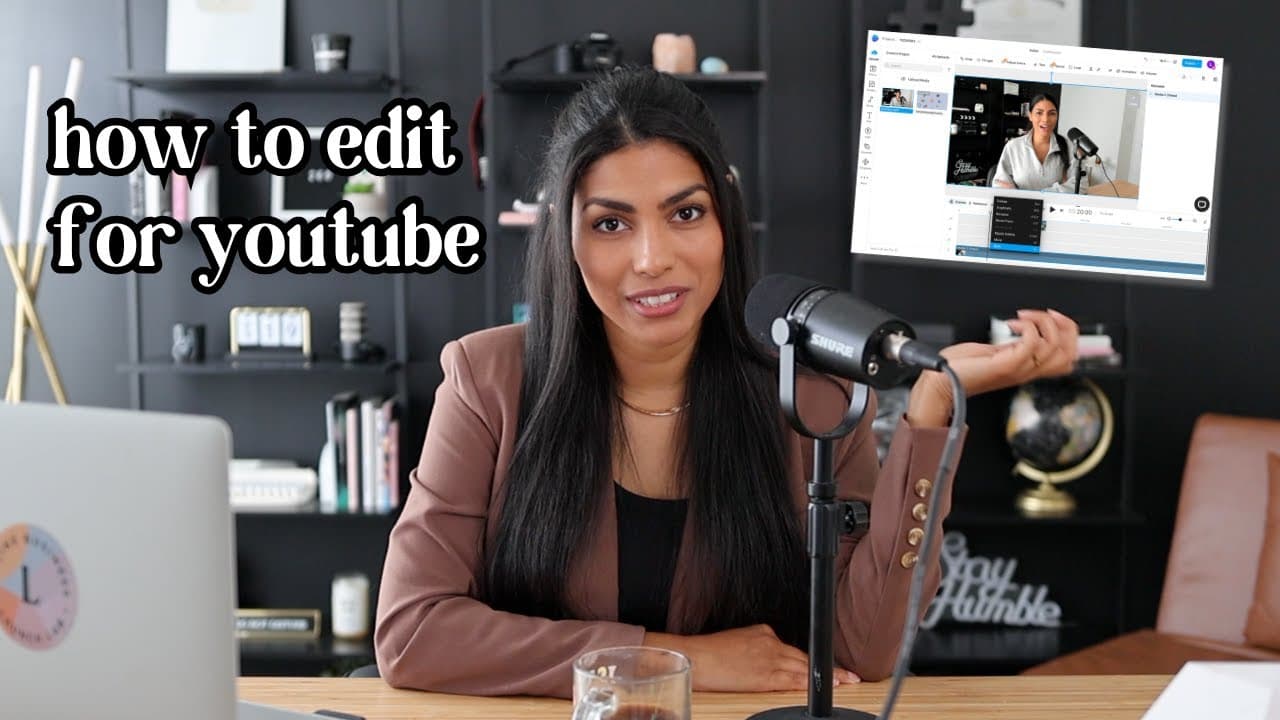
Learn step-by-step YouTube video editing with Invideo.
Transcript
It's come to my attention that in the 10 years that I've been on YouTube, I've never really shared a detailed breakdown of exactly how I edit my videos for this platform. So I thought let's go ahead and do that today, and we're gonna do it using a new tool that I found called Invideo. I get so many questions from you all about. What the best editor... Read More
Key Insights
- The video provides a detailed tutorial on using Invideo, a web-based editing tool, for creating YouTube videos, emphasizing its accessibility and affordability.
- Invideo offers a free plan and is suitable for beginners who want to start editing videos without downloading software, making it ideal for on-the-go editing.
- The tutorial begins with creating a new project from scratch by uploading media files and placing them on the timeline for editing.
- A rough cut is the initial editing step, involving removing unnecessary parts of the video to ensure a smooth and natural flow.
- Adding visual accents such as zoom-ins, pans, and B-roll footage can enhance viewer engagement by breaking the monotony of talking head videos.
- Titles and text elements help organize content into chapters, making it easier for viewers to follow the video's structure.
- End screens and music are essential final touches that encourage viewer interaction and enhance the video's overall appeal.
- Invideo's extensive library of templates and effects allows for creative customization, catering to different video styles and brand aesthetics.
Install to Summarize YouTube Videos and Get Transcripts
Explore YouTube Video Summarizer or Get YouTube Transcript Extractor
Questions & Answers
Q: What is the main editing tool discussed in the video?
The main editing tool discussed in the video is Invideo, a web-based video editing platform. It is highlighted for its accessibility, affordability, and ease of use, making it a suitable choice for both beginners and experienced editors who need to edit videos on the go without downloading software.
Q: What is the first step in the video editing process described?
The first step in the video editing process described in the video is creating a new project in Invideo. This involves uploading the media files that you want to edit and placing them on the timeline. The timeline is where the actual editing takes place, allowing users to organize and manipulate their video clips.
Q: How does the tutorial suggest improving viewer engagement in talking head videos?
The tutorial suggests improving viewer engagement in talking head videos by adding visual accents such as zoom-ins, pans, and B-roll footage. These elements help break the monotony of a single camera angle and add visual complexity, making the content more dynamic and interesting to watch.
Q: What role do titles and text play in video editing according to the tutorial?
Titles and text play a crucial role in organizing video content into chapters or sections, according to the tutorial. They help viewers follow along with the video's structure and can emphasize key points or transitions. Using text creatively can enhance the video's clarity and engagement.
Q: Why are end screens and music important in YouTube videos?
End screens and music are important in YouTube videos because they encourage viewer interaction and enhance the overall viewing experience. End screens can prompt viewers to subscribe or watch more content, while music adds an emotional layer, making the video more engaging and polished.
Q: What customization options does Invideo offer for video editing?
Invideo offers a wide range of customization options for video editing, including templates, text styles, and effects. Users can adjust colors, fonts, and animations to match their brand aesthetics. The platform also provides a library of stock videos and music, allowing for creative and professional-looking edits.
Q: What are the benefits of Invideo's free plan mentioned in the video?
Invideo's free plan is beneficial for beginners who are just getting started with video editing. It allows users to learn the basics without financial commitment. However, the free plan includes a watermark on exported videos, and access to premium features is limited, which may prompt users to consider paid plans for more advanced editing needs.
Q: How does Invideo support different video styles and brand aesthetics?
Invideo supports different video styles and brand aesthetics through its extensive library of templates and effects. Users can choose from various styles, including educational, trendy, and stylistic options, to match their content's tone and purpose. This flexibility allows for creative expression and alignment with specific brand identities.
Summary & Key Takeaways
-
The video tutorial demonstrates how to edit YouTube videos using Invideo, focusing on its user-friendly interface and accessibility. It covers essential editing techniques like rough cuts, adding accents, and incorporating B-roll footage to enhance video quality.
-
Invideo's features such as templates, text options, and effects provide ample opportunities for customization. The tutorial emphasizes the importance of visual accents and structured content to maintain viewer engagement.
-
End screens and music are highlighted as crucial components for completing a YouTube video. The tutorial also mentions Invideo's free plan and premium options, catering to different user needs and editing goals.
Read in Other Languages (beta)
Share This Summary 📚
Summarize YouTube Videos and Get Video Transcripts with 1-Click
Try YouTube Summary with ChatGPT & Claude or YouTube Transcript Generator
Explore More Summaries from Latasha James 📚
Summarize YouTube Videos and Get Video Transcripts with 1-Click
Try YouTube Summary with ChatGPT & Claude or YouTube Transcript Generator