BEST iMessage Tricks & Tips! (2022)
TL;DR
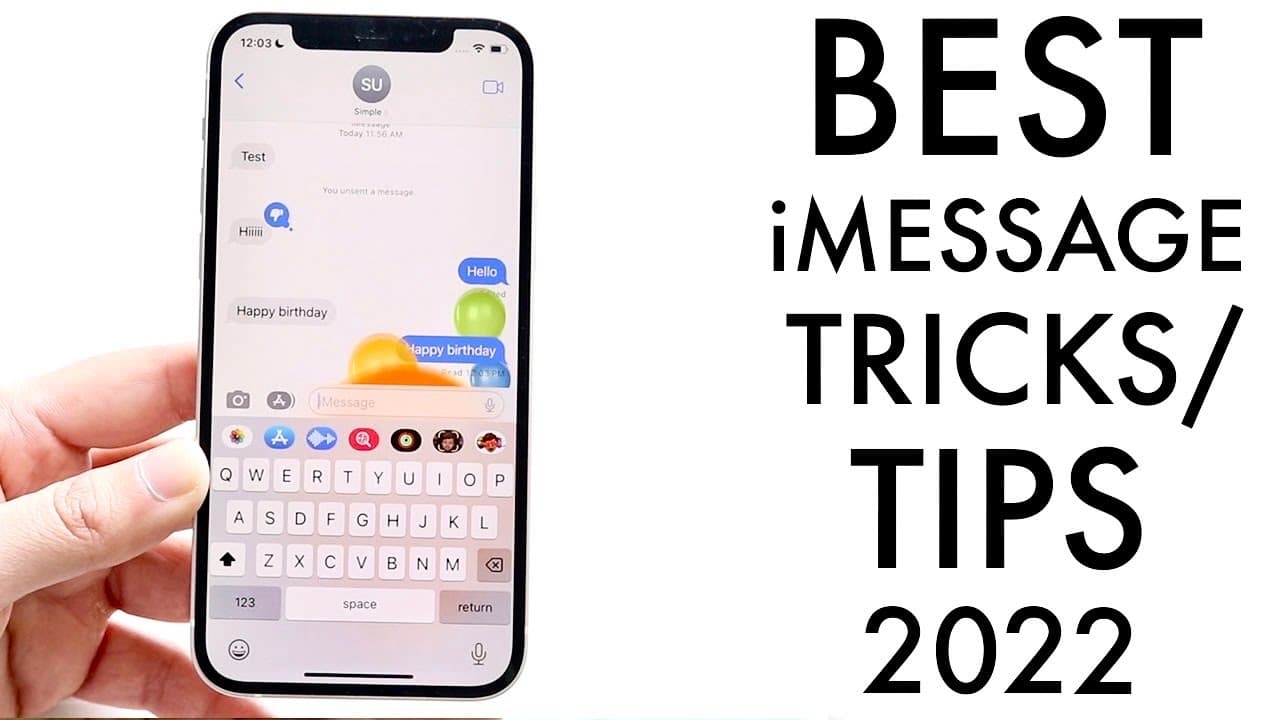
Explore new iMessage features and tricks available in iOS 16.
Transcript
so imessage is one of the best applications you can go ahead and use nowadays and it's only gotten better so let's go ahead and talk about some of the best tricks and tips whatever you want to call it that you can utilize with imessage in 2022 now at this specific year a ton of things have changed so i'm going to go ahead and hit on some of my favo... Read More
Key Insights
- 🧘 iOS 16 brings significant updates to iMessage, emphasizing user control through unsend and edit functionalities, enhancing communication accuracy.
- 👻 The recovery of deleted messages allows users to manage their conversation history effectively and return to important messages even after they are deleted.
- 😴 Pinned messages help streamline user interactions by keeping the most relevant conversations easily accessible, improving overall messaging efficiency.
- 💨 Reaction features cater to users looking for a quick and expressive way to communicate without writing full responses, fostering a more animated conversation.
- 👤 Interactive message effects, such as animations, add an entertaining dimension, encouraging users to engage in a more visually appealing manner.
- 👤 Users are encouraged to explore settings within the Messages panel to optimize their experience, including the option to filter unknown senders and reduce spam.
- 👤 iMessage’s features reflect a trend towards more responsive and versatile communication tools tailored to modern user needs in 2022 and beyond.
Install to Summarize YouTube Videos and Get Transcripts
Explore YouTube Video Summarizer or Get YouTube Transcript Extractor
Questions & Answers
Q: What is the significance of the unsend feature in iMessage?
The unsend feature in iMessage allows users to retract a message that has already been sent, as long as both parties are using iOS 16. This can prevent misunderstandings and provide users with a sense of control regarding their communications. It adds an important layer of flexibility for users who may mistakenly send messages they later regret, enhancing the overall user experience.
Q: How can users edit messages in iMessage with iOS 16?
iOS 16 enables users to edit sent messages by simply holding down on the message bubble and selecting the 'edit' option. Once selected, users can change the content of their message and send the corrected version. Both sender and receiver need to be on iOS 16 for this feature to work, highlighting the collaborative nature of modern messaging.
Q: How does the "recently deleted" feature work in iOS 16?
The "recently deleted" feature allows users to recover messages they have deleted within 30 days. Users can access this feature by navigating to the iMessage tab, selecting "recently deleted," and choosing which messages to recover or permanently delete. This functionality is particularly useful to prevent accidental loss of important conversations.
Q: Can users react to messages in iMessage? How?
Yes, users can react to messages in iMessage by holding down on a specific message and selecting from a set of reaction options (like thumbs up, heart, laugh, etc.). This allows for quick and expressive responses without sending a new message, facilitating a more interactive and engaging messaging experience.
Q: What messaging effects can be used in iMessage on iOS 16?
iMessage on iOS 16 allows users to send messages with various effects, such as balloons, confetti, and fireworks. These effects can be triggered by specific phrases or activated manually by pressing and holding the send button to choose from screen effects and bubble effects. This adds a dynamic and festive element to communications, making messaging more fun.
Q: How does pinning messages work in iMessage?
Pinning messages in iMessage is done by holding down on a conversation and selecting the pin option, which moves important chats to the top of the message list for easy access. This feature is particularly useful for users who frequently message specific contacts, ensuring that vital conversations are always readily available.
Summary & Key Takeaways
-
iOS 16 introduces exciting new features for iMessage, including the ability to unsend and edit messages, enhancing user control and communication fluidity.
-
Users can now recover deleted messages through a "recently deleted" feature, making it easier to manage conversations and avoid permanent loss of information.
-
Pinned messages allow for easier access to important conversations, combined with new message effects and reactions that enhance interaction and add a fun element to messaging.
Read in Other Languages (beta)
Share This Summary 📚
Summarize YouTube Videos and Get Video Transcripts with 1-Click
Try YouTube Summary with ChatGPT & Claude or YouTube Transcript Generator
Explore More Summaries from Simple Alpaca 📚






Summarize YouTube Videos and Get Video Transcripts with 1-Click
Try YouTube Summary with ChatGPT & Claude or YouTube Transcript Generator