How to Create a Mood Board in Photoshop
TL;DR
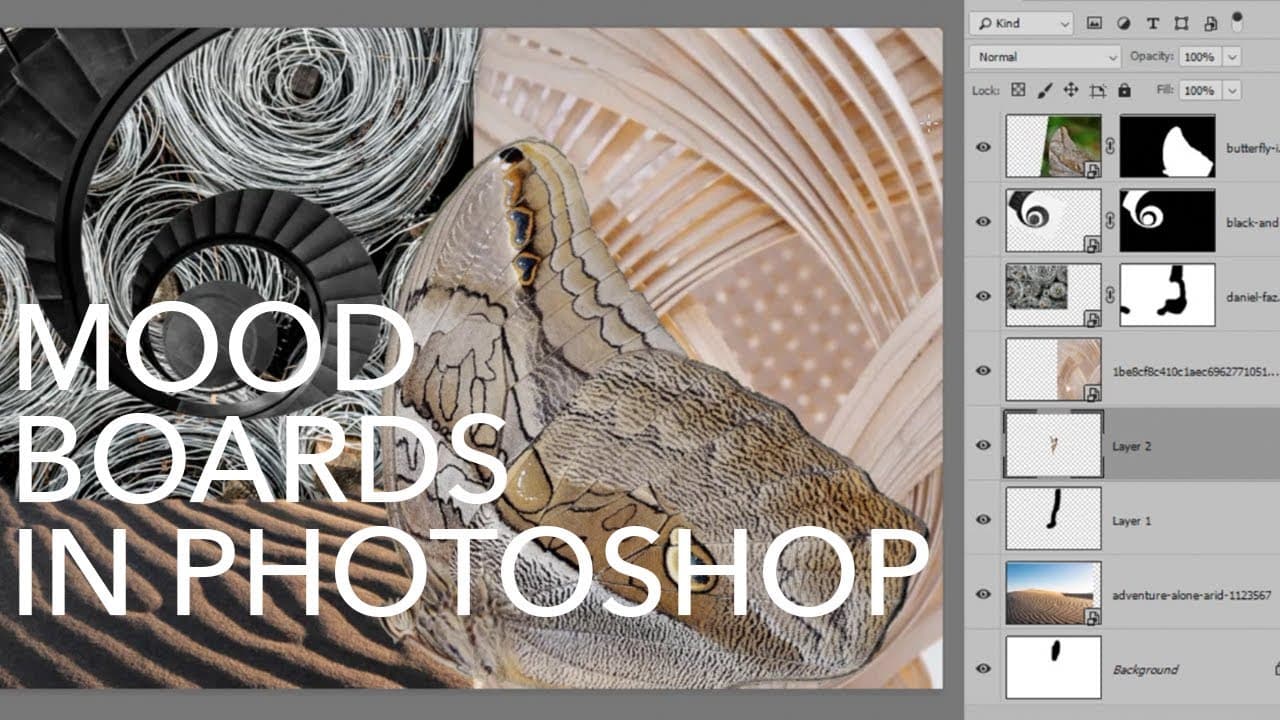
Learn Photoshop basics to create a mood board, including tools like the move tool, transform tool, and layer masks.
Transcript
hi gang I'm Robyn Schneider and I'm excited to be guest lecturing on Zoe Hong's Channel today I teach digital fashion at Otis College of Art and Design and I'm the author of Adobe for fashion the ultimate guide to drawing flats in this video I'm going to teach you some Photoshop basics to create a mood board so let's get started before we start the... Read More
Key Insights
- 🔨 Understanding basic Photoshop tools like the move tool and transform tool is essential for creating a mood board.
- 👻 The layers panel in Photoshop allows for easy organization and manipulation of objects on your board.
- 😷 Layer masks provide a non-destructive way to erase or hide parts of an image.
Install to Summarize YouTube Videos and Get Transcripts
Explore YouTube Video Summarizer or Get YouTube Transcript Extractor
Questions & Answers
Q: What is the move tool in Photoshop?
The move tool in Photoshop allows you to move objects or images around the page by clicking and dragging them.
Q: How do you resize an object using the transform tool in Photoshop?
To resize an object using the transform tool, you need to hold the Shift key while clicking on the corner of the object and dragging it to maintain a consistent size.
Q: What is the purpose of the layers panel in Photoshop?
The layers panel in Photoshop shows the different layers in your document, allowing you to easily rearrange and manipulate objects on your board.
Q: What is a layer mask in Photoshop?
A layer mask in Photoshop is a non-destructive way to erase parts of an image. By painting on the mask with black, you can hide or mask off specific areas, and by painting with white, you can restore the hidden areas.
Summary & Key Takeaways
-
Robyn Schneider, a digital fashion teacher and author, teaches Photoshop basics for creating a mood board.
-
She explains tools like the move tool and transform tool, demonstrating how to resize and rotate objects.
-
Schneider also discusses the importance of the layers panel and demonstrates how to use layer masks for non-destructive editing.
Read in Other Languages (beta)
Share This Summary 📚
Summarize YouTube Videos and Get Video Transcripts with 1-Click
Try YouTube Summary with ChatGPT & Claude or YouTube Transcript Generator
Explore More Summaries from Zoe Hong 📚
Summarize YouTube Videos and Get Video Transcripts with 1-Click
Try YouTube Summary with ChatGPT & Claude or YouTube Transcript Generator