Object Oriented Programming Crash course with Python 3 - Tkinter tutorial Python 3.4 p. 2
TL;DR
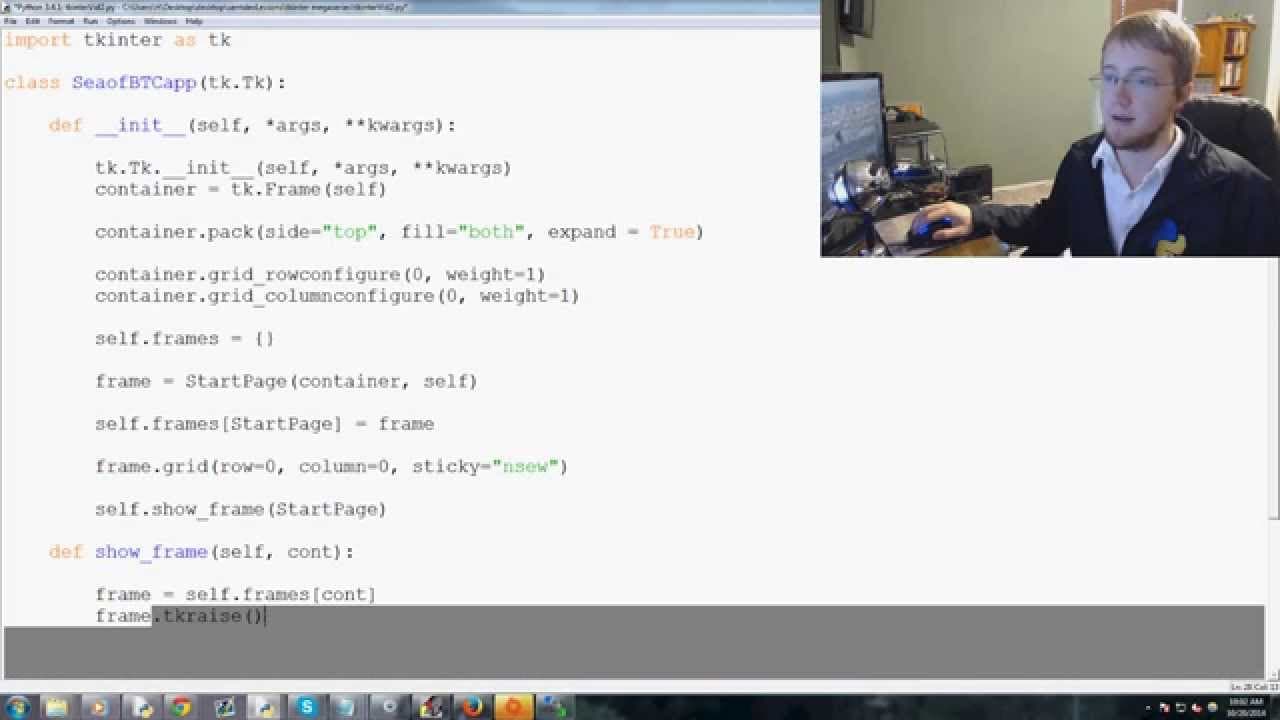
This video provides a crash course on object-oriented programming and demonstrates how to create a Tkinter application.
Transcript
everybody what's going on welcome to a video that's really going to serve two purposes on my channel the first purpose is a sort of crash course in the object-oriented programming the second one is actually just to be the second part of my tkinter kind of intermediate series so depending on which one you're here for obviously your your goals here a... Read More
Key Insights
- 👨💻 Object-oriented programming structures code by creating objects and classes.
- 👤 Tkinter is a Python module used to create graphical user interfaces.
- 🎒 Pack and grid layouts are used in Tkinter to arrange elements within a window.
- 🖼️ Tkinter applications can have multiple pages that can be navigated through a frame dictionary.
- 📟 The show_frame() method can be used to switch between pages in a Tkinter application.
- 😫 Initialization methods in Tkinter classes are used to set up the initial state of the application.
- 🧭 Args and kwargs are used to pass arguments and keyword arguments to methods in Tkinter classes.
Install to Summarize YouTube Videos and Get Transcripts
Explore YouTube Video Summarizer or Get YouTube Transcript Extractor
Questions & Answers
Q: What is object-oriented programming?
Object-oriented programming is a programming paradigm that structures code using objects and classes. It allows for easier organization and reusability of code.
Q: What is Tkinter?
Tkinter is a Python module used for creating graphical user interfaces. It provides tools and functions to create windows, buttons, label, and other GUI elements.
Q: What is the difference between pack and grid layout in Tkinter?
Pack layout is more straightforward and packs elements into a container, while grid layout allows for more precise control over the placement of elements using rows and columns.
Q: How can I navigate between pages in a Tkinter application?
To navigate between pages in Tkinter, you can create a dictionary of frames and use the grid layout to place them in the container. Then, use the show_frame() method to raise a specific frame to the front.
Summary & Key Takeaways
-
The video serves two purposes: to provide a crash course on object-oriented programming and to continue the Tkinter intermediate series.
-
Object-oriented programming is a way to structure code by creating objects and classes.
-
Tkinter is a Python module used to create graphical user interfaces.
-
The video shows how to import tkinter, define classes, initialize tkinter, create frames, use pack and grid layouts, and navigate between pages.
Read in Other Languages (beta)
Share This Summary 📚
Summarize YouTube Videos and Get Video Transcripts with 1-Click
Try YouTube Summary with ChatGPT & Claude or YouTube Transcript Generator
Explore More Summaries from sentdex 📚






Summarize YouTube Videos and Get Video Transcripts with 1-Click
Try YouTube Summary with ChatGPT & Claude or YouTube Transcript Generator