LinkedIn for Freelancers: Profile Tips
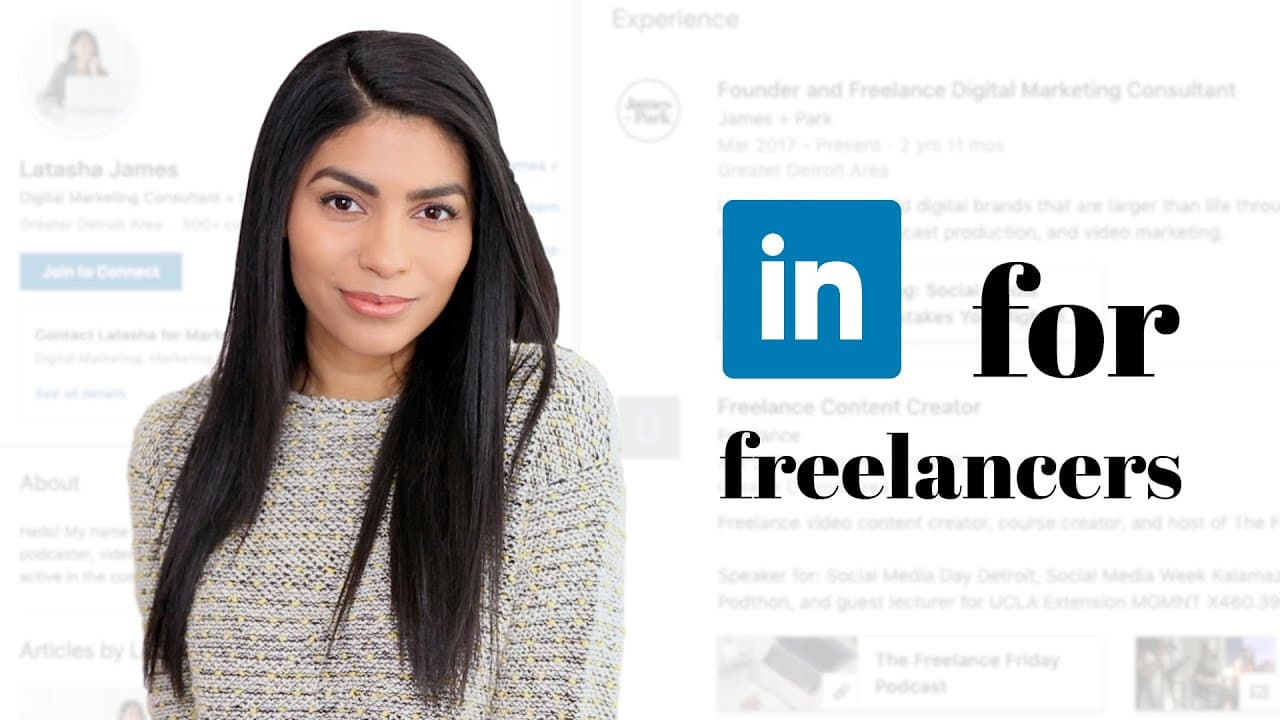
TL;DR
Optimize LinkedIn profiles to attract clients and showcase expertise.
Transcript
hello everyone welcome back to my channel welcome if you're new my name is Latasha and I'm a full-time freelancer I do social media management and video marketing and today I'm talking about LinkedIn so LinkedIn is one of those tools that I feel like it's kind of a little bit untapped for freelancers they do feel like a lot more people are using it... Read More
Key Insights
- LinkedIn is an underutilized platform for freelancers, offering vast opportunities to connect with potential clients and showcase skills.
- A professional and engaging profile picture and banner are crucial as they serve as the first impression to potential clients.
- The 'About' section should be keyword-rich and clearly outline your skills and services to attract the right audience.
- Utilize LinkedIn's features like job opportunities and service offerings to increase visibility and potential client connections.
- Content shared on LinkedIn should be tailored to resonate with your target audience, focusing on their needs and interests.
- Creating a business page on LinkedIn enhances professionalism and allows potential clients to explore your services further.
- Use multimedia in your profile to make it more engaging and visually appealing, showcasing your expertise and experiences.
- Regularly updating and engaging with content on LinkedIn can significantly boost your profile's visibility and credibility.
Install to Summarize YouTube Videos and Get Transcripts
Explore YouTube Video Summarizer or Get YouTube Transcript Extractor
Questions & Answers
Q: What is the first step in optimizing a LinkedIn profile for freelancers?
The first step in optimizing a LinkedIn profile for freelancers is to update the profile picture and banner. These visual elements are the first things potential clients see, so they should be professional and reflective of your brand. A unique and engaging banner can showcase your business name, website, and even images of you working with clients.
Q: How can freelancers use the 'About' section effectively on LinkedIn?
Freelancers can use the 'About' section effectively by ensuring it is keyword-rich and clearly outlines their skills and services. This section should capture the attention of potential clients and communicate what you offer. Avoid listing every possible skill; instead, focus on your specialties to avoid confusing potential clients.
Q: Why is it important to create a business page on LinkedIn?
Creating a business page on LinkedIn is important because it enhances your professional appearance and allows potential clients to learn more about your services. It also enables you to list your business as your employer, which adds credibility to your profile. A business page can include your logo and provide a space for potential clients to follow your updates.
Q: What types of content should freelancers share on LinkedIn?
Freelancers should share content on LinkedIn that is tailored to their target audience's interests and needs. This could include articles, videos, or posts that demonstrate expertise in your field and provide value to potential clients. Avoid focusing solely on content that appeals to other freelancers unless they are your target audience.
Q: How can multimedia enhance a LinkedIn profile?
Multimedia can enhance a LinkedIn profile by making it more visually appealing and engaging. Adding images, videos, or links to your work can help demonstrate your skills and achievements. It sets your profile apart from others by providing a dynamic and interactive experience for viewers, showcasing your expertise effectively.
Q: What role do keywords play in LinkedIn job descriptions?
Keywords play a crucial role in LinkedIn job descriptions as they help your profile appear in search results for relevant queries. Including specific terms related to your services and expertise ensures that people searching for those skills can find you. This can lead to more inquiries and potential client connections.
Q: Why is being active on LinkedIn important for freelancers?
Being active on LinkedIn is important for freelancers because it increases visibility and engagement with potential clients. Regularly sharing content, commenting on posts, and engaging with others in your industry can boost your profile's credibility and show that you are knowledgeable and passionate about your field.
Q: How can freelancers effectively use LinkedIn's job and service features?
Freelancers can effectively use LinkedIn's job and service features by turning on the service offering option to showcase their skills. This increases their visibility to potential clients looking for specific services. Additionally, the job feature can be used to connect with recruiters, even if the goal is to convert job offers into client relationships.
Summary & Key Takeaways
-
Latasha emphasizes the importance of LinkedIn for freelancers, highlighting it as a valuable yet underutilized platform for networking and showcasing expertise. She provides tips on optimizing LinkedIn profiles to attract clients, including updating profile pictures, banners, and utilizing keywords in the 'About' section.
-
The video advises freelancers to use LinkedIn features like service offerings and job opportunities to enhance profile visibility. Latasha suggests creating a business page to appear more professional and recommends sharing tailored content that resonates with the target audience.
-
Latasha encourages adding multimedia elements to profiles to make them more engaging and advises on the strategic use of keywords in job descriptions. She also stresses the importance of being active on LinkedIn, engaging with content, and connecting with the right audience.
Read in Other Languages (beta)
Share This Summary 📚
Summarize YouTube Videos and Get Video Transcripts with 1-Click
Try YouTube Summary with ChatGPT & Claude or YouTube Transcript Generator
Explore More Summaries from Latasha James 📚
Summarize YouTube Videos and Get Video Transcripts with 1-Click
Try YouTube Summary with ChatGPT & Claude or YouTube Transcript Generator