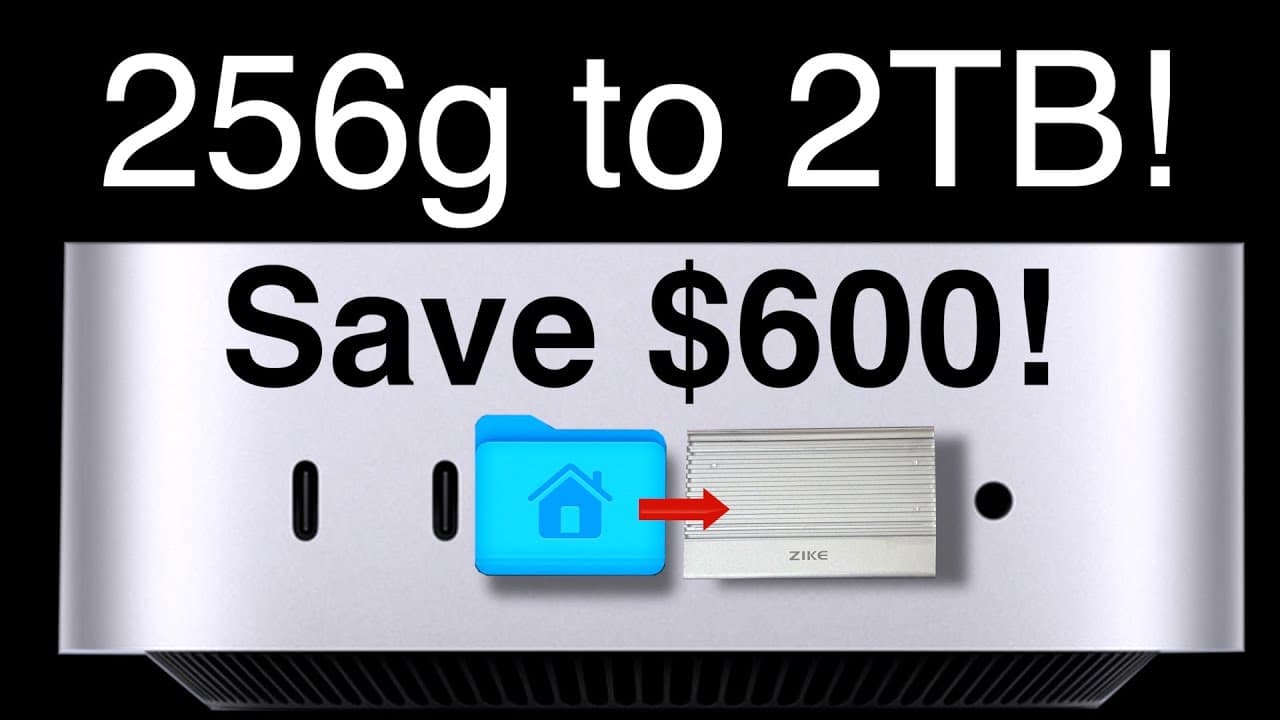
Transform Your Base Mac Mini into a 2 TB Super Mini! DIY GUIDE
TL;DR
Learn to upgrade Mac Mini storage using an external SSD.
Transcript
hey guys it's Lance of Mac Sound Solutions I'm on my way to pick up a Mac Mini at the Apple Store here I am at the Apple Store there it is the little guy only took me about 10 minutes to get it out of the store and here it is back in the studio we're going to do a quick unbox and then set her up and then move our home folder... Read More
Key Insights
- The video demonstrates how to upgrade a base model Mac Mini's storage by moving the home folder to a 2TB external SSD, offering a cost-effective alternative to Apple's storage options.
- During the initial setup of the Mac Mini, it's crucial to skip data migration and Apple account login to prevent unnecessary data from filling the internal storage.
- The process involves formatting the external drive with APFS and setting it as the active home folder, ensuring all data, including applications, are stored externally.
- Applications downloaded from the App Store can be moved to the external drive, but system apps must remain on the internal drive.
- Creating a backup user account on the internal drive is recommended for troubleshooting in case the external drive fails.
- The video highlights the importance of configuring iCloud settings correctly to ensure data syncs with the external home folder.
- A speed test comparison shows that the external SSD performs faster than the internal drive, making it a viable option for storage expansion.
- The presenter advises against using the external drive for Time Machine backups and emphasizes the need for careful drive selection to avoid connectivity issues.
Install to Summarize YouTube Videos and Get Transcripts
Explore YouTube Video Summarizer or Get YouTube Transcript Extractor
Questions & Answers
Q: Why should you skip data migration during the initial setup?
During the initial setup of the Mac Mini, it is recommended to skip data migration to prevent data from being written to the internal drive. This ensures that when you move your home folder to an external drive, the internal drive remains uncluttered, allowing for more efficient storage management.
Q: What is the significance of formatting the external drive with APFS?
Formatting the external drive with APFS (Apple File System) is crucial because it is optimized for solid-state drives and supports features like space sharing and fast directory sizing. This makes it ideal for use as an active home folder, ensuring efficient data management and performance.
Q: How can applications be managed between the internal and external drives?
Applications downloaded from the App Store can be moved to the external drive, freeing up space on the internal drive. However, system apps must remain on the internal drive as they cannot be moved or deleted. This distinction ensures that essential system functions remain intact while optimizing storage.
Q: What is the purpose of creating a backup user account?
Creating a backup user account on the internal drive serves as a precautionary measure. If the external drive fails or encounters issues, the backup account allows you to access the system and troubleshoot without losing data or functionality, ensuring continuity and data security.
Q: Why is it important to configure iCloud settings correctly?
Configuring iCloud settings correctly is vital to ensure that all data syncs properly with the external home folder. This prevents data loss and ensures seamless access to iCloud services, such as photos and documents, which are essential for maintaining productivity and data integrity.
Q: What were the results of the speed test comparison?
The speed test comparison revealed that the external SSD provided faster read and write speeds compared to the internal drive. This demonstrates the external SSD's superior performance, making it a viable option for expanding storage and improving data access speeds on the Mac Mini.
Q: Why is the external drive not recommended for Time Machine backups?
The external drive is not recommended for Time Machine backups because it is being used as the active home folder. Using the same drive for backups could lead to data management issues and potential data loss. It's advisable to use a separate drive dedicated solely to Time Machine backups.
Q: What precautions should be taken when selecting an external drive?
When selecting an external drive, it's important to choose one that is reliable and compatible with your system to avoid connectivity issues. Some drives may not mount properly or provide sufficient power, especially with less powerful computers, so selecting a drive known for its stability and performance is crucial.
Summary & Key Takeaways
-
This video tutorial demonstrates how to upgrade a base model Mac Mini's storage by moving the home folder to a 2TB external SSD, providing a cost-effective alternative to Apple's expensive storage options. It includes steps for initial setup, data migration, and application management.
-
The process involves skipping data migration and Apple account login during setup, formatting the external drive, and setting it as the active home folder. Applications can be moved to the external drive, except for system apps, which must remain on the internal drive.
-
The tutorial also covers creating a backup user account for troubleshooting, configuring iCloud settings, and conducting a speed test comparison, which shows the external SSD's superior performance. The presenter advises against using the external drive for Time Machine backups.
Read in Other Languages (beta)
Share This Summary 📚
Summarize YouTube Videos and Get Video Transcripts with 1-Click
Try YouTube Summary with ChatGPT & Claude or YouTube Transcript Generator
Explore More Summaries from Mac Sound Solutions inc. 📚

Summarize YouTube Videos and Get Video Transcripts with 1-Click
Try YouTube Summary with ChatGPT & Claude or YouTube Transcript Generator