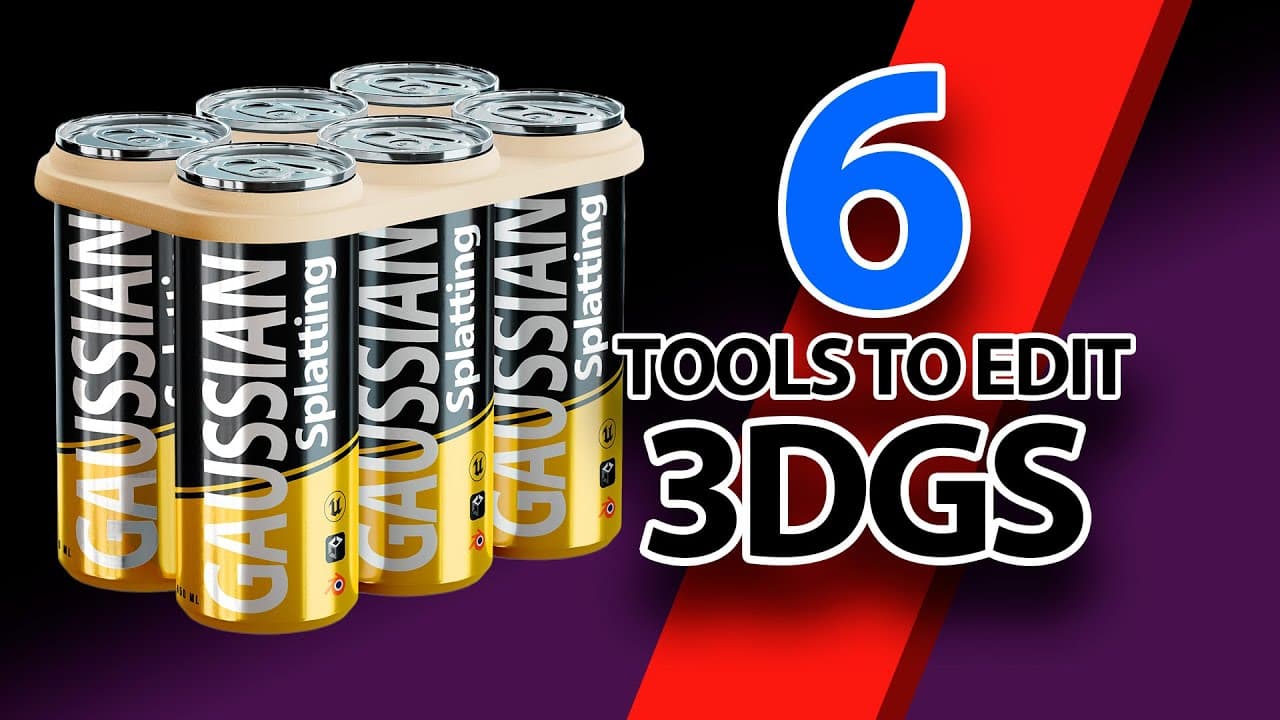
6 tools to edit 3D Gaussian Splatting models.
TL;DR
Overview of six tools for editing 3D Gaussian Splatting models.
Transcript
hello boys and girls it's O here and greetings from very snowy Finland it's been two months since this gaussian splatting craze started and I think it is good time to check out what kind of editing tools have been developed in that time although the development around this topic is very fast and new applications appear all the time ... Read More
Key Insights
- Unity's Gaussian Splatting tool offers comprehensive point cloud editing features and is free under the MIT license, making it accessible for developers looking to clean and export models effectively.
- The 3D Gaussian Plugin for Unreal Engine, developed by Genji Aaba, enhances point cloud rendering and VR capabilities, although it has limitations in real-time display during editing.
- Luma AI's plugin for Unreal Engine 5.3 excels in rendering speed and ease of use, with built-in features for relighting and cropping, but lacks export capabilities for edited models.
- Blender's experimental plugin by Alexandri Kier uses geometry nodes for Gaussian splatting, allowing creative animations despite its limited rendering speed and editing precision.
- UEGaussianSplatting, a recent Unreal plugin by a Chinese developer, introduces collision mesh generation for interactive game objects, although it is costly and lacks detailed documentation.
- Super Splat, a web-based tool, simplifies Gaussian splatting editing with effective selection tools but has limitations in saving edited models due to its early beta status.
- The rapid evolution of Gaussian splatting tools reflects growing interest in 3D modeling, with diverse applications from game development to virtual reality experiences.
- Community engagement and feedback are crucial for the development of these tools, as evidenced by the call for comments and suggestions from users in the video.
Install to Summarize YouTube Videos and Get Transcripts
Explore YouTube Video Summarizer or Get YouTube Transcript Extractor
Questions & Answers
Q: What is the primary advantage of the Unity Gaussian Splatting tool?
The primary advantage of the Unity Gaussian Splatting tool is its ability to effectively clean and compress point cloud files. It offers a clear selection tool for removing individual points and cleaning up splat artifacts. Additionally, it allows users to export and save the edited models back as Ply files, making it a versatile and accessible option for developers.
Q: How does the 3D Gaussian Plugin for Unreal Engine enhance rendering capabilities?
The 3D Gaussian Plugin for Unreal Engine enhances rendering capabilities by utilizing the Niagara particle system to display Gaussian point clouds as blocks. It allows for color adjustments and rendering accuracy improvements. Moreover, it includes features for relighting models and supports VR mode, though it has limitations in real-time display while editing.
Q: What are the strengths and limitations of the Luma AI plugin for Unreal Engine?
The Luma AI plugin for Unreal Engine is praised for its fast rendering speed and high FPS performance. It supports relighting features and includes default cutout boxes for easy model cropping. However, its main limitation is the inability to export and save the edited models back to Ply format, restricting its use for final model outputs.
Q: What makes the Blender Gaussian Splatting plugin unique?
The Blender Gaussian Splatting plugin, developed by Alexandri Kier, is unique because it uses Blender's geometry nodes to render Gaussian splatting points through the Cycles rendering engine. This allows for creative animations and fun manipulations of the model's structure, despite challenges in rendering speed and precision when editing individual points.
Q: What feature does the UEGaussianSplatting plugin offer for interactive game objects?
The UEGaussianSplatting plugin offers the ability to generate a collision mesh around cropped point clouds, which is essential for using Gaussian models as interactive objects in games. This feature distinguishes it from other plugins, although the tool is expensive and lacks detailed documentation or video demonstrations of its functions.
Q: How does Super Splat simplify the editing process for Gaussian Splatting models?
Super Splat simplifies the editing process by providing a web-based platform where users can drag and drop Ply files for editing. It includes effective selection tools, such as a brush tool and selection rectangle, to isolate and manipulate points easily. Despite its intuitive interface, the tool is in beta, leading to some limitations in saving edited models.
Q: What is the significance of community feedback in the development of Gaussian Splatting tools?
Community feedback is crucial in the development of Gaussian Splatting tools, as it helps identify user needs and areas for improvement. The video encourages viewers to share their experiences and suggestions, highlighting the importance of user input in refining features, addressing limitations, and expanding the applications of these 3D modeling tools.
Q: What common theme is evident in the development of Gaussian Splatting tools?
A common theme in the development of Gaussian Splatting tools is the rapid innovation and adaptation to emerging technologies in 3D modeling. This is evident in the diverse range of tools available, each catering to different aspects of model editing, from game development to virtual reality. The ongoing evolution reflects the growing interest and potential applications of Gaussian Splatting in various fields.
Summary & Key Takeaways
-
The video explores six different tools for editing 3D Gaussian Splatting models, each with unique features and applications. These tools range from Unity and Unreal Engine plugins to experimental Blender add-ons and web-based editors, reflecting a rapidly evolving field in 3D modeling.
-
Unity's tool is highlighted for its effective point cloud cleaning capabilities, while Unreal Engine plugins offer advanced rendering and VR features. Luma AI's plugin is praised for its speed, although it lacks export options for edited models.
-
Blender's experimental plugin allows creative animations, but with limitations in editing precision. Super Splat offers a straightforward web-based solution, though its beta status imposes some restrictions. The video emphasizes community input for further tool development.
Read in Other Languages (beta)
Share This Summary 📚
Summarize YouTube Videos and Get Video Transcripts with 1-Click
Try YouTube Summary with ChatGPT & Claude or YouTube Transcript Generator
Explore More Summaries from Olli Huttunen 📚
Summarize YouTube Videos and Get Video Transcripts with 1-Click
Try YouTube Summary with ChatGPT & Claude or YouTube Transcript Generator