How to Make Animated Youtube Videos
TL;DR
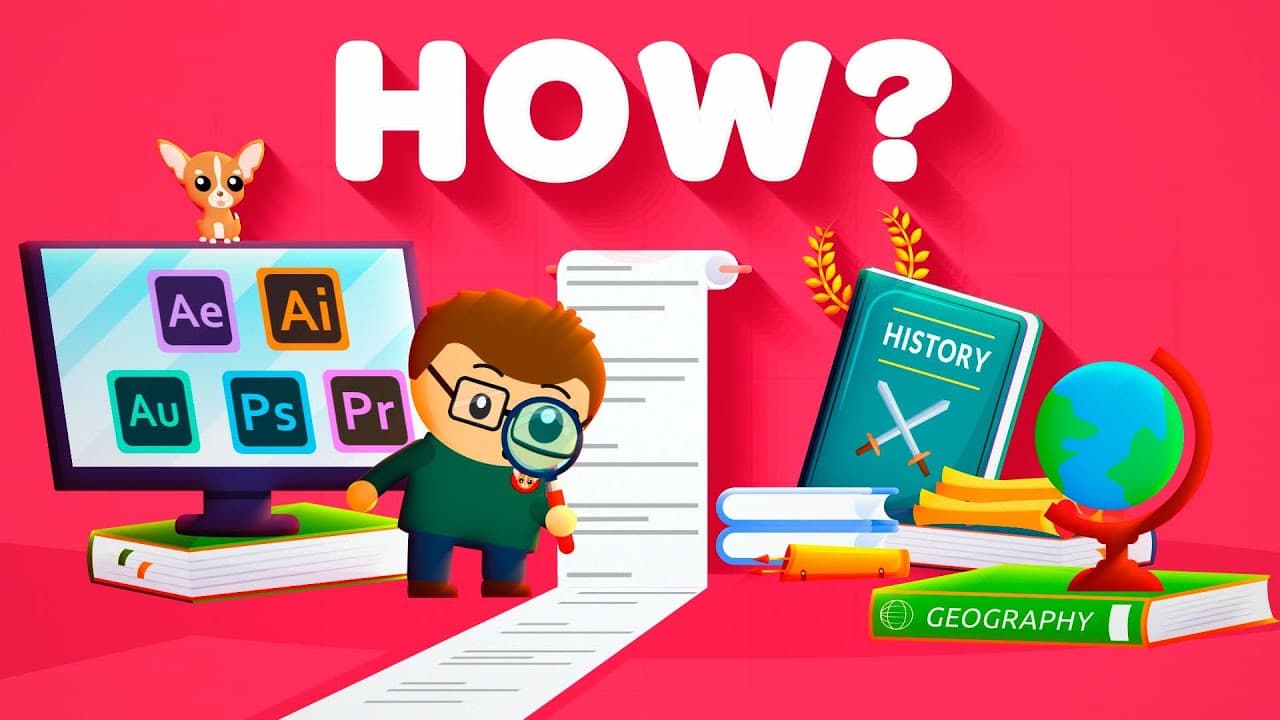
Learn the process and tools for creating animated YouTube videos.
Transcript
This video is sponsored by Skillshare, get a one month free trial by following the link in the description and start learning a new skill from graphic design to cooking to animation, today. I get a lot of comments on how I make my videos so in this video I will tell you exactly what software I use along with free alternatives and how I learned to u... Read More
Key Insights
- Research is crucial and time-consuming, involving multiple sources like Wikipedia, Google Scholar, and books, to ensure accuracy and depth.
- Writing involves condensing large amounts of research into a concise script, often requiring extensive editing to maintain clarity.
- Audio recording requires quality equipment and software like Adobe Audition, with free alternatives available for beginners.
- Illustrations are crafted using Adobe Illustrator, with vector-based graphics allowing for scalable and clear images.
- Animation is done in Adobe After Effects, utilizing keyframes, layers, and effects to create dynamic visuals.
- Editing combines software like Premiere Pro for video and Epidemic Sound for music, with free software alternatives for those starting out.
- Skillshare and other online resources provide valuable tutorials for mastering complex software tools.
- The creation process is broken into distinct phases: research, writing, audio, illustration, animation, and editing, each requiring specific tools and skills.
Install to Summarize YouTube Videos and Get Transcripts
Explore YouTube Video Summarizer or Get YouTube Transcript Extractor
Questions & Answers
Q: What is the most time-consuming part of making animated YouTube videos?
The most time-consuming part is research, as it involves gathering extensive information from various sources like Wikipedia, Google Scholar, and books. This process can take weeks as it often leads to more in-depth exploration and requires careful organization and note-taking.
Q: How does the creator handle audio recording for the videos?
The creator uses a Shure SM57 LC Microphone along with a Focusrite Scarlett 2i2 audio interface to record high-quality audio. The narration is recorded after storyboarding to ensure alignment with visual elements, and Adobe Audition is used for editing, though Audacity is a free alternative.
Q: What tools are used for illustration in the video creation process?
Illustrations are created using Adobe Illustrator, which allows for vector-based graphics that can be resized without losing quality. For those starting out, Inkscape is recommended as a free alternative. A drawing tablet is also used to facilitate the illustration process.
Q: What is the role of Adobe After Effects in the animation process?
Adobe After Effects is used for animating all video elements, utilizing keyframes, layers, and effects to bring illustrations to life. It is a powerful yet complex tool, with free alternatives like Cavalry and DaVinci Fusion available for beginners interested in animation.
Q: How does the creator ensure the script is concise and clear?
The script is refined using the Hemmingway app, which highlights long sentences and complex wording. The creator rewrites sentences to make them as short and clear as possible, ensuring that the final script is concise and effectively communicates the intended message.
Q: What are some free alternatives to the Adobe Creative Cloud software?
Free alternatives include Audacity for audio editing, Inkscape for illustration, Google Slides for basic animation, and DaVinci Resolve for video editing. These tools provide similar functionalities to Adobe products, making them accessible options for beginners.
Q: How does the creator use Skillshare to enhance their video production skills?
Skillshare offers classes like 'The Beginner's Guide to Adobe After Effects' and 'Animating With Ease' by Jake Bartlett, which significantly enhance animation skills. These classes provide downloadable files and assets, allowing learners to practice and improve at their own pace.
Q: What is the importance of storyboarding in the video creation process?
Storyboarding is essential for planning the visual elements of the video. It involves creating a series of sketches or descriptions that outline how each scene will be animated, ensuring that the visuals align with the script and narration, and guiding the subsequent illustration and animation phases.
Summary & Key Takeaways
-
The video provides a step-by-step guide on creating animated YouTube videos, covering essential tools and techniques. It emphasizes the importance of research, writing, and editing, offering both paid and free software options for each stage.
-
Illustration and animation are highlighted as key components, with Adobe products being the primary tools used. Free alternatives like Inkscape and Google Slides are suggested for beginners.
-
Skillshare is promoted as a valuable resource for learning animation and video production skills, offering classes that can significantly improve creative abilities.
Read in Other Languages (beta)
Share This Summary 📚
Summarize YouTube Videos and Get Video Transcripts with 1-Click
Try YouTube Summary with ChatGPT & Claude or YouTube Transcript Generator
Explore More Summaries from Cogito 📚
Summarize YouTube Videos and Get Video Transcripts with 1-Click
Try YouTube Summary with ChatGPT & Claude or YouTube Transcript Generator