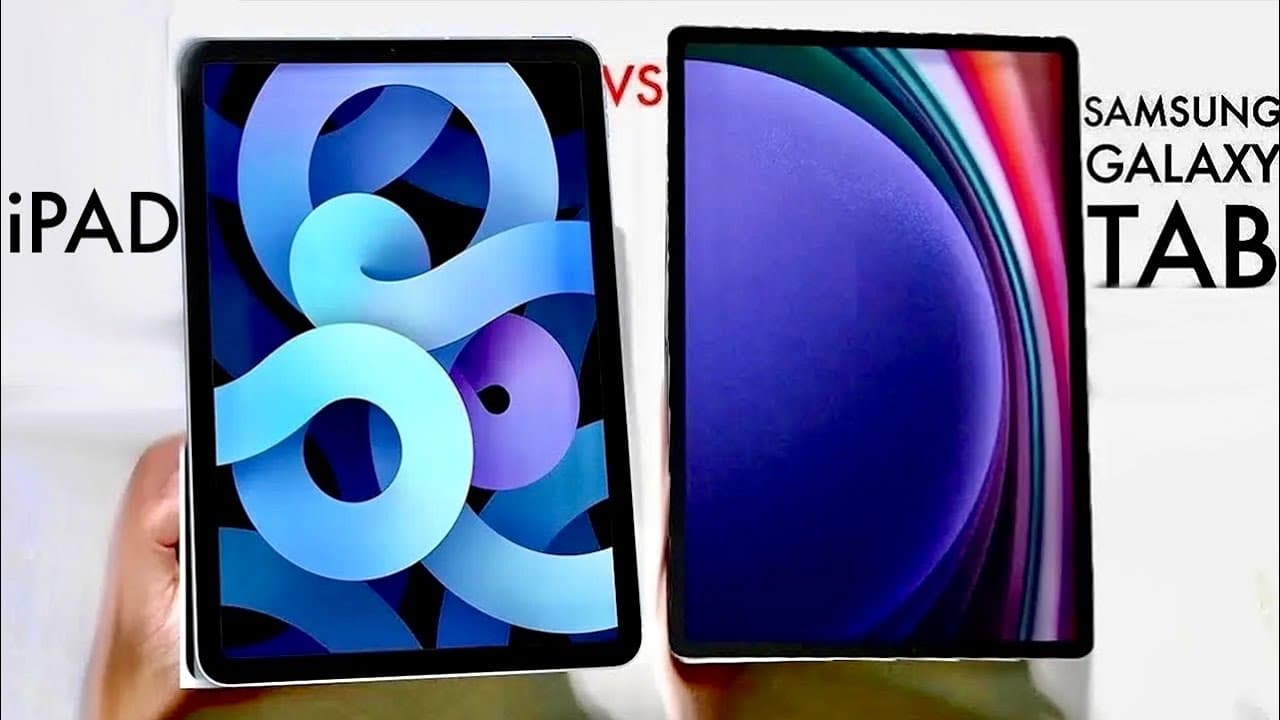
iPad Vs Samsung Tablet In 2023! (Which Should You Buy?)
TL;DR
Choosing between an iPad and Samsung Galaxy Tab depends on user preferences and required features.
Transcript
so you might be wondering if you want to go ahead and buy an iPad device or a Samsung Galaxy tablet now iPad you know Apple and Samsung make tons of different devices throughout their whole entire lineup and there's not really one that I look at that I'm like okay yeah this is the one that you know is 100 better than the other one because truth be ... Read More
Key Insights
- 🧡 Apple provides a wide range of iPads to fit different user needs, while Samsung has a diverse Galaxy Tab series, making it difficult to choose one over the other.
- 😚 The main operating systems differ significantly in user flexibility, with Android supporting APK installations compared to the more closed environment of iPad OS.
- 🇫🇲 Galaxy Tabs boast advantages such as Micro SD support for expanded storage, an OLED display in newer models, but they tend to lag in raw camera quality compared to iPads.
- 🎅 Both devices have their stylus options, but Galaxy Tabs offer the S Pen in the box, while the Apple Pencil must be purchased separately.
- ✊ Performance-wise, both brands have their strengths, but Apple’s chips are known for delivering outstanding efficiency and power, especially for intensive tasks.
- 🈸 The differences in application ecosystems reveal a divide where high-quality apps flourish on iOS, while Android allows for broader experimentation.
- 👤 User preferences regarding design, features, price, and intended use will greatly dictate the final choice between an iPad and a Galaxy Tab.
Install to Summarize YouTube Videos and Get Transcripts
Explore YouTube Video Summarizer or Get YouTube Transcript Extractor
Questions & Answers
Q: What are the main differences in tablet options between Apple and Samsung?
Apple offers a wide range of iPads, including Mini, Standard, Air, and Pro models, catering to different budgets and usage needs. Samsung presents its Galaxy Tab lineup, which includes the premium Tab S Series and the more budget-friendly Tab A Series. Each brand's offerings target various user preferences, making direct comparisons challenging since the best choice ultimately depends on individual needs.
Q: How do the operating systems of iPads and Galaxy Tabs differ?
The iPads run on iPad OS while Galaxy Tabs utilize Android. This fundamental difference impacts user experience significantly. Android allows for greater flexibility, including restricting app installations to only those from the Google Play Store and enabling APK installations, whereas iPad OS features a more optimized app ecosystem with access to a large variety of high-quality applications but no APK installations.
Q: What advantages do Galaxy Tabs have over iPads regarding hardware?
One significant advantage is the inclusion of Micro SD card slots in Galaxy Tabs, allowing users to expand storage easily. Additionally, some Galaxy Tabs feature OLED displays, offering superior color and contrast compared to iPads. While iPads were once noted for better hardware, recent Samsung improvements have created more parity in display quality.
Q: How do camera capabilities compare between Galaxy Tabs and iPads?
iPads typically have better camera quality compared to Galaxy Tabs, allowing for superior photo and video output. While some higher-end Galaxy Tabs may match the cameras of iPads, the general consensus is that the iPad's camera performance is usually marginally better, making it a solid choice for photography-focused users.
Q: Can both devices support stylus accessories, and how do they differ?
Yes, both devices support stylus accessories; iPads utilize Apple Pencils, while Galaxy Tabs come with S Pens included in the box. The primary difference lies in how these accessories are positioned and integrated into each device, with opinions suggesting that Apple's integration is more refined despite Samsung's more generous offering by including the S Pen.
Q: What performance differences can users expect between iPads and Galaxy Tabs?
Both iPads and Galaxy Tabs deliver smooth and fast performance due to advanced processors. Apple’s custom silicon is recognized for delivering desktop-level performance, while Samsung has also made significant strides in optimizing their devices. However, there is not a substantial gap in real-world application performance between these tablets.
Q: What are the most significant features that might influence a buying decision?
Key features include software compatibility, storage expansion options, display quality, and camera capabilities. Users might prefer Samsung for its flexible storage and APK installations or choose iPads for their superior camera quality and ecosystem. Ultimately, assessing personal preferences will guide decision-making.
Q: Are there any specific advantages to each brand's application ecosystems?
Apple’s App Store is renowned for its high-quality applications and smoother integration, often favored for creative work. In contrast, Android’s flexibility allows for a wider variety of applications, including experimental or niche software not available on iPads, appealing to those who value customization and a broader selection of apps.
Summary & Key Takeaways
-
The content discusses the various models of iPads and Samsung Galaxy Tabs, highlighting their range across different sizes, prices, and specifications, with no clear winner among them.
-
Differences in software ecosystems, specifically between iPad OS and Android, are emphasized, particularly the ability to install various apps and APK files on Samsung devices, which is limited on iPads.
-
Key features like camera quality, display technology, and stylus support are compared, noting advantages such as better native storage expansion options in Galaxy Tabs and superior Camera performance on iPads.
Read in Other Languages (beta)
Share This Summary 📚
Summarize YouTube Videos and Get Video Transcripts with 1-Click
Try YouTube Summary with ChatGPT & Claude or YouTube Transcript Generator
Explore More Summaries from Simple Alpaca 📚






Summarize YouTube Videos and Get Video Transcripts with 1-Click
Try YouTube Summary with ChatGPT & Claude or YouTube Transcript Generator