How to Draw Flats for Fashion Design: A Step-by-Step Guide
TL;DR
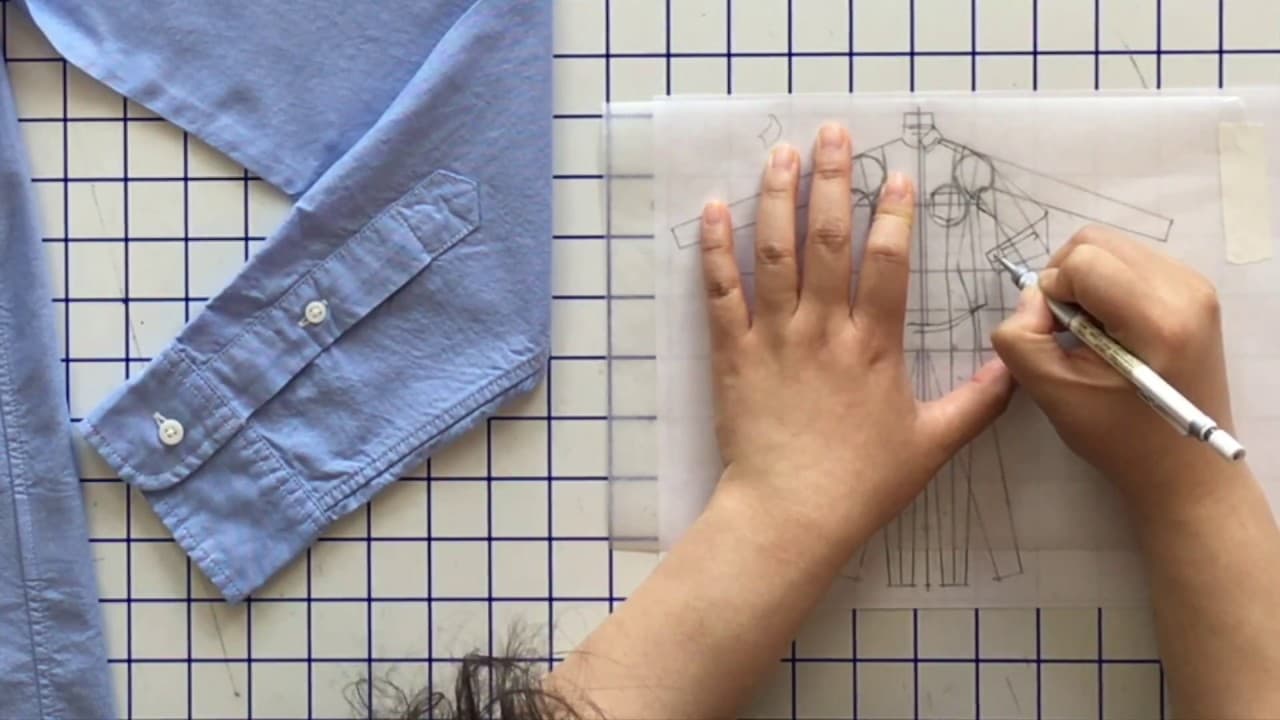
To draw flats accurately from an existing garment, start by laying the garment flat and outlining key proportions like collar, shoulder, and armhole. Use tools like tracing paper and a mechanical pencil to refine details, including pockets, buttons, and topstitching, ensuring clarity for production purposes.
Transcript
hey hey party people welcome back today we're continuing with our flat series and I'm going to teach you in this video how to draw a flat from an existing garment and you're thinking no Zoey I want to do the other way around I want to design using flats I get it but this is an important learning step in the process if you have no idea what I'm talk... Read More
Key Insights
- 👷 Drawing a flat from an existing garment helps designers understand proportions and construction details.
- 💠 Considerations must be made for collar and shoulder widths, armhole shapes, and hemlines.
- 🉑 Including accurate design details like buttons, topstitching, and reinforcement tabs ensures clarity for pattern makers and manufacturers.
- 🙏 Flat drawings are often folded to create a more visually appealing presentation.
- 🔄 Designers can experiment with variations such as drop shoulders or button-up shirts without collar buttons using the basic flat drawing as a foundation.
- 🔄 Proportions and spacing of buttons should be carefully considered based on how the neckline will look when buttons are undone.
- 🦔 Edge stitching is a type of topstitching done along the edge of a garment for a clean finish.
Install to Summarize YouTube Videos and Get Transcripts
Explore YouTube Video Summarizer or Get YouTube Transcript Extractor
Questions & Answers
Q: Why is it important to learn how to draw a flat from an existing garment?
Drawing a flat allows designers to understand the proportions and construction details of a garment, which is essential in the design and production process.
Q: How can I ensure accuracy when drawing the collar and shoulder of a flat?
It is important to consider that the collar wraps around the neck in a triangular shape, and the shoulder is narrower than the width of the collar. Drawing these components proportionally will create an accurate representation.
Q: Why is it recommended to fold the sleeve in the flat drawing?
Folding the sleeve in the drawing helps with presentation and is commonly done in fashion industry practices. It also allows for easier formatting when including the flat in line sheets or spec packs.
Q: What are some important design details to include in a shirt flat?
Key design details include collar stand, cuffs, house placket, buttons with horizontal and vertical buttonholes, topstitching, edge stitching, and reinforcement tabs for pockets.
Summary & Key Takeaways
-
The video provides detailed instructions on drawing a flat from an existing garment using tracing paper, a pencil, and other materials.
-
The tutorial focuses on understanding proportions of different components such as the collar, shoulder, armhole, and hemline.
-
Design details like pockets, buttons, topstitching, and reinforcement tabs are included in the drawing for construction purposes.
Read in Other Languages (beta)
Share This Summary 📚
Summarize YouTube Videos and Get Video Transcripts with 1-Click
Try YouTube Summary with ChatGPT & Claude or YouTube Transcript Generator
Explore More Summaries from Zoe Hong 📚


Summarize YouTube Videos and Get Video Transcripts with 1-Click
Try YouTube Summary with ChatGPT & Claude or YouTube Transcript Generator