Why Bluetooth Earbuds Lag when Gaming or Watching Videos - How to FIX? 🤔 2021
TL;DR
Bluetooth audio lag affects gaming and video watching; advice provided to reduce it.
Transcript
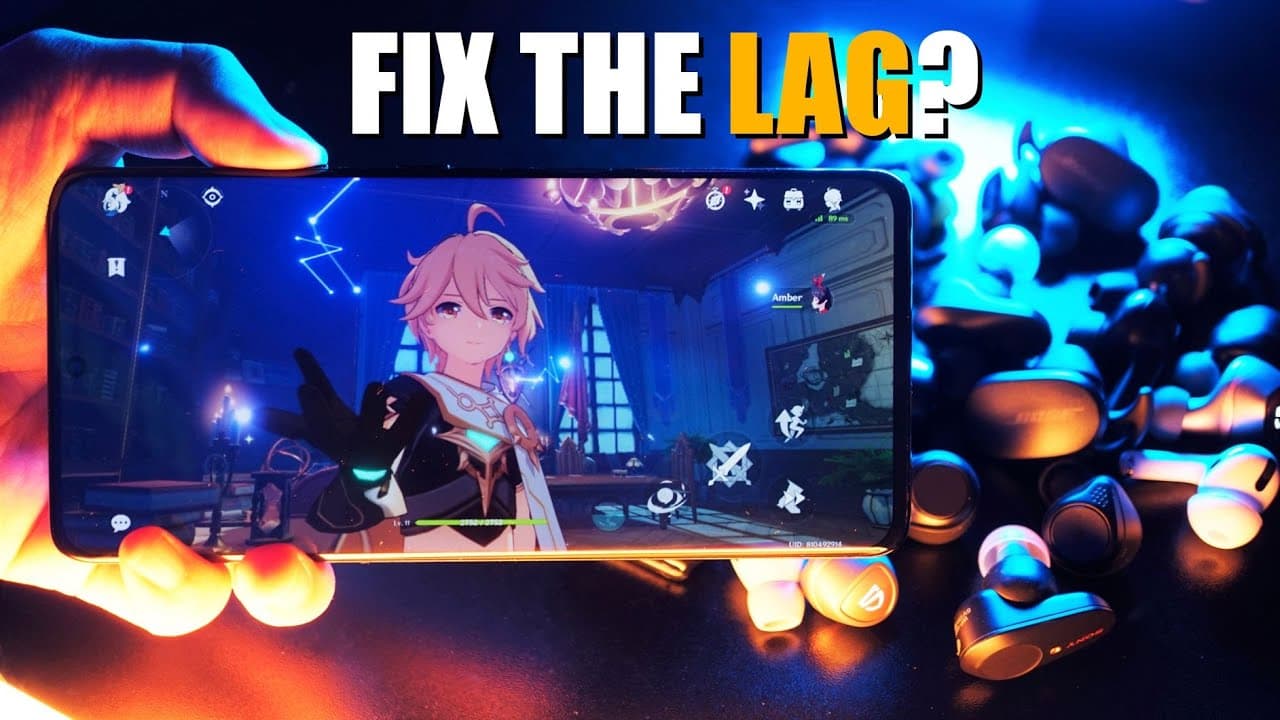
hey what's up youtube it's me aaron and today we are gonna talk about something that i often cover in my reviews which is bluetooth audio lag when gaming or sometimes when watching videos i've done a few videos like this before but this one's the most updated one with new information now why exactly do wireless headphones and earbuds lag and is it ... Read More
Key Insights
- 📡 The audio signal journey through Bluetooth involves several steps, significantly increasing overall latency compared to wired connections.
- 🎧 Latency in Bluetooth headphones can vary greatly, affected by both the audio codec used and the specific device being utilized.
- 😘 The latest aptX Adaptive codec offers a promising variable bitrate technology that prioritizes low latency in audio streaming.
- ✋ Internal audio latency differs between devices, with Android generally experiencing higher latency compared to iOS systems.
- 👤 Developers options on Android can provide accessible methods for users to adjust audio codecs and potentially decrease lag.
- 🥺 Using alternative browsers for video playback can lead to improved audio-visual synchronization, depending on the device.
- ✋ The advancement of Bluetooth chips is essential in addressing latency issues, particularly for gaming and high-definition audio streaming.
Install to Summarize YouTube Videos and Get Transcripts
Explore YouTube Video Summarizer or Get YouTube Transcript Extractor
Questions & Answers
Q: What causes audio lag in Bluetooth headphones?
Bluetooth audio lag occurs due to the multiple steps involved in processing sound wirelessly. Wired headphones have a direct connection that facilitates quick audio transmission, whereas Bluetooth requires encoding, transmission, and decoding, each adding delays. This complex process often results in a considerable latency, especially in gaming or video playback scenarios.
Q: How do different audio codecs influence latency?
Audio codecs play a significant role in determining latency. The most common codecs include SBC and AAC, with options like aptX HD, aptX Low Latency, and LDAC offering better performance. Newer codecs, such as aptX Adaptive, feature variable bit rates that can effectively reduce latency, particularly beneficial during gaming sessions.
Q: What should I do if I experience lag while gaming on Android?
If you're experiencing lag while gaming on an Android device, you can enable developer options and change the audio codec to SBC. This lower resolution codec simplifies the encoding process, potentially decreasing latency, helping to enhance your gaming experience despite sacrificing some audio quality.
Q: How can I improve video watching experience on Bluetooth headphones?
To reduce lag while watching videos on Bluetooth headphones, consider using a web browser instead of the YouTube app on your smartphone. Browsers like Safari on iPhone or Firefox/Chrome on Android can yield better synchronization, minimizing delays between audio and video playback.
Summary & Key Takeaways
-
Wireless headphones experience lag due to the complex encoding and decoding processes required for audio transmission, while wired options provide a direct connection.
-
Latency can range from 150 to 300 milliseconds when using Bluetooth earbuds, depending on the audio codec and device characteristics.
-
Techniques like changing the audio codec in developer options can help mitigate lag, and using specific browsers may improve video playback performance.
Read in Other Languages (beta)
Share This Summary 📚
Summarize YouTube Videos and Get Video Transcripts with 1-Click
Try YouTube Summary with ChatGPT & Claude or YouTube Transcript Generator
Explore More Summaries from Aaron X Loud and Wireless Reviews 📚


Summarize YouTube Videos and Get Video Transcripts with 1-Click
Try YouTube Summary with ChatGPT & Claude or YouTube Transcript Generator