New Xbox One Experience Interview: Mike Ybarra
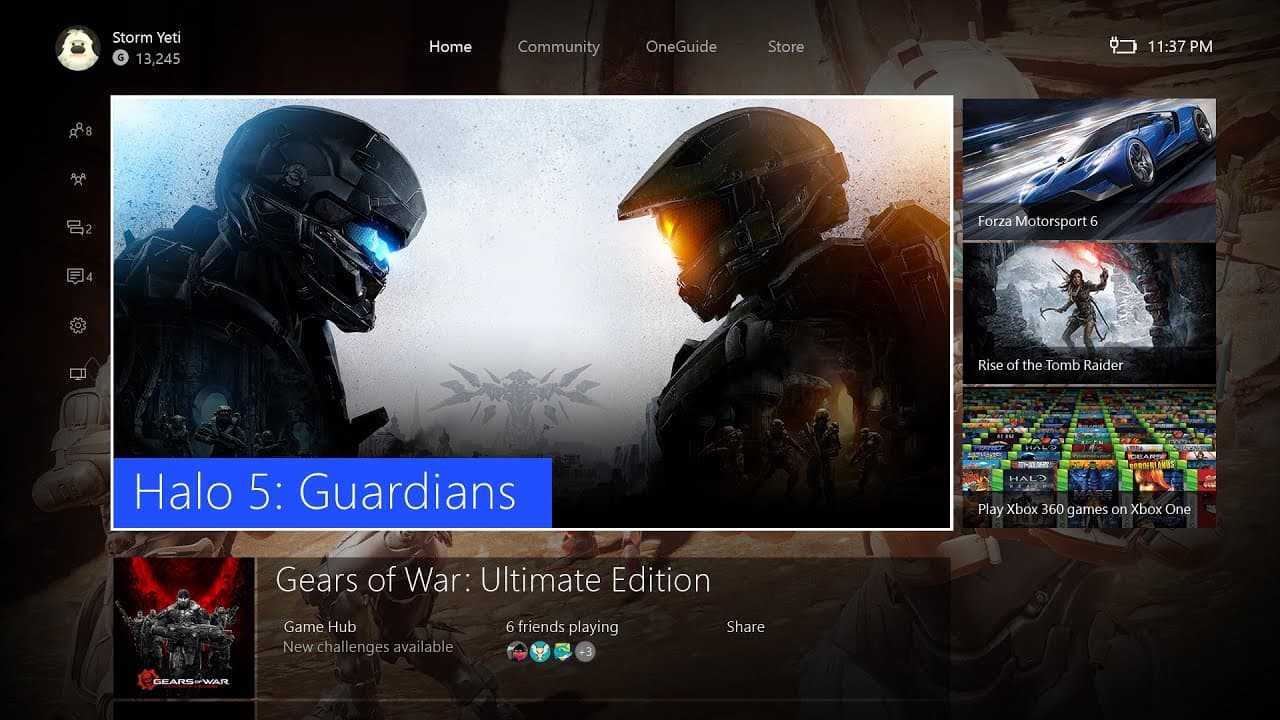
TL;DR
The Xbox One has undergone significant improvements, with the new Xbox One experience being faster, streamlined, and designed with user feedback in mind.
Transcript
hi it's Larry her Xbox lives Major Nelson here with Mikey bar Xbox quick on Twitter Mike you're with the Xbox engineering team and you guys have been pretty busy lately yeah it's been crazy driving up to the release of the new Xbox One experience listening to fans iterating as fast as we can I want to talk about that for a little bit because one of... Read More
Key Insights
- 💨 The Xbox One experience has been significantly improved to be faster and more user-friendly.
- 👂 Listening to fan feedback, the developers have made common tasks more accessible.
- 🥳 The reintroduction of the guide as an overlay allows players to manage friends and parties without leaving their game.
- 💄 Navigating the friends section has been simplified, making it easier to see what your friends are doing.
- 🥳 Joining parties is now faster and more convenient, with the ability to join directly from notifications.
- 👶 The new Xbox One experience is based on Windows 10, providing a more seamless integration with Microsoft products.
- 👶 The developers have focused on iterating and improving based on fan feedback, culminating in the new Xbox One experience.
Install to Summarize YouTube Videos and Get Transcripts
Explore YouTube Video Summarizer or Get YouTube Transcript Extractor
Questions & Answers
Q: How is the new Xbox One experience faster?
The new Xbox One experience is faster due to significant optimizations and improvements in the system. These include a streamlined friends section and the reintroduction of the guide as an overlay.
Q: How do you check what your friends are doing on the new Xbox One experience?
Simply tap the left on the thumbstick while on the home screen, and you will immediately see what your friends are doing without needing to navigate through multiple menus.
Q: How has party management been improved in the new Xbox One experience?
Getting into parties is now easier with the guide. Pressing left once brings up the guide, where you can easily join parties, regardless of whether you are in a game or not.
Q: How has joining parties been made faster in the new Xbox One experience?
To make joining parties faster, the notification system has been improved. When a notification appears, pressing the Xbox button immediately takes you to the party, eliminating any delays in response time.
Summary & Key Takeaways
-
The new Xbox One experience is up to 50% faster than the previous version.
-
Navigating the friends section and checking what your friends are doing is made easier by simply tapping the left on the thumbstick.
-
The guide has been reintroduced as an overlay, allowing players to stay in their game while managing friends, parties, and notifications.
Read in Other Languages (beta)
Share This Summary 📚
Summarize YouTube Videos and Get Video Transcripts with 1-Click
Try YouTube Summary with ChatGPT & Claude or YouTube Transcript Generator