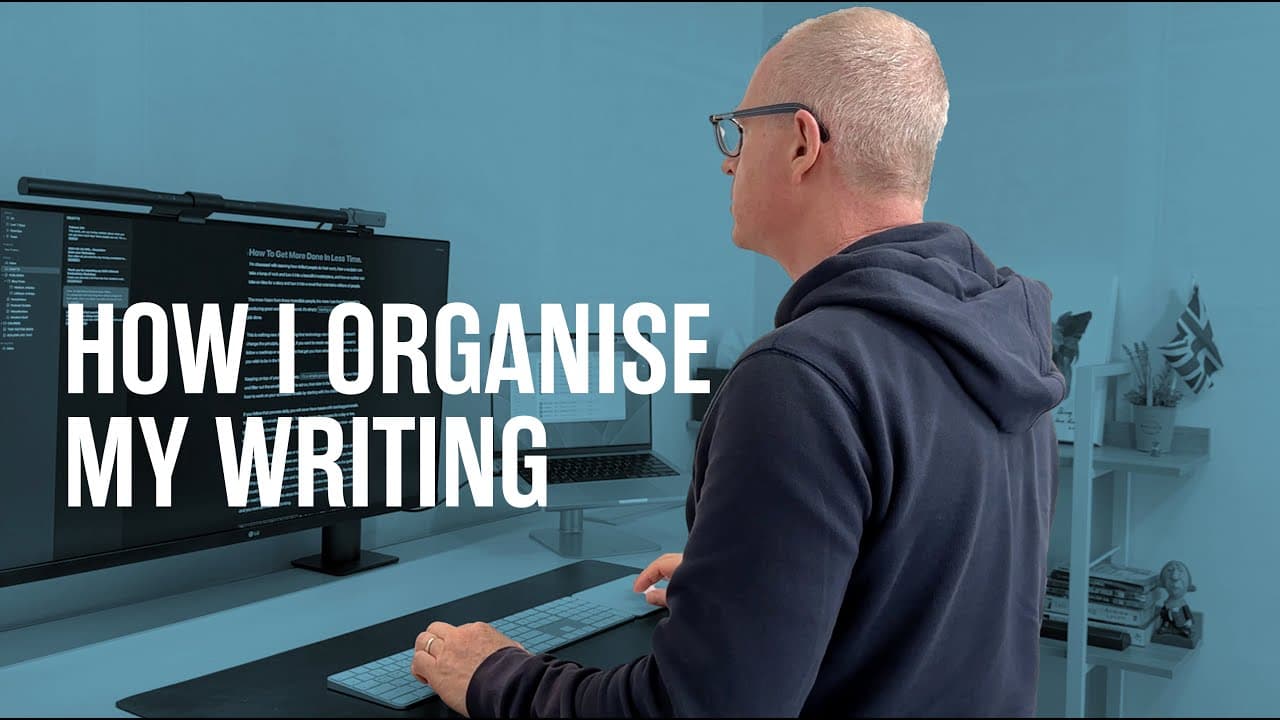
How I Organise My Writing
TL;DR
Learn how Ulysses, a dedicated writing tool, can enhance your focus and productivity by providing a distraction-free environment for writing.
Transcript
hello and welcome to another episode of my productivity Mastery series and in a small change to my regular format in this video I want to take you through how I organize my writing application which is called Ulysses now Ulysses probably could be considered as a note-taking app but I've always used it certainly for the last eight years I five to ei... Read More
Key Insights
- 🖊️ Using a dedicated writing tool like Ulysses allows for a more focused and distraction-free writing experience, compared to more complex options like Word or Pages.
- 📝 Markdown formatting in Ulysses may be confusing for those without a background in computer software, but there are alternative ways to achieve traditional formatting.
- 🔧 Trying to make tools perform tasks they weren't designed for can lead to added complexity and potential breakdowns. It's better to use tools for their intended purposes.
- 📥 Ulysses' organization features, such as inboxes and drafts, make it easy to keep track of multiple writing projects and access them from different devices.
- 📚 For longer writing projects like books, specialized applications like Scrivener are better suited due to their ability to handle larger structures and offer advanced organization features.
- 🌐 Ulysses offers export functions that allow for seamless publication to platforms like Medium and newsletter formats. ⏰ The Time Sector System is a new time management system that focuses on managing tasks based on available time, helping users prioritize and complete their work efficiently.
- 🕒 The Time Sector System emphasizes the importance of finding time to do tasks rather than relying solely on motivation or urgency, making it easier to get work done.
Install to Summarize YouTube Videos and Get Transcripts
Explore YouTube Video Summarizer or Get YouTube Transcript Extractor
Questions & Answers
Q: How does Ulysses enhance focus and productivity for writers?
Ulysses enhances focus and productivity by providing a distraction-free environment with features like a dark background, full-screen mode, and removed sidebars. This allows writers to solely focus on their writing without any distractions. Additionally, Ulysses offers a simple and straightforward writing experience, making it easy for users to create and manage their content.
Q: How does Ulysses compare to other writing tools like Microsoft Word or Evernote?
Ulysses is specifically designed for writing, making it a dedicated tool for writers. Unlike Microsoft Word or Evernote, Ulysses offers a simplified interface, allowing users to focus solely on their writing. While other tools may have additional features, Ulysses prioritizes the writing experience and provides a distraction-free environment.
Q: Can Ulysses be used for long-form writing such as books?
While Ulysses is primarily designed for short-form writing, like blog posts and newsletters, the speaker suggests using a different application called Scrivener for longer-form writing like books. Scrivener is specifically designed for organizing and managing scripts and books, making it a better choice for the complex organization required for longer writing projects.
Q: How does Ulysses support exporting content to different formats?
Ulysses allows users to export their written content to various formats, including mediums like blogs and websites. Users can also export content for newsletters using a rich text format that preserves formatting and links. This feature makes it easy to share and publish content directly from Ulysses.
Q: Can Ulysses be used on mobile devices?
Yes, Ulysses is available for use on mobile devices such as iPhones and iPads. While writing on a small screen might not be the most comfortable experience, the speaker shares that he has written in Ulysses on his phone while waiting in the car. Ulysses syncs with iCloud, providing instant access to writing from any device.
Q: How does using dedicated tools for specific tasks improve productivity?
Using dedicated tools for specific tasks improves productivity by allowing users to focus on the specific work they are doing without distractions. Just like a sports car is designed for speed and ride quality, and a Range Rover is designed for off-road capabilities, using tools that are designed for their specific purpose ensures efficiency and effectiveness in completing tasks.
Q: What is the key message of the video?
The key message of the video is to use tools for their intended purpose and not try to make them do tasks they were not designed for. Using tools that are specifically designed for their purpose, such as Ulysses for writing, enhances productivity and eliminates unnecessary complexity.
Summary & Key Takeaways
-
Ulysses is a dedicated writing tool that is perfect for short-form writing like blog posts and newsletters.
-
It offers a distraction-free environment with a dark background, full-screen mode, and removed sidebars.
-
Ulysses can be used with or without markdown and provides a simple and straightforward writing experience.
Read in Other Languages (beta)
Share This Summary 📚
Summarize YouTube Videos and Get Video Transcripts with 1-Click
Try YouTube Summary with ChatGPT & Claude or YouTube Transcript Generator
Explore More Summaries from Carl Pullein 📚


Summarize YouTube Videos and Get Video Transcripts with 1-Click
Try YouTube Summary with ChatGPT & Claude or YouTube Transcript Generator