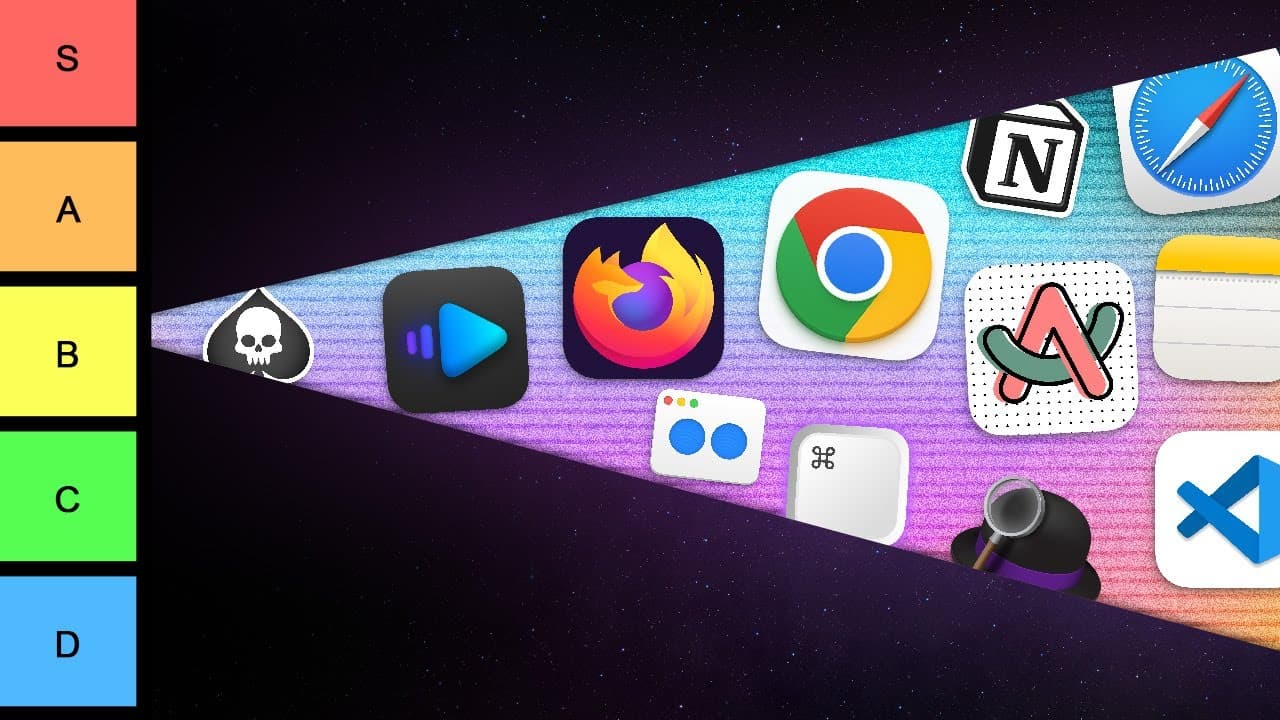
The ULTIMATE Mac App Tier List
TL;DR
Ranking Mac apps based on personal utility and preference.
Transcript
Mac apps there are many of them hundreds but which ones are severely overhyped garbage and which ones are actually useful I made quite a few Mac app videos icebergs and some of you asked me do I use all of these apps absolutely not this video I will use the tier system to rank Mac apps in terms of how useful they are to me let's ru... Read More
Key Insights
- The video categorizes Mac apps into tiers from S (essential) to D (useless), based on personal usage and utility.
- Safari is consistently returned to for browsing, while Chrome is favored for extension compatibility and reliability.
- Al Dente is highlighted for extending battery life by managing charge levels, making it a valuable app for MacBook users.
- QuickTime is preferred for its reliability in screen recording, despite other available tools offering similar functionalities.
- Photoshop is deemed essential for creating high-quality content, while alternatives like Canva are useful but less frequently used.
- The utility of apps like Alfred and Bartender is appreciated for their customization and organizational capabilities.
- Productivity is enhanced by apps like Self-Control, which blocks distractions, and Better Display, which optimizes external monitor use.
- Apps like Yoink and Linear Mouse are praised for improving workflow efficiency and hardware interaction on Mac devices.
Install to Summarize YouTube Videos and Get Transcripts
Explore YouTube Video Summarizer or Get YouTube Transcript Extractor
Questions & Answers
Q: Why is Safari placed in the A tier?
Safari is placed in the A tier because it is a reliable browser that the creator frequently returns to despite experimenting with others. It offers a balance of performance and functionality, although it lacks some features available in other browsers like Chrome. The creator appreciates its integration with the Apple ecosystem.
Q: What makes Al Dente a recommended app?
Al Dente is recommended for its ability to extend the lifespan of a MacBook's battery. It allows users to set a charge limit, ensuring the battery remains within optimal health ranges. This feature is particularly useful for those who keep their MacBooks plugged in for extended periods, helping to maintain battery efficiency.
Q: How does QuickTime compare to other screen recording tools?
QuickTime is favored for its simplicity and reliability in screen recording tasks. While there are other tools available with more features, QuickTime's integration with macOS and its straightforward operation make it a dependable choice for the creator. It is placed in the S tier for its essential role in content creation.
Q: What is the significance of Photoshop in the creator's workflow?
Photoshop is deemed essential due to its comprehensive set of tools for creating high-quality visual content. It is crucial for tasks like designing thumbnails, which are important for video production. Despite the availability of simpler alternatives like Canva, Photoshop's advanced capabilities secure its position in the S tier.
Q: Why does the creator use both Apple Notes and Obsidian?
The creator uses both Apple Notes and Obsidian due to their complementary features. Apple Notes offers seamless synchronization across Apple devices, making it convenient for quick note-taking. Obsidian, on the other hand, is valued for its markdown format, which is beneficial for long-term note organization and management.
Q: What role does Self-Control play in productivity?
Self-Control is an essential app for enhancing productivity by blocking access to distracting websites. It creates a barrier that helps the creator focus on tasks without the temptation of digital distractions. This app is particularly useful for managing time effectively and maintaining concentration during work sessions.
Q: How does Better Display improve external monitor usage?
Better Display enhances the experience of using external monitors with macOS by optimizing resolution settings. It addresses the common issue of poor display quality on non-Apple monitors by allowing users to adjust scaling and resolution, ensuring a clearer and more visually appealing output. This app is crucial for those who frequently use external displays.
Q: What is the benefit of using Yoink?
Yoink is an S tier app that streamlines file management by providing a temporary shelf for dragging and dropping files. It simplifies the process of moving files between different applications and locations on the Mac, making file handling more efficient and less cumbersome. The creator finds it indispensable for daily tasks.
Summary & Key Takeaways
-
This video ranks various Mac applications using a tier system, evaluating their usefulness and necessity in daily tasks. Apps are categorized from S tier, indicating essential tools, to D tier, representing less useful or redundant applications.
-
The creator provides personal insights into each app's functionality, discussing both their strengths and weaknesses. Popular apps like Safari, Chrome, Photoshop, and QuickTime are evaluated for their reliability and feature sets.
-
Special attention is given to productivity and utility apps such as Al Dente, Better Display, and Self-Control, which enhance device performance and user efficiency. The video also highlights lesser-known apps that offer unique features.
Read in Other Languages (beta)
Share This Summary 📚
Summarize YouTube Videos and Get Video Transcripts with 1-Click
Try YouTube Summary with ChatGPT & Claude or YouTube Transcript Generator
Explore More Summaries from Bog 📚



Summarize YouTube Videos and Get Video Transcripts with 1-Click
Try YouTube Summary with ChatGPT & Claude or YouTube Transcript Generator