Products
Features
YouTube Video Summarizer
Summarize YouTube videos
Web & PDF Highlighter
Highlight web pages & PDFs
Chat with PDF
Ask any PDF questions with AI
Ask AI Clone
Chat with your highlights & memories
Audio Transcriber
Transcribe audio files to text
Glasp Reader
Read and highlight articles
Kindle Highlight Export
Export your Kindle highlights
Idea Hatch
Hatch ideas from your highlights
Integrations
Obsidian Plugin
Notion Integration
Pocket Integration
Instapaper Integration
Medium Integration
Readwise Integration
Snipd Integration
Hypothesis Integration
Apps & Extensions
Chrome Extension
Safari Extension
Edge Add-ons
Firefox Add-ons
iOS App
Android App
Discover
Discover
Ideas
Discover new ideas and insights
Articles
Curated articles and insights
Books
Book recommendations by great minds
Posts
Essays and notes from readers
Quotes
Inspiring quotes collection
Videos
Curated videos and summaries
Explore Glasp
Glasp Story
How we grew from 0 to 3 million users
Glasp Newsletter
Weekly insights and updates
Glasp Talk
Interview series with great minds
Glasp Blog
Latest news and articles
Glasp Use Cases
Learn how others use Glasp
Build & Support
Glasp API
Access Glasp's API for developers
MCP Connector
Connect Glasp to Claude & ChatGPT
Community
Glasp Reddit Community
Students
Student discount and benefits
FAQs
Frequently Asked Questions
AboutPricing
DashboardLog inSign up

How to convert almost any PyTorch model to ONNX and serve it using flask
July 18, 2020
by
Abhishek Thakur
YouTube video player
How to convert almost any PyTorch model to ONNX and serve it using flask

TL;DR

Learn how to convert machine learning models to ONNX format and create a Flask API endpoint to serve them.

Transcript

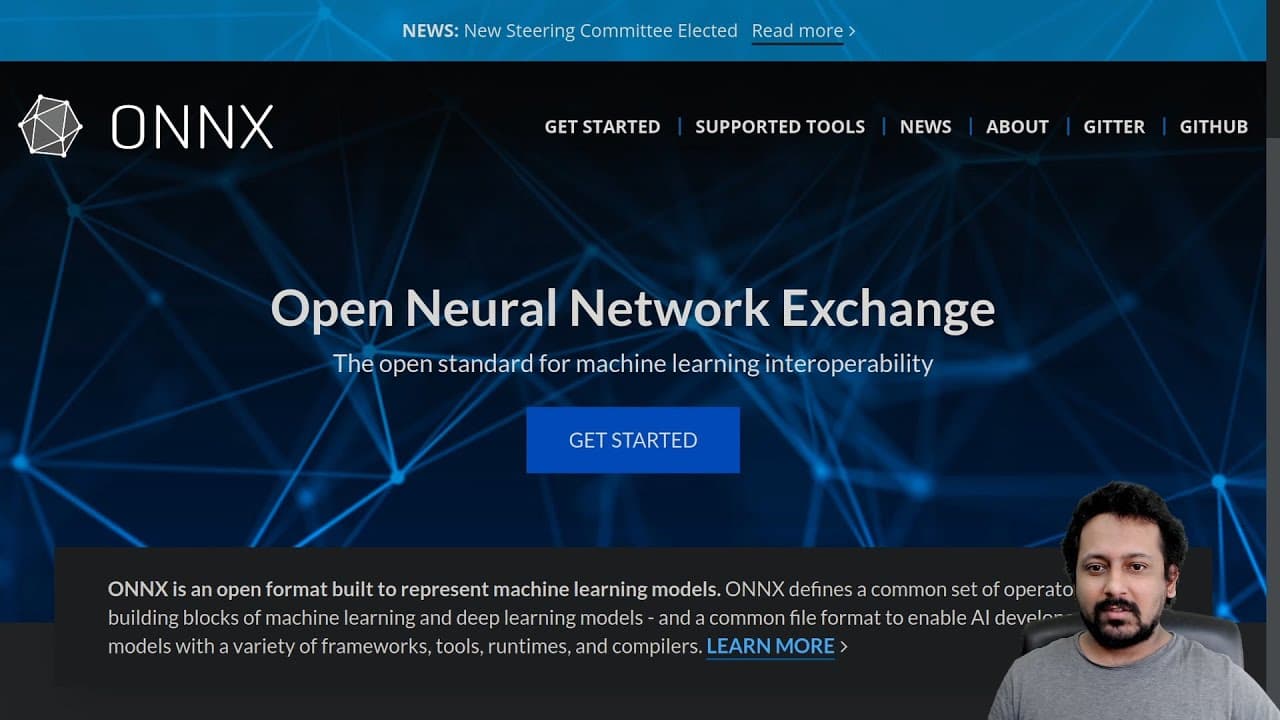
on its stand drawer open neural network exchange and it is open format to represent machine learning models it is also cross-platform so you can run it on any kind of device and it also makes the model sharing very easy and in this video I will show you how you can convert almost any kind of by touch model to onyx format and how you can create a fl... Read More

Key Insights

  • 🤗 ONNX is an open format that allows machine learning models to be easily shared and deployed on different platforms.
  • 💁 Converting a model to ONNX format can be done using the ONNX runtime and requires specifying the input shape and model parameters.
  • 🛟 Serving the ONNX model can be done through a Flask API endpoint, where you can make HTTP requests to get predictions.
  • 🏃 ONNX models can be run on any kind of device, making them highly versatile and compatible.
  • 💁 Converting models to ONNX format can improve model performance and enable efficient deployment in various environments.
  • 📼 The code examples provided in the video showcase the process of converting a model to ONNX format and setting up a Flask API endpoint.
  • 🎮 The video recommends watching previous videos in the series for a better understanding of the concepts and techniques used.

Install to Summarize YouTube Videos and Get Transcripts

Explore YouTube Video Summarizer or Get YouTube Transcript Extractor

Questions & Answers

Q: What is ONNX format?

ONNX, or Open Neural Network Exchange, is an open format used to represent machine learning models. It is cross-platform and allows models to be run on any kind of device.

Q: How can I install the ONNX runtime?

You can install the ONNX runtime by using the command "pip install onnxruntime".

Q: Can any type of machine learning model be converted to ONNX format?

Yes, almost any kind of machine learning model can be converted to ONNX format, making it easy to share and deploy models across different platforms.

Q: Is it necessary to use Flask to serve the converted ONNX model?

No, Flask is just one example of a framework that can be used to serve the ONNX model. You can use other frameworks or tools depending on your specific requirements.

Q: How can I make predictions using the ONNX model?

Once the model is converted to ONNX format and served through the Flask API, you can make HTTP requests to the API endpoint with the necessary input data to get predictions from the model.

Summary & Key Takeaways

  • The video demonstrates the process of converting a machine learning model to ONNX format and creating a Flask API to serve the model.

  • The tutorial uses a bird sentiment model as an example and shows how to convert it to ONNX format using the ONNX runtime.

  • The video also provides code examples for setting up the Flask API and making predictions using the converted model.


Read in Other Languages (beta)

English

Share This Summary 📚

Summarize YouTube Videos and Get Video Transcripts with 1-Click

Download browser extensions on:

Try YouTube Summary with ChatGPT & Claude or YouTube Transcript Generator

Explore More Summaries from Abhishek Thakur 📚
Talks # 15: Shubhadeep Roychowdhury; Applying Machine Learning  on  Source Code thumbnail
Talks # 15: Shubhadeep Roychowdhury; Applying Machine Learning on Source Code
Abhishek Thakur
Talks S2E5 (Luca Massaron): Hacking Bayesian Optimization thumbnail
Talks S2E5 (Luca Massaron): Hacking Bayesian Optimization
Abhishek Thakur
I just got access to GitHub's Codespaces and it's amazing! thumbnail
I just got access to GitHub's Codespaces and it's amazing!
Abhishek Thakur
What Is Target Encoding and How to Use It Effectively? thumbnail
What Is Target Encoding and How to Use It Effectively?
Abhishek Thakur
What Are Public and Private Leaderboards in Kaggle? thumbnail
What Are Public and Private Leaderboards in Kaggle?
Abhishek Thakur
What Is Cross Validation and How Is It Used in ML? thumbnail
What Is Cross Validation and How Is It Used in ML?
Abhishek Thakur

Summarize YouTube Videos and Get Video Transcripts with 1-Click

Download browser extensions on:

Try YouTube Summary with ChatGPT & Claude or YouTube Transcript Generator

Apps & Extensions

  • Chrome Extension
  • Safari Extension
  • Edge Add-ons
  • Firefox Add-ons
  • iOS App
  • Android App

Key Features

  • YouTube Video Summarizer
  • Web & PDF Summarizer
  • Web & PDF Highlighter
  • Chat with PDF
  • Ask AI Clone
  • Audio Transcriber
  • Glasp Reader
  • Kindle Highlight Export
  • Idea Hatch

Integrations

  • Obsidian Plugin
  • Notion Integration
  • Pocket Integration
  • Instapaper Integration
  • Medium Integration
  • Readwise Integration
  • Snipd Integration
  • Hypothesis Integration

More Features

  • APIs
  • MCP Connector
  • Blog & Post
  • Embed Links
  • Image Highlight
  • Personality Test
  • Quote Shots
  • Open Graph Checker

Company

  • About us
  • Our Story
  • Blog
  • Community
  • FAQs
  • Job Board
  • Newsletter
  • Pricing
Terms

•

Privacy

•

Guidelines

© 2026 Glasp Inc. All rights reserved.