iPhone Display Zoom vs Standard: Which Should I Choose?
TL;DR
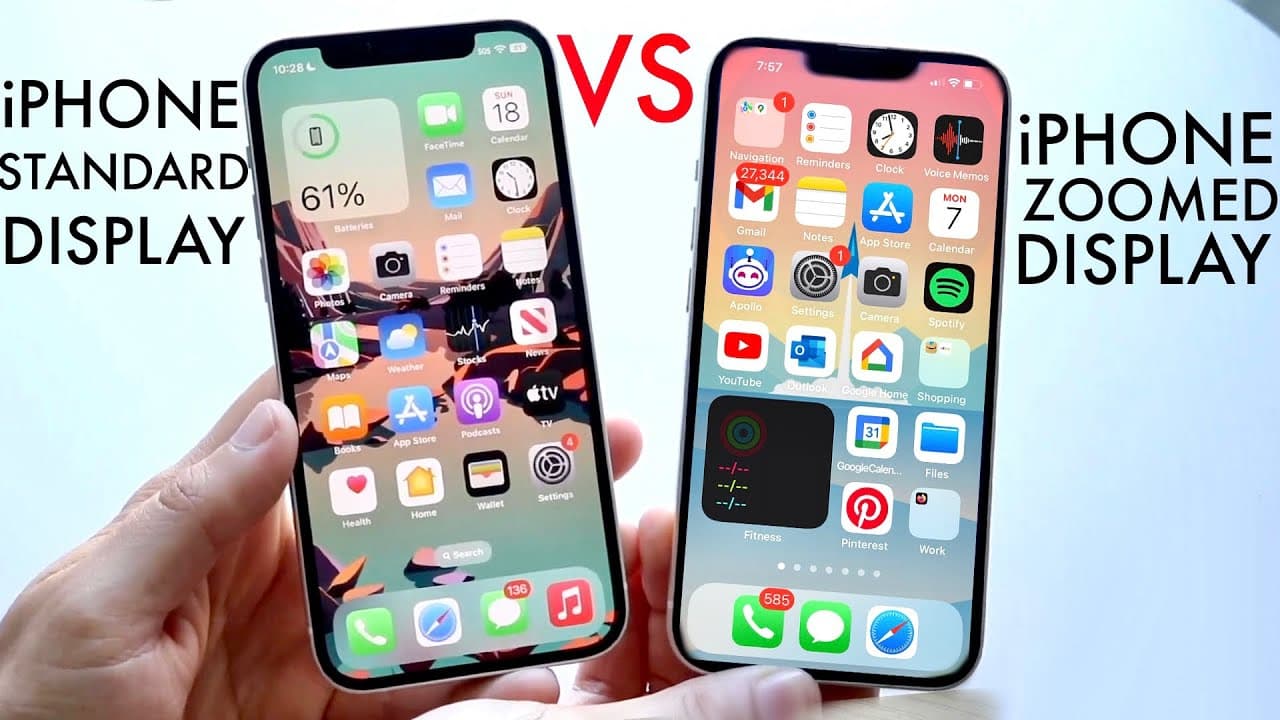
Choosing between iPhone's Standard display and Zoomed display primarily affects text size without impacting performance or battery life. The Standard display is recommended for most users for better app consistency, while the Zoomed display may benefit those with vision challenges by making text and icons larger.
Transcript
so you may have just turned on your iPhone or maybe you're signing up for the first time or the 100th time and you're actually trying to figure out whether you want to keep your iPhone display zoomed in or you want to keep it the standard Zoom now the differences between these there's not anything crazy so I want to keep that in mind there's nothin... Read More
Key Insights
- 👤 Transitioning between standard and zoomed display settings is seamless on iPhones, promoting user control over display preferences.
- 🥺 Larger text may enhance accessibility for users with vision challenges, leading to a more comfortable smartphone experience.
- 🥺 Developers optimize most applications for the standard display, potentially leading to better coherence and fewer issues when used without zoom.
- 💱 Changing display settings does not guarantee a change in functionality; it primarily alters visual presentation.
- ⚾ The choice between text sizes should be made based on individual comfort and needs rather than technical limitations.
- 🫠 Increased text size in the zoomed-in option enhances readability for specific tasks like browsing, reading messages, or using social media.
- 👤 Regular updates to iOS improve compatibility and performance across all display settings, enhancing user experience.
Install to Summarize YouTube Videos and Get Transcripts
Explore YouTube Video Summarizer or Get YouTube Transcript Extractor
Questions & Answers
Q: What are the main differences between the zoomed and standard display settings on an iPhone?
The main differences lie in text size and icon visibility. The zoomed display increases the size of text and icons, making it easier for users with visual impairments to see content. In contrast, the standard setting maintains a default text size as intended by app developers, ensuring optimal app functionality and aesthetic appeal.
Q: Does changing the display zoom impact battery life or performance?
No, changing the display zoom does not affect battery life or the performance of the iPhone. Both zoomed and standard displays draw upon the same system resources. Thus, users can switch between the two options without concern for negative impacts on device longevity or responsiveness.
Q: Why might someone prefer the standard display over the zoomed-in option?
Users may prefer the standard display because it maintains the intended look and functionality of applications developed for iOS. Many games and apps are optimized for this setting, minimizing discrepancies or visual issues that could arise from using a zoomed-in display.
Q: Is it possible to change the display settings back and forth?
Yes, users have the flexibility to change their display settings at any time through the settings menu on their iPhone. If a user finds the zoomed display too large or the standard display too small, they can easily adjust it to better suit their preferences.
Q: What types of users might benefit from using the zoomed-in display option?
Individuals with visual impairments or difficulties reading small text generally benefit from switching to the zoomed-in display. It enlarges the text and icons, providing a more accessible experience for those who struggle with the standard size display.
Q: What should users consider when choosing between the two display options?
Users should assess their eyesight and comfort levels with text sizes. If the standard size works well, it is advisable to keep it for a more consistent experience across all applications. However, those needing larger text for accessibility may prefer the zoomed display.
Summary & Key Takeaways
-
The iPhone offers two display options: a standard zoom and a zoomed-in display, affecting text size without performance implications.
-
Users can switch between display settings easily, allowing for font size adjustments according to personal vision needs and preferences.
-
While zoomed displays make text and icons larger, the standard display is generally recommended for consistent app performance and appearance.
Read in Other Languages (beta)
Share This Summary 📚
Summarize YouTube Videos and Get Video Transcripts with 1-Click
Try YouTube Summary with ChatGPT & Claude or YouTube Transcript Generator
Explore More Summaries from Simple Alpaca 📚






Summarize YouTube Videos and Get Video Transcripts with 1-Click
Try YouTube Summary with ChatGPT & Claude or YouTube Transcript Generator