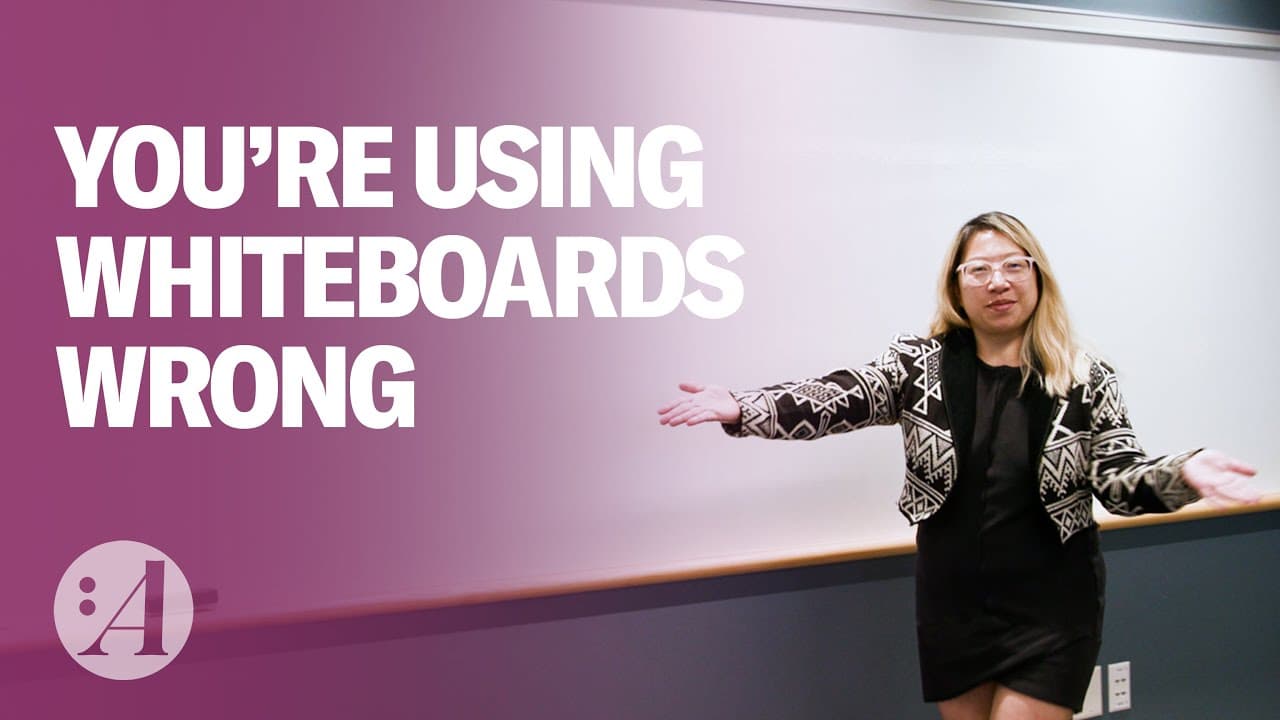
How to Really Use a Whiteboard (Demo Included) | Christine vs. Work
TL;DR
Whiteboards are more than just a cliché office tool - they can improve memory, foster collaboration, and simplify decision-making in meetings.
Transcript
CHRISTINE LIU: So we're going to talk about whiteboards. They are like the office cliche, right? You got staplers and copiers and whiteboards. And it's just like productivity and brainstorming and exciting stuff. I think we can all agree that whiteboards, whether it's real or virtual, they're helpful. You can jot down notes. You can sketch little t... Read More
Key Insights
- 👀 Whiteboards, whether real or virtual, are helpful tools for productivity, brainstorming, and note-taking.
- 💡 Whiteboards act as extra memory and help extend our memory, making us smarter by allowing us to visually organize and store information.
- 😠 It drives Jake Knapp nuts when people don't use whiteboards or when the whiteboard is poorly maintained or nonexistent.
- 🎨 While the blank canvas of a whiteboard can be anxiety-inducing, structuring it like a shelving unit can help organize thoughts and ideas.
- 💭 Jake Knapp's "Note and Vote" technique, where participants independently write down ideas on sticky notes and use the whiteboard to capture and prioritize them, enhances meeting discussions.
- ⚡️ To maximize the effectiveness of whiteboards, simplicity is key. Avoid using multicolored sticky notes and stick to one color for clarity.
- 🖥 Digital whiteboards should be robust, reliable, responsive, and user-friendly for seamless collaboration in meetings.
- 🗒️ Utilizing whiteboards can lead to more productive meetings, as they facilitate idea sharing, clarity, communication, and decision-making.
Install to Summarize YouTube Videos and Get Transcripts
Explore YouTube Video Summarizer or Get YouTube Transcript Extractor
Questions & Answers
Q: How do whiteboards improve memory and prevent cognitive biases?
According to Jake Knapp, whiteboards extend our memory by allowing us to visually capture and organize information, reducing the need to hold everything in our heads. This prevents recency bias and helps us think more clearly.
Q: What are some common mistakes people make when using whiteboards?
One common mistake is not using whiteboards at all, or having low-quality whiteboards that are small or difficult to erase. Another mistake is adding unnecessary complexity, such as using multicolored sticky notes, which can distract from the information being presented.
Q: How can whiteboards enhance collaboration in meetings?
Whiteboards provide a shared space where everyone can contribute their ideas, without the loudest voices dominating the conversation. Techniques like Note and Vote help generate ideas and make decisions collectively, leading to more inclusive and productive discussions.
Q: Are digital whiteboards as effective as traditional ones?
Digital whiteboards can be effective if they are user-friendly and responsive. However, traditional whiteboards are often preferred for in-person collaboration, as they provide more surface area and allow for easy drawing and writing.
Q: How can whiteboards prevent bad meetings?
Whiteboards promote clarity and shared understanding in meetings, reducing the chances of miscommunication or errors. They also facilitate decision-making and action plans, ensuring that meetings lead to tangible progress and outcomes.
Summary & Key Takeaways
-
Whiteboards act as extra memory storage, allowing us to visually organize information and prevent recency bias.
-
Proper use of whiteboards involves keeping them simple and accessible, using techniques like Note and Vote, and avoiding distractions like multicolored sticky notes.
-
Whiteboards help prevent bad meetings by ensuring everyone's ideas are heard, promoting shared understanding, and facilitating decision-making and action plans.
Read in Other Languages (beta)
Share This Summary 📚
Summarize YouTube Videos and Get Video Transcripts with 1-Click
Try YouTube Summary with ChatGPT & Claude or YouTube Transcript Generator
Explore More Summaries from Harvard Business Review 📚




Summarize YouTube Videos and Get Video Transcripts with 1-Click
Try YouTube Summary with ChatGPT & Claude or YouTube Transcript Generator