8 New Features in Microsoft Excel | Summer 2023
TL;DR
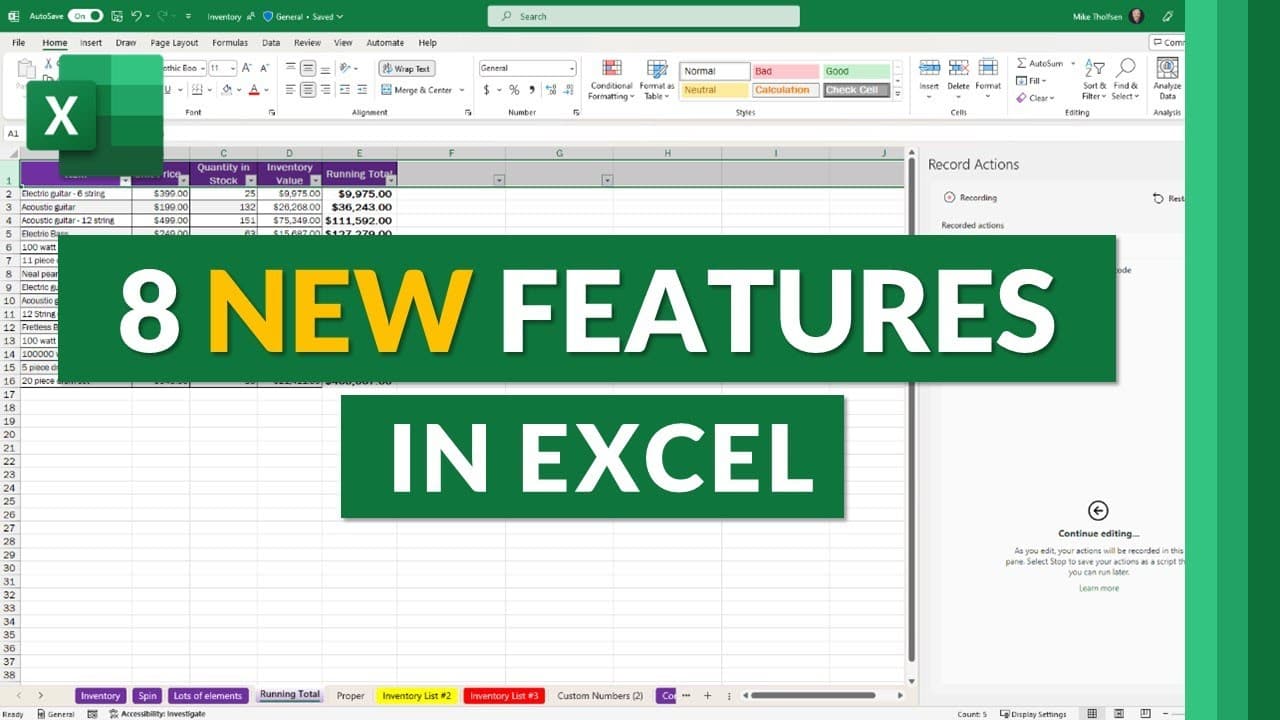
This video showcases eight new features in Excel, including the ability to easily paste values, assign tasks when leaving comments, record actions with Office scripts, launch the power query editor with a shortcut, use immersive reader support for improved accessibility, view data populated into a formula, access menus through a search box, and navigate through large drop-down menus with ease.
Transcript
I'll be showing eight new features in Excel this includes the new record actions to easily automatic cell improve commenting and tasks immersive reader and a whole lot more so let's get started the first new feature is a handy shortcut to paste values in Excel I have a table right here I'm going to select it and I will do Ctrl C to copy now let's s... Read More
Key Insights
- 🔆 Excel now has a handy shortcut to paste values, making it easier to copy and paste data without going through multiple options in the menu.
- 📝 You can now assign tasks to specific individuals when leaving comments in Excel, making it easier to track and manage tasks within a spreadsheet.
- 🔍 Excel has introduced a new feature called "record actions," allowing users to easily record macros and actions to automate tasks.
- 🎛️ Launching the power query editor in Excel is now more convenient with the new shortcut Alt+F12.
- 📖 Immersive reader support in Excel for the web helps users access and translate text, making spreadsheets easier to read and understand.
- 💡 Data in formulas are now accompanied by handy tooltips, making it easier to understand and navigate complex formulas within a spreadsheet.
- 🔎 The addition of a search box in the right-click menu allows users to quickly access any of Excel's menus without having to navigate through the top menu options.
- ♿ Accessibility has been improved with the ability to navigate through large menus using the Tab key, making it easier to select specific options without having to go one by one.
Install to Summarize YouTube Videos and Get Transcripts
Explore YouTube Video Summarizer or Get YouTube Transcript Extractor
Questions & Answers
Q: How can you quickly paste values in Excel?
You can use the shortcut Ctrl + Shift + V to paste values instead of going through the object menu or toolbar options.
Q: How can you assign tasks to yourself or others in Excel comments?
In Excel, you can mention someone in a comment, assign them a task, and it will appear in their task list for easy tracking and completion.
Q: What is the record actions feature in Excel?
The record actions feature allows users to easily record macros or actions and create scripts that can automate tasks in Excel.
Q: How can you launch the power query editor in Excel?
You can use the shortcut Alt + F12 to quickly launch the power query editor in Excel.
Q: What is immersive reader support in Excel for the web?
Immersive reader support in Excel for the web allows users to access inclusive reading tools, such as text customization, translations, and visual adjustments for improved readability.
Q: How can you view the data populated into a formula in Excel?
By clicking on the parameters of a formula, tool tips will appear to show the data populated into each parameter, making it easier to understand and troubleshoot complex formulas.
Q: How can you search through Excel menus more efficiently?
By right-clicking on a cell and using the search box, you can quickly access any Excel menu without having to navigate through multiple menus.
Q: What accessibility improvement has been made in Excel's insert menu?
In the insert menu, users can now use the tab key to jump between groups of choices, making it faster and more convenient to navigate through menus with many options.
Summary & Key Takeaways
-
Excel now has a shortcut (Ctrl + Shift + V) to quickly paste values instead of going through the object menu or toolbar options.
-
Users can now assign tasks to themselves or others when leaving comments in Excel, and the tasks will appear in their task lists.
-
The new record actions feature in Excel allows users to easily record macros or actions and create scripts to automate tasks.
-
A new shortcut (Alt + F12) launches the power query editor, making it easier to access and use.
-
Immersive reader support in Excel for the web provides a more inclusive and customizable reading experience, including translations and visual adjustments.
-
Tool tips now show the data populated into formula parameters, making it easier to understand and troubleshoot complex formulas.
-
Users can search through Excel menus by right-clicking on a cell and using the search box, eliminating the need to navigate through multiple menus.
-
Accessibility improvements include the ability to navigate large drop-down menus by groups using the tab key.
Read in Other Languages (beta)
Share This Summary 📚
Summarize YouTube Videos and Get Video Transcripts with 1-Click
Try YouTube Summary with ChatGPT & Claude or YouTube Transcript Generator
Explore More Summaries from Mike Tholfsen 📚




Summarize YouTube Videos and Get Video Transcripts with 1-Click
Try YouTube Summary with ChatGPT & Claude or YouTube Transcript Generator