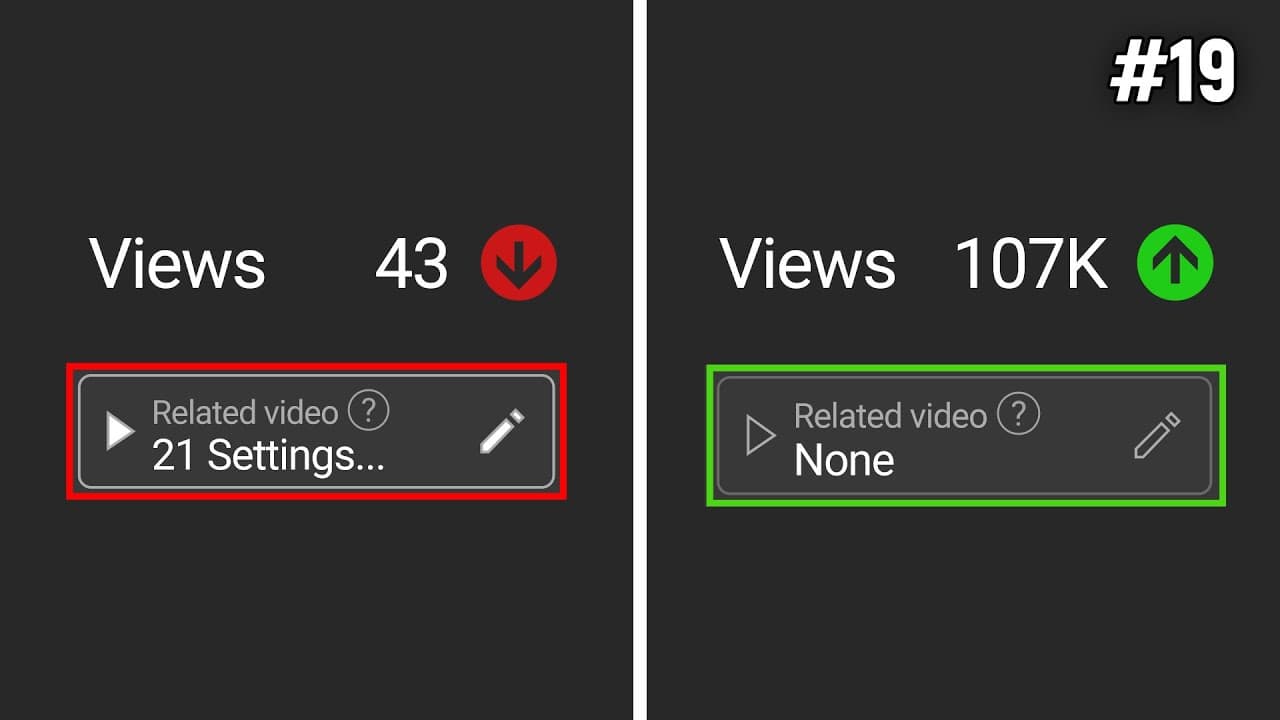
21 Youtube Settings That F*ck Small Channels
TL;DR
Learn how to optimize YouTube settings to increase views, including toggling the "publish to subscriptions feed" option and accurately designating videos as made for kids.
Transcript
here are 20 YouTube settings that can more YouTube channels meaning you get no views for this first setting you're going to go into your YouTube Studio go to content and hover over one of your videos just click on details like so now if we keep coming down we're going to see this setting here publish to subscriptions feed and notify subscribers thi... Read More
Key Insights
- 🤱 Unchecking the "publish to subscriptions feed" option prevents unrelated videos from being promoted to subscribers who may not be interested.
- 🎮 Accurately designating videos as made for kids or not is crucial to comply with regulations, avoid limitations on features, and prevent potential fines.
- 🎮 Manually adding chapters to videos allows for better organization and control over content presentation.
- 🫵 Customizing the channel homepage with featured sections enhances the visual appeal and increases the opportunities for viewers to discover more content.
- 🚕 Ensuring proper verification steps and selecting the correct country of residence in channel settings are important for longer videos and managing tax implications.
- 🍻 Adding a subscription prompt link in multiple places can increase subscriber count.
- 🎮 Utilizing a video watermark and enabling it for the entire video can support subscriptions, especially for viewers watching in full-screen mode.
Install to Summarize YouTube Videos and Get Transcripts
Explore YouTube Video Summarizer or Get YouTube Transcript Extractor
Questions & Answers
Q: What is the potential negative impact of leaving the "publish to subscriptions feed" option checked for unrelated videos?
Leaving the option checked can result in the algorithm promoting your video to subscribers who are not interested in the content, leading to lower engagement and negative signals for the video in the algorithm.
Q: Why is it essential to accurately designate whether a video is made for kids or not?
Accurate designation helps avoid fines and enables or disables certain features, such as comments and monetization, depending on the target audience for the video.
Q: What are the advantages of manually adding chapters to videos?
Manually adding chapters allows for better control over the organization and presentation of content, ensuring that viewers can easily navigate through different sections of a video and find specific topics of interest.
Q: How can linking related videos to YouTube shorts benefit a creator?
Linking related videos to YouTube shorts can drive additional views to long-form content and provide creators with more data and engagement on their videos.
Summary & Key Takeaways
-
Unchecking the "publish to subscriptions feed" option for videos unrelated to your channel's content prevents the algorithm from promoting them to subscribers who are not interested in the topic.
-
Accurately designating whether a video is made for kids or not is important to comply with regulations, avoid fines, and enable or disable certain features, such as comments and monetization.
-
Manually adding chapters to your videos instead of relying on YouTube's automatic chapter feature ensures better control over the organization and presentation of your content.
Read in Other Languages (beta)
Share This Summary 📚
Summarize YouTube Videos and Get Video Transcripts with 1-Click
Try YouTube Summary with ChatGPT & Claude or YouTube Transcript Generator
Explore More Summaries from Marcus Jones 📚
Summarize YouTube Videos and Get Video Transcripts with 1-Click
Try YouTube Summary with ChatGPT & Claude or YouTube Transcript Generator