HomePod 2: Does Stereo Pairing Really Improve Sound?
TL;DR
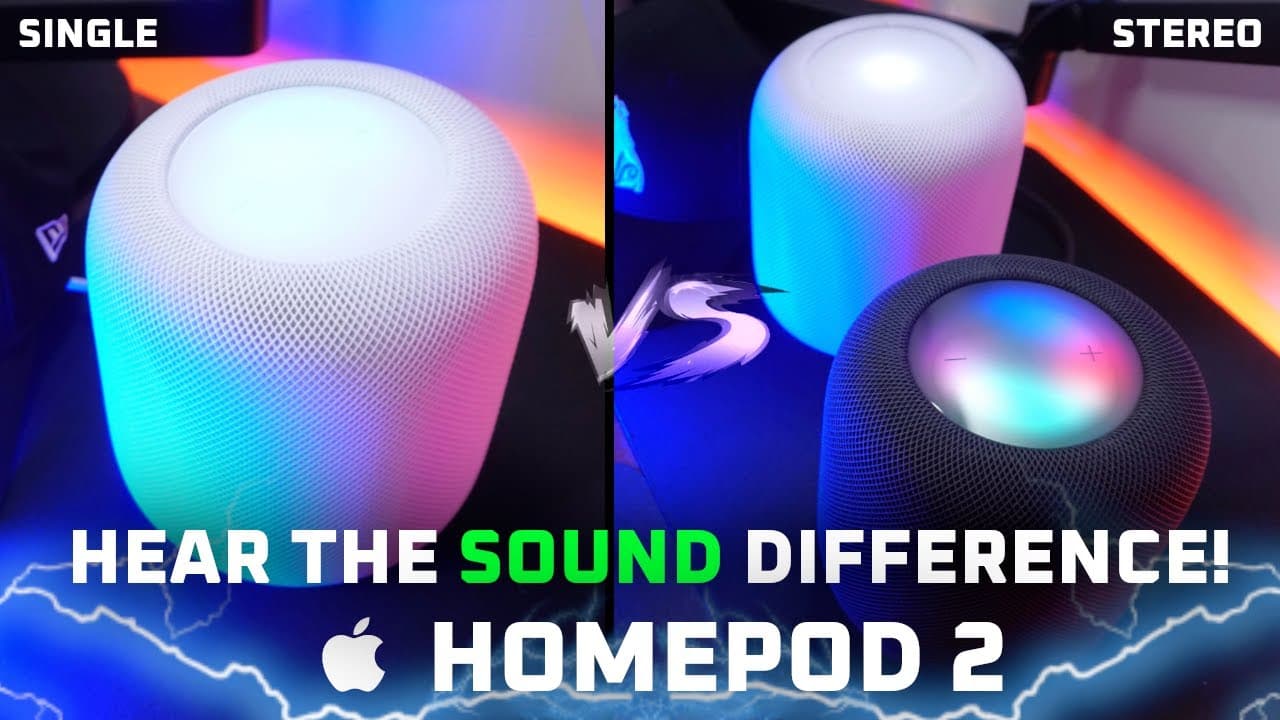
Pairing two HomePod 2 speakers in stereo greatly enhances sound quality and immersion compared to using just one. Stereo setups create a wider soundstage and improve vocal clarity, while single unit configurations may lack bass depth. However, the HomePod 2 primarily caters to Apple users, which limits compatibility for others.
Transcript
so today you guys are gonna hear the difference between two home part 2s paired in stereo versus a single home pod now as you know the home part used can be grouped into a stereo pair with each serving as dedicated left and right channel speakers you can do this to the Apple home app available on iOS or when connected to your TV through an Apple TV... Read More
Key Insights
- 👂 The HomePod 2's stereo configuration provides a significant improvement in sound quality and audio immersion compared to using a single unit.
- 👻 Connection to Apple devices enhances the user experience, allowing for easy audio transfer and smart home integration.
- 🤑 Users appreciate the clean sound signature and rich bass response, negating the need for an additional subwoofer in many situations.
- 😘 While the sound quality excels, there is a noted frequency gap in lower mids, affecting vocal clarity on occasion.
- 👤 A significant drawback is that the HomePod 2 is primarily designed for Apple users, limiting its compatibility with non-Apple devices.
- 📺 The latency issue for TV watching is minimal, enhancing the usability of the HomePod 2 for multimedia experiences.
- 🖤 The HomePod 2 lacks multi-channel surround sound capabilities, making it less suitable for users seeking a comprehensive home theater setup.
Install to Summarize YouTube Videos and Get Transcripts
Explore YouTube Video Summarizer or Get YouTube Transcript Extractor
Questions & Answers
Q: What advantages does using two HomePod 2 speakers in a stereo configuration provide?
Using two HomePod 2 speakers in stereo enhances sound quality by creating a wider and more immersive soundstage. This setup allows for more balanced audio, particularly when watching movies or listening to music, as sound is distributed evenly across left and right channels, providing a more natural listening experience.
Q: Did the reviewer notice any latency issues when using HomePod 2 with an Apple TV?
The reviewer reported minimal latency when using the HomePod 2 as TV speakers, even during gaming. The audio synced well with the video from both native Apple TV apps and other sources. However, the user experienced a minor inconvenience of needing to re-enable the audio return channel every time the setup was turned on.
Q: Were there any notable differences in bass response when using a single HomePod 2 versus a stereo pair?
Yes, there were differences noted in bass response. The single HomePod 2 exhibited more extension in the mid to lower bass frequencies, while the stereo configuration altered the bass dynamics slightly, cutting out mid-bass extension. The stereo setup emphasized a more spacious sound, but some reverb was introduced on vocal frequencies.
Q: Is the HomePod 2 easy to integrate into a smart home environment?
The HomePod 2 integrates seamlessly with Apple’s ecosystem, offering features like temperature and humidity sensors for home automation. Users can control various smart home devices through Siri, making it a powerful hub within an Apple-centered smart home. However, its features are limited for non-Apple device users.
Summary & Key Takeaways
-
The video compares the audio performance of a single HomePod 2 against two paired in stereo, highlighting improvements in sound staging and immersion with the stereo setup.
-
Listeners are encouraged to use headphones for the sound samples, demonstrating differences in bass and vocal clarity between single and stereo configurations.
-
The speaker's pros and cons are discussed, detailing its compatibility with Apple devices, seamless integration, and limitations for non-Apple users.
Read in Other Languages (beta)
Share This Summary 📚
Summarize YouTube Videos and Get Video Transcripts with 1-Click
Try YouTube Summary with ChatGPT & Claude or YouTube Transcript Generator
Explore More Summaries from Aaron X Loud and Wireless Reviews 📚


Summarize YouTube Videos and Get Video Transcripts with 1-Click
Try YouTube Summary with ChatGPT & Claude or YouTube Transcript Generator